Using Systray Quick Access
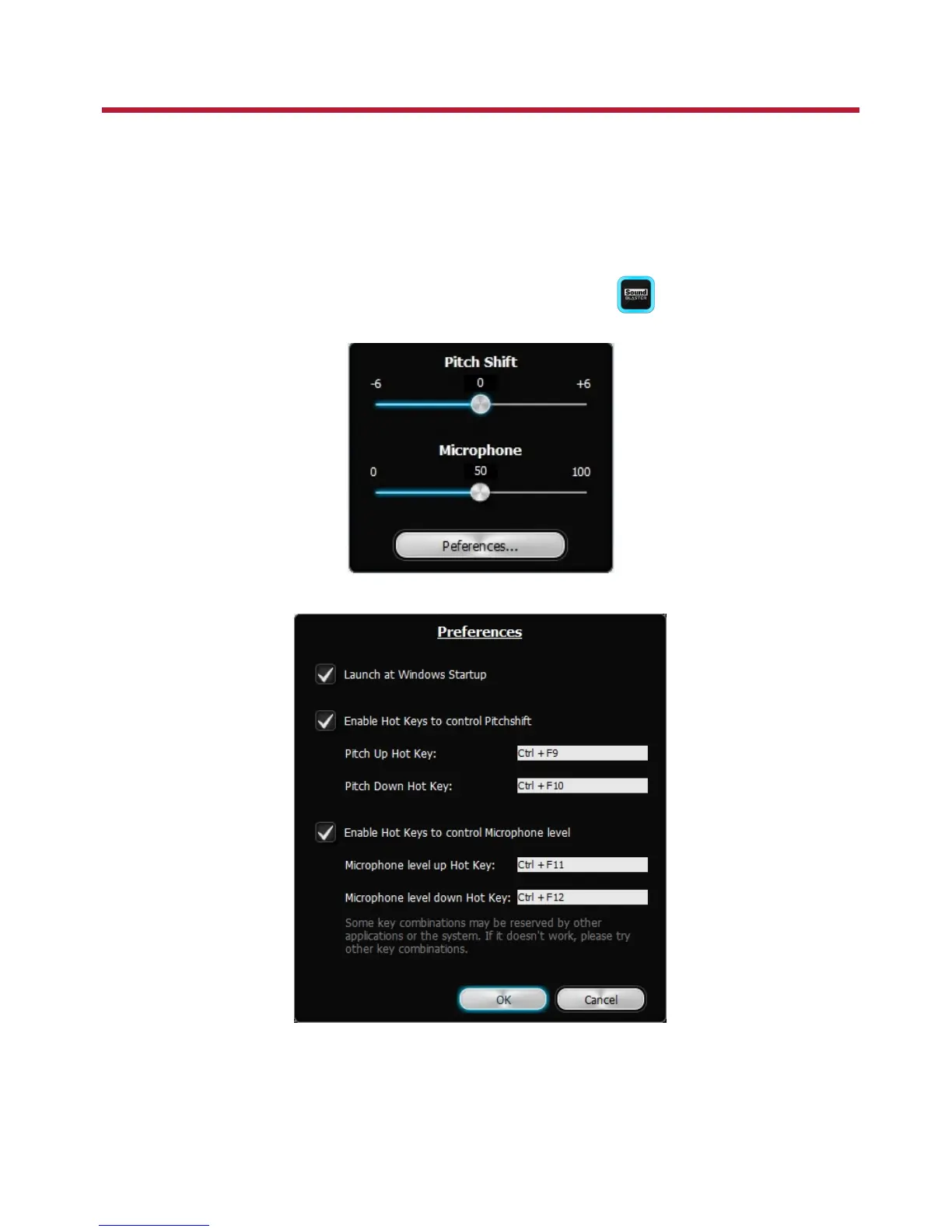
The Systray Quick Access software provides basic Pitch Shift and Mic volume control via the system tray
using hotkeys. You can quickly adjust the music key to suit your vocal range and make your voice sound
good on the mic at the same time change your mic's volume during karaoke singing sessions.
Systray Quick Access works in conjunction with Sound Blaster Audigy 5/Rx Control Panel.
Launching Systray Quick Access
1.
On the systems tray on the lower right corner of your screen, click .
The Systray Quick Access dialog box opens.
2. Click the Preferences button and set your hotkeys for pitch and mic volume.
Note
l The Current Active Preset needs to contain Pitch Shifter effect in order for the pitch shift to
work. For details, refer to Using Your Sound Blaster Audigy 5/Rx EAX Studio.
Using Systray Quick Access 46









 To Next Page