Installing Hardware 2-1
Installing Hardware
Step 1: Connect to
the telephone line
1. Locate the most conveniently-located telephone wall outlet.
2. If a phone is already connected to it, unplug the telephone cable from the wall outlet.
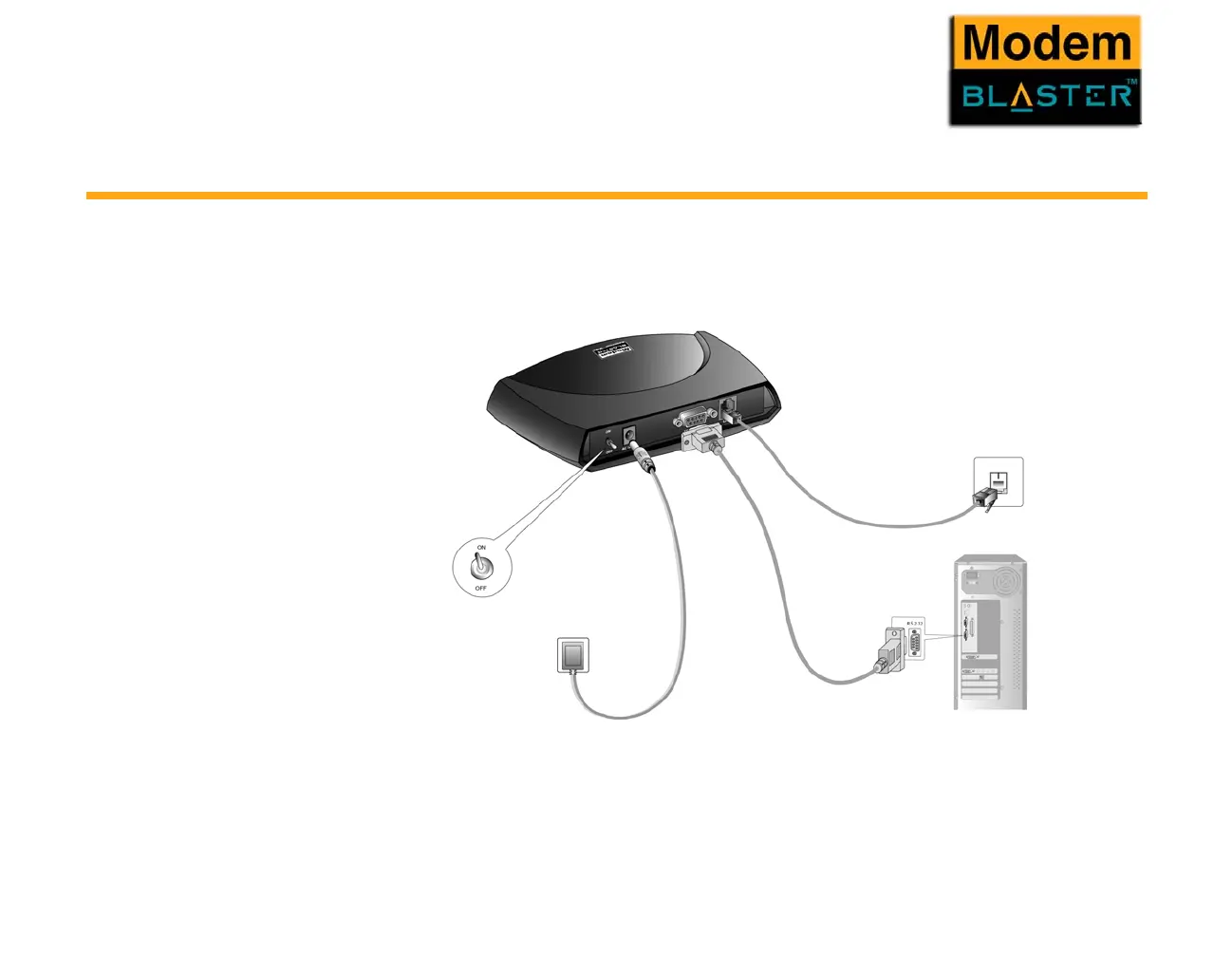
3. Connect the supplied telephone cable from the wall outlet to your modem’s Telephone Line jack.
Figure 2-1 Connecting the power adapter and cables.
Wall Outlet
To telephone line wall outlet
Telephone cable
RS232 cable (provided)
On/Off switch
Power adapter cable
(provided)



 To Next Page