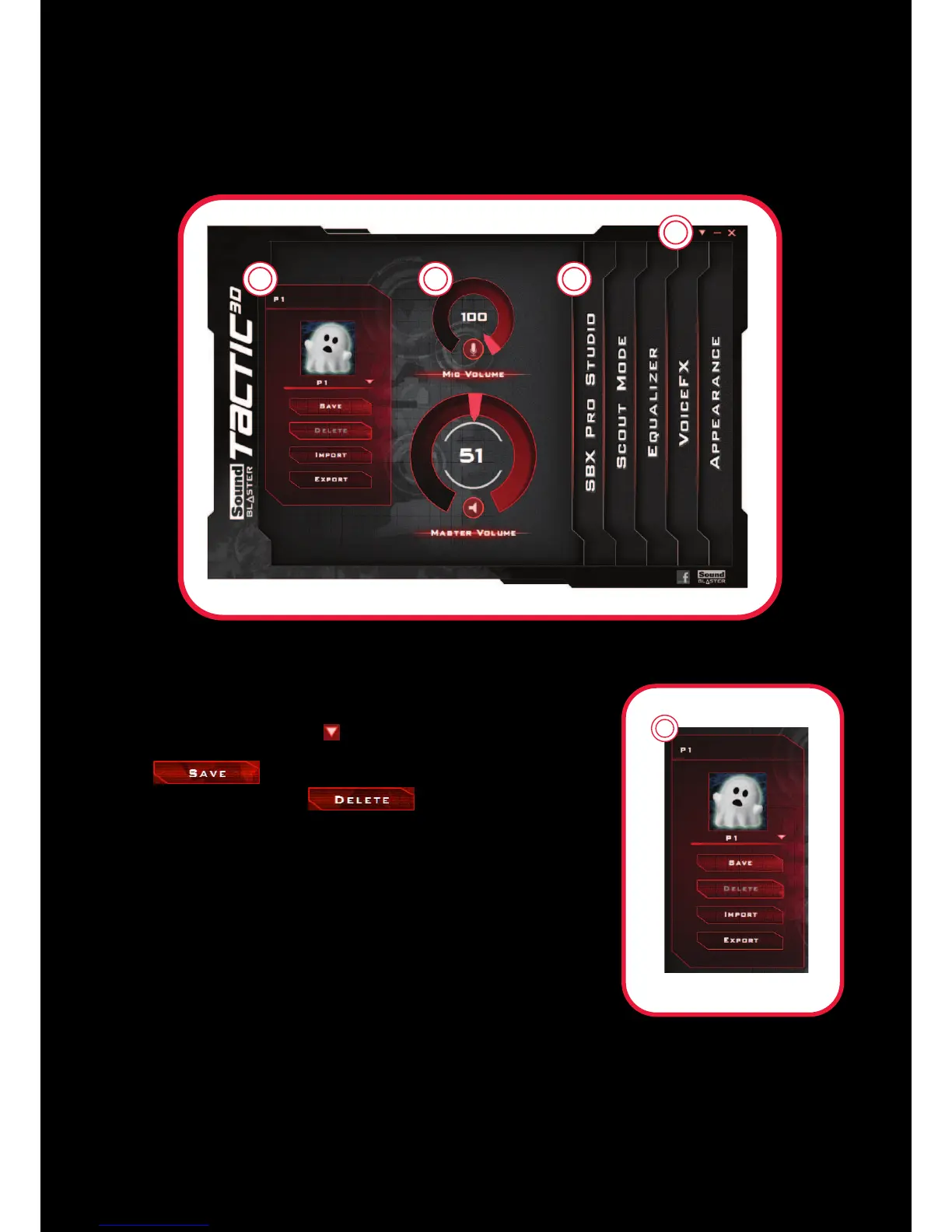
Sound Blaster Tactic(3D) Control Panel
The examples and screenshots below uses Windows as an example. The user interface for other
operating systems may differ slightly.
Managing your TacticProfiles
Activate a profile by clicking and selecting it from the list.
Click to save all settings to the current profile or
create a new profile. Click to delete the active
profile.
Customizing your avatar
You can customize the avatar for each profile by clicking the
portrait and selecting another one from the list.
Sharing TacticProfiles
You can export your custom settings and share them with others,
or import other gamers’ custom settings.










 To Next Page