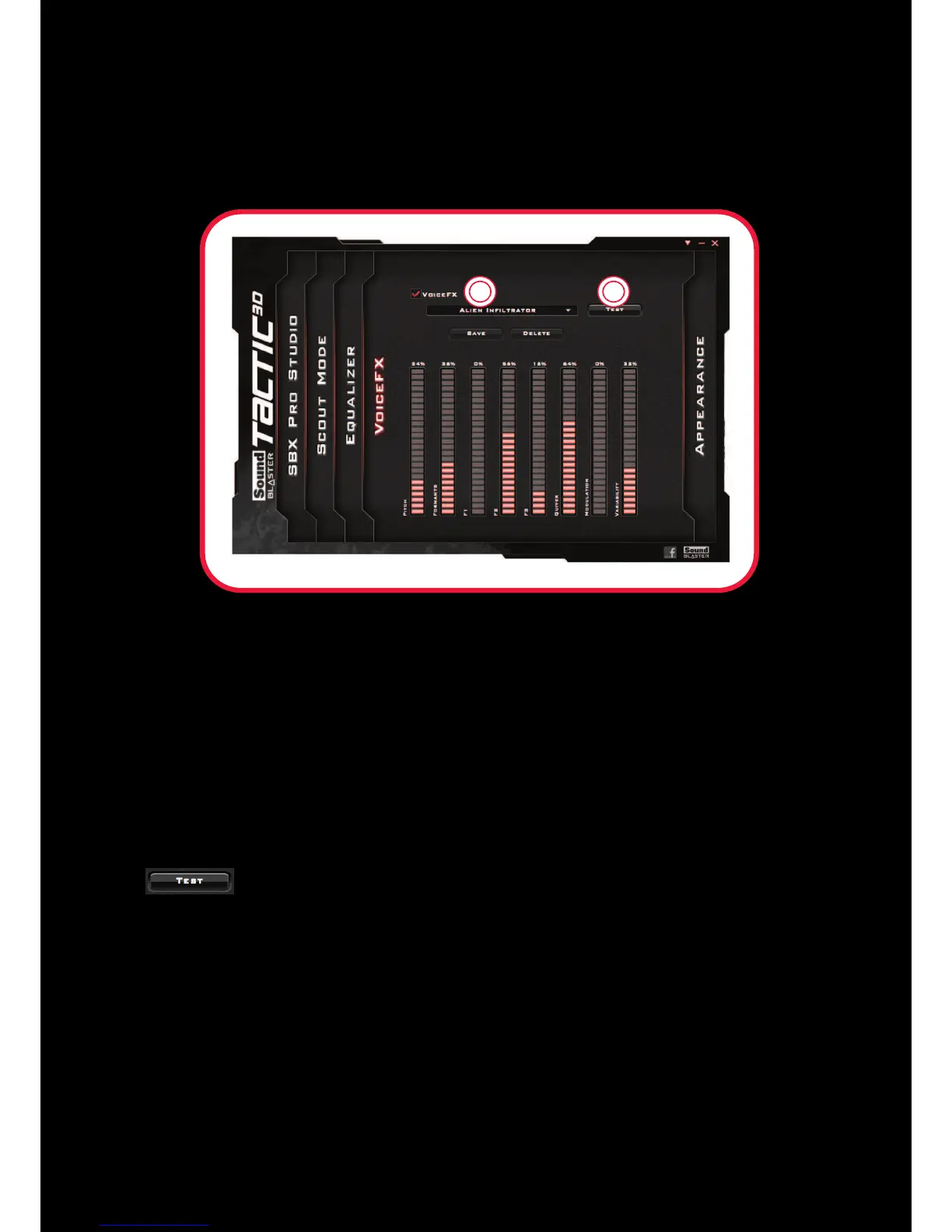
VoiceFX
VoiceFX enables the alteration of voice with a variety of effects which can be used to enhance the tone
of a voice, create interesting accents or even allow someone to sound like a completely different
person.
1 VoiceFX presets
Select a VoiceFX preset to apply to your voice input.
2 VoiceFX audio test
Listen to your voice with the selected VoiceFX preset applied.
Customizing your VoiceFX settings
Select the VoiceFX checkbox to enable this feature, then click the VoiceFX drop-down arrow and select
a preset from the list.
Click to listen to how your voice will sound with the selected VoiceFX preset applied.











 To Next Page