EasyManua.ls Logo

Creative MuVo V200 - Error Diagrams

Creative MuVo V200
58 pages
Print Icon
To Next Page IconTo Next Page
To Previous Page IconTo Previous Page
Loading...
Onscreen Diagram and Icon Guide B-4
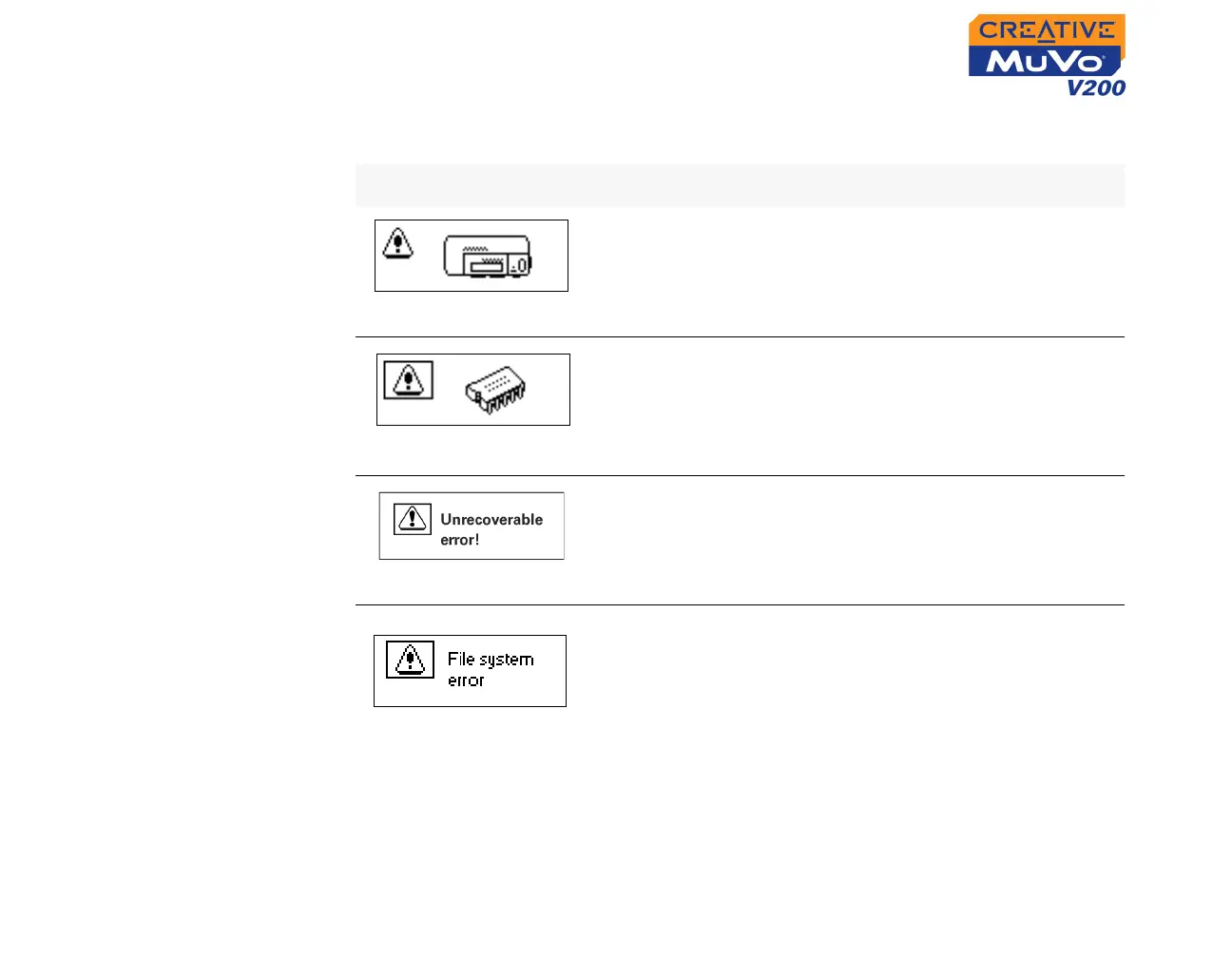
Error Diagrams
If an error occurs, you may see the following diagram, indicating the general
nature of the problem.
Diagram Likely Causes Suggested Action
❍ physical defects
❍ numerous high-
impact shocks
❍ contact Customer
Support Services
❍ unexpected power
loss while saving
settings
❍ download a newer
firmware version
❍ reload firmware
❍ contact Customer
Support Services
❍ player is unable to
perform the selected
task (for example,
deleting a file)
❍ clear your player’s
memory
❍ contact Customer
Support Services
❍ unsupported file
system
❍ corrupted file system
❍ check that the file
system you have
selected during
formatting is FAT only
❍ use ScanDisk to check
your player