User Manual for Handheld Pulse Oximeter
9
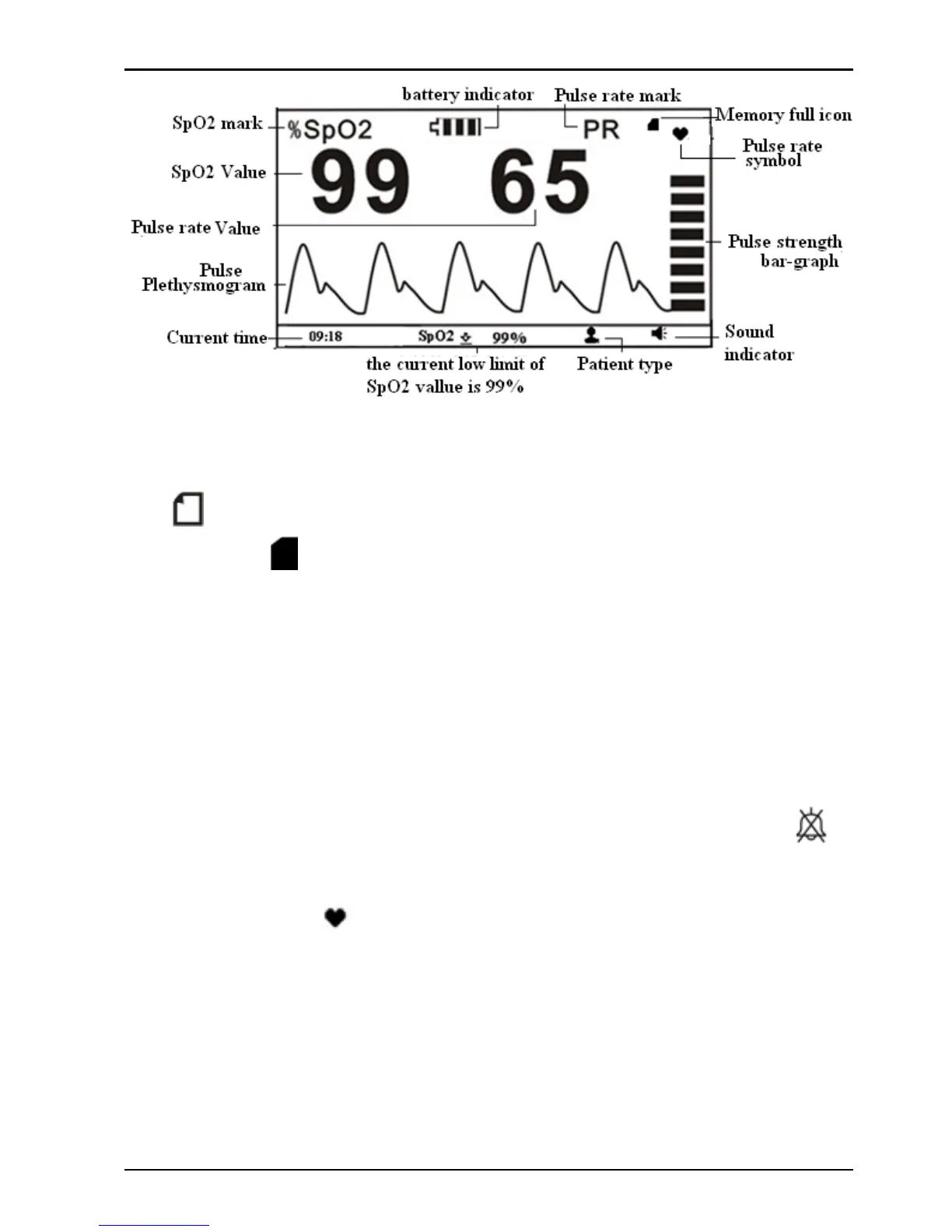
Figure 4-1 Default Screen
Description:
“ ”: Memory full icon; if the memory i s full, the memory
full icon "
" appears on the screen. No display of this icon
means the current storing space is not full. If the memory is
full, the data storing will continue in such way t he new
record will overwrite the oldest record, so that it's
recommended to upload the stored data into the computer in
time.
During the measurement, short time press recall/mute "
"
key to turn off (or resume) the pulse beep sound, while the
pulse symbol "
" still blinks. For alert sound mute function,
refer to Section 6.2 for detail.
Note: The pitch tone of pulse beep (dididi...) i s modulated by
the SpO
2
value, that means the pitch t one changes when the
measured SpO
2
changes. The higher the SpO
2
value is, the



 To Next Page