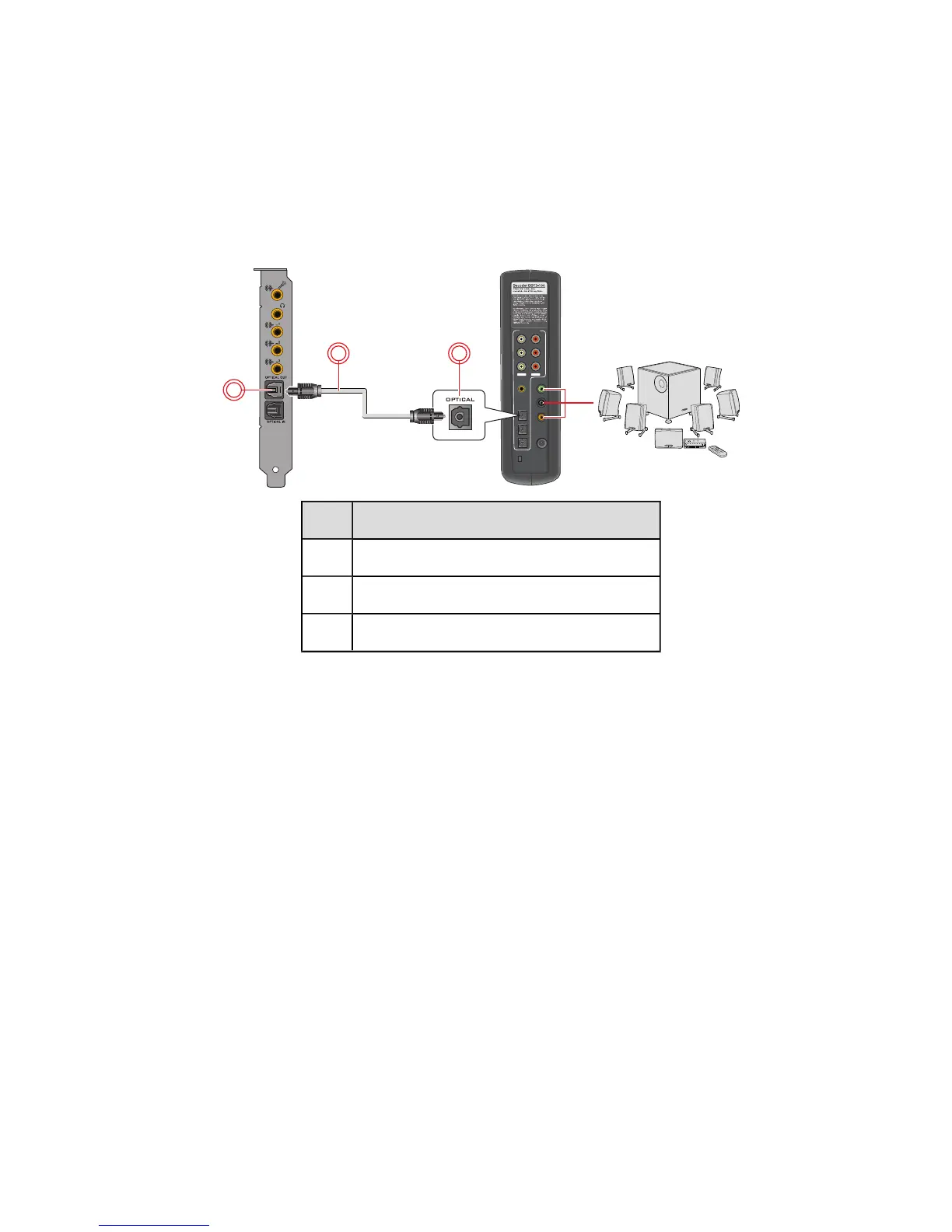
Connecting Digital Speaker Systems
Your Sound Blaster Z-Series comes with an Optical S/PDIF Out jack which allows you to connect your
digital speaker system. Most digital speakers systems connect the audio card to the subwoofer or an
external unit.
For more information on your digital speaker connections, consult the documentation of your digital
speaker system.
Connecting your digital speakers to the Sound Blaster Z-Series
Jack, Connector or Cable
1. Optical S/PDIF Out jack
2. Optical cable (available separately)
3. Optical S/PDIF In jack
Connecting Speakers and Headphones 11









 To Next Page