Playing / Recording Music
You can play music from, and/or record music to external devices (for example, Digital Audio Tape
player/recorder) by connecting them to your Sound Blaster Z-Series.
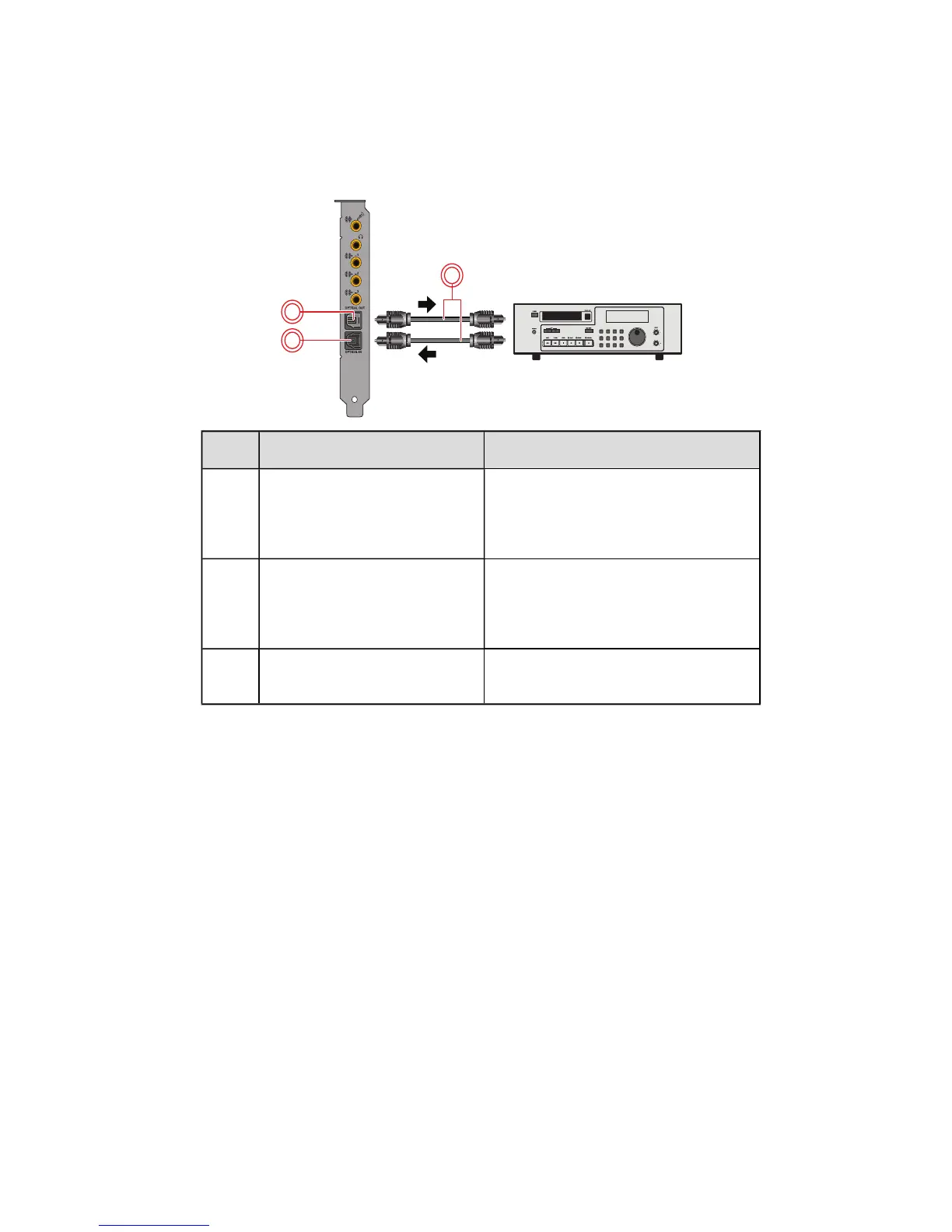
Connecting your external device to the Sound Blaster Z-Series
Jack, Connector or Cable Description
1. Optical S/PDIF Out jack Connects to recording devices with
optical connectors (for example,
DATrecorders, MDrecorders or
external hard disk recorders).
2. Optical S/PDIF In jack Connects to playback devices with
optical connectors(for example,
DATplayers, MiniDisc players or DVD
players).
3. Optical cable (available
separately)
Connects the playback or recording
device to your Sound Blaster Z-Series.
Using Your Sound Blaster Z-Series 24









 To Next Page