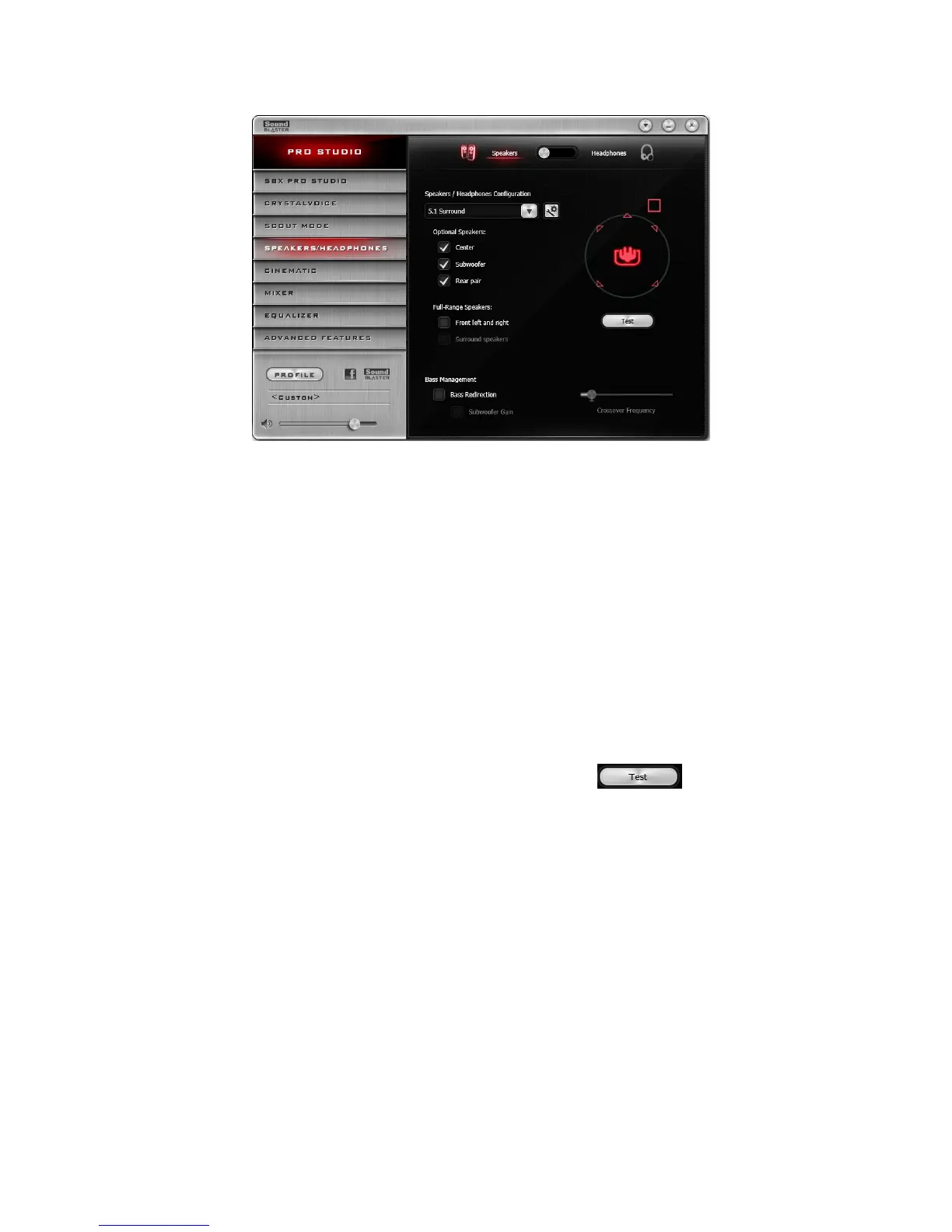
Speakers/Headphones Settings
1. Switch between Speakers or Headphones mode.
2. Speakers / Headphones Configuration
Select your current physical speaker or headphone configuration.
Notes:
Stereo Direct is an option for direct playback to stereo speaker channel sampled at 192kHz. The
following features will not be applied to this playback:
l SBXPro Studio suite of audio enhancements
l DTSConnect
l Dolby Digital Live
l Equalizer
Testing Your Audio Playback
Select the appropriate configuration based on your setup, then click to hear a sample audio
clip being played back through your setup.
Using the Creative Software Suite 32









 To Next Page