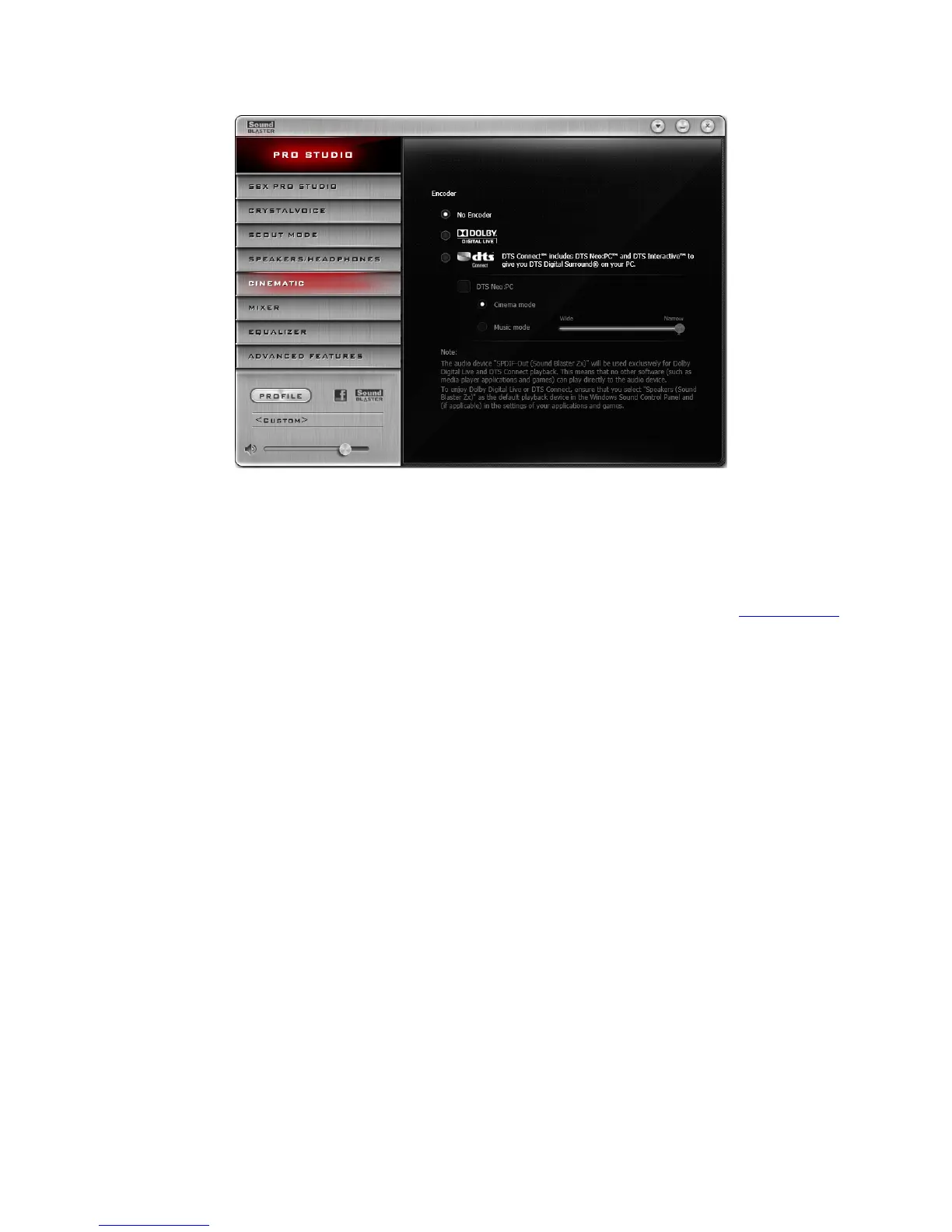
Cinematic Settings
1. Encoder settings
Select "No Encoder" if you wish to turn off encoding or select "Dolby Digital Live" or "DTSConnect"
to turn on the respective encoders.
Setting up DTSConnect
Under DTSConnect, select or unselect the option "DTSNeo:PC" and configure its various settings
according to your audio playback needs. To learn more about DTSConnect, please visit www.dts.com.
Using the Creative Software Suite 33









 To Next Page