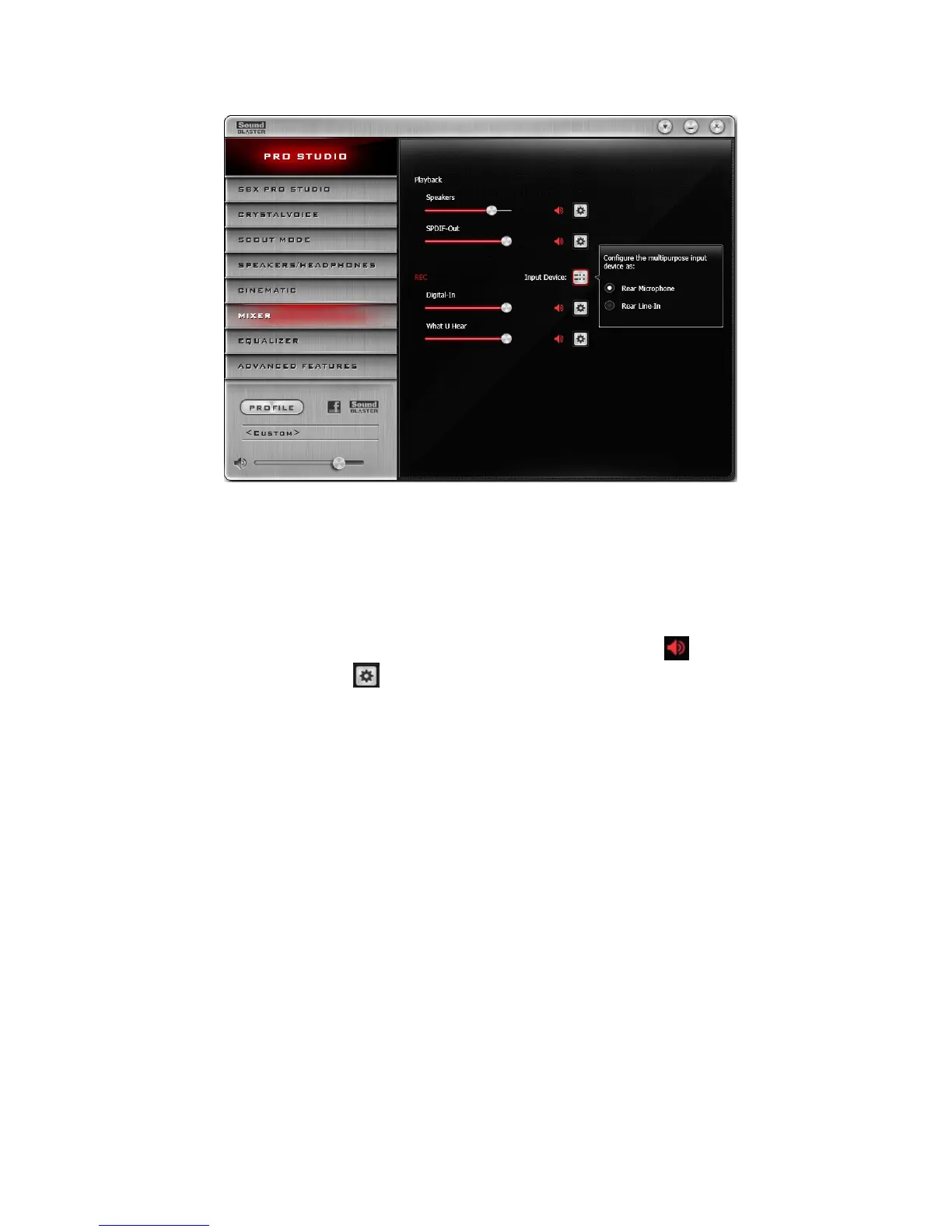
Mixer Settings
1. Volume sliders
Adjust the playback and recording volume for your various inputs and outputs.
2. Input Device
Select the input device source from the following analog sources: Front Microphone, Rear Micro-
phone or Rear Line-in. Only one source can be active at any one time.
Adjusting Your Mixer Settings
Slide the volume level sliders right to increase and left to decrease. Click the icon to mute/unmute
the input/output. You can click the icon to adjust the settings for your input/output.
Using the Creative Software Suite 34









 To Next Page