Connectivity
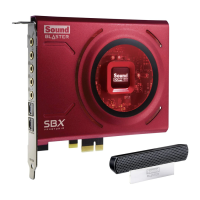
This section details the connectivity of your Sound Blaster Z-Series audio card.
Sound Blaster Z-Series Audio Card
Audio Inputs
l One 3.5mm (1/8-inch) Line In jack for Analog Line In or Microphone In
l One Optical S/PDIFjack for Digital In
Audio Outputs
l One 3.5mm (1/8-inch) Headphone jack
l Three 3.5mm (1/8-inch) Line Out jacks for six channel analog audio output:
Front Left, Front Right, Front Center, Subwoofer, Rear Left and Rear Right channels
l One Optical S/PDIFjack for Digital Out
Interfaces
l One 2 x 5 pin Front Panel Header for connection with Intel HDFront Panel Audio standard header
Front Panel Header Audio Connector
Connection Compatibility
l Intel HDFront Panel Audio standard only.
Not compatible with AC97 or Intel-compatible HDFront Panel Audio
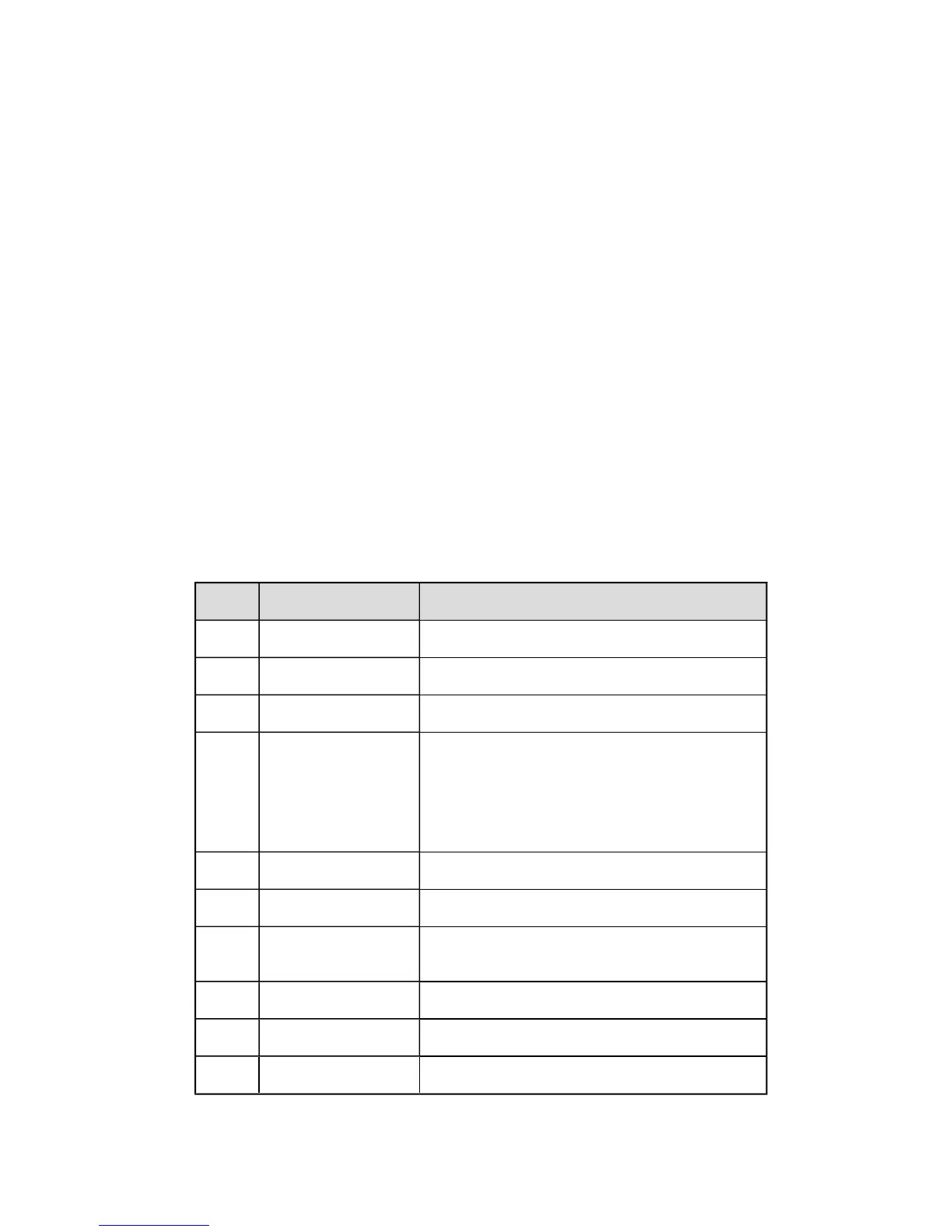
Pin Configuration
Pin Signal Name Description
1 PORT 1L Analog Port 1 - left channel (Microphone)
2 GND Ground
3 PORT 1R Analog Port 1 - right channel (Microphone)
4 PRESENCE#
Active low signal that signals BIOSthat an
Intel HDAudio dongle is connected to the
analog header.
PRESENCE# = 0 when an Intel HDAudio
dongle is connected.
5 PORT2R Analog Port 2 - right channel (Headphone)
6 SENSE1_RETURN Jack detection return for Front panel (JACK1)
7 SENSE_SEND Jack detection sense line from the Intel HDAudio
CODEC jack detection resistor network
8 KEY Connector Key
9 PORT2L Analog Port 2 - left channel (Headphone)
10 SENSE2_RETURN Jack detection return for front panel (JACK2)
General Specifications 44









 To Next Page