Recording Music
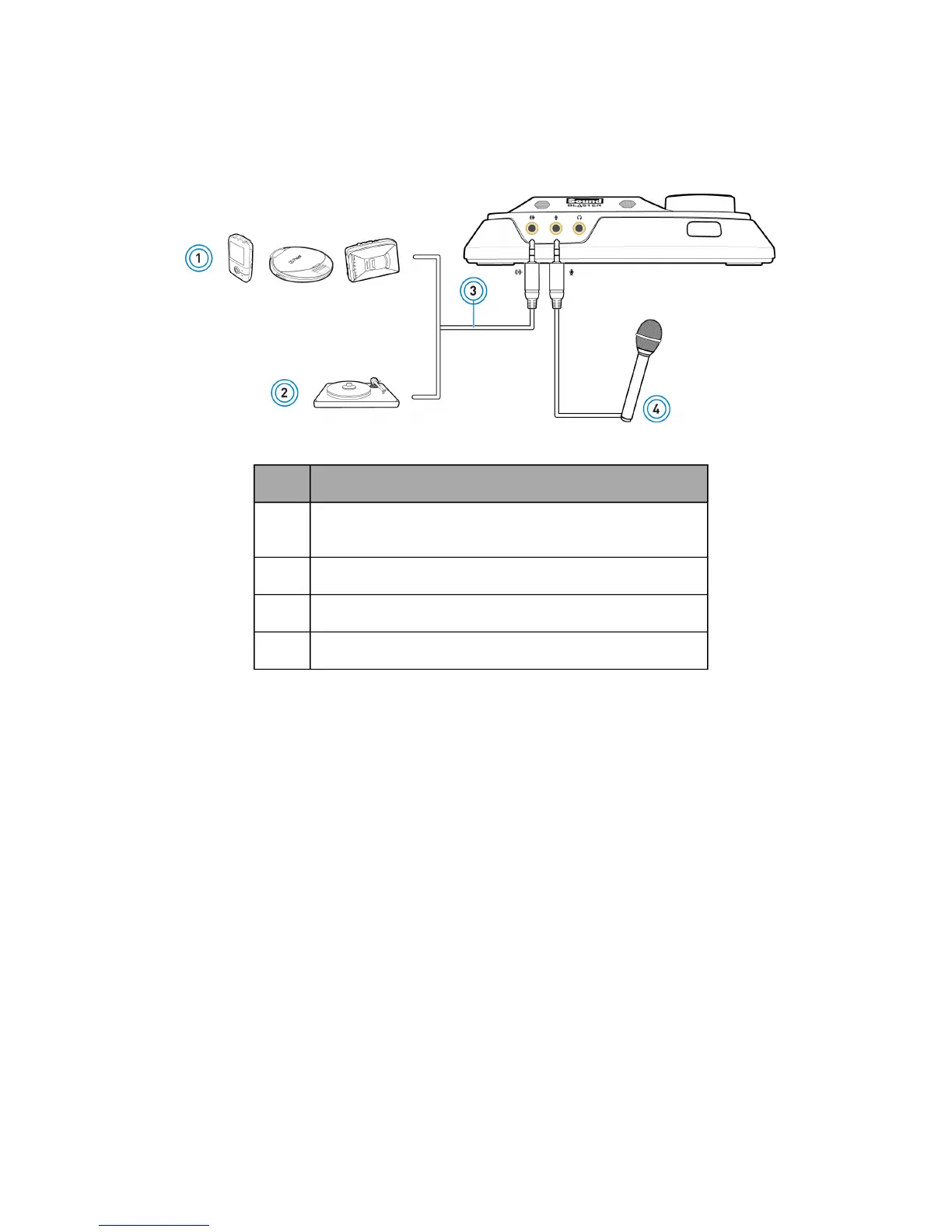
To record audio from external sources like MP3 or CD players, connect the source to the Line-In jack of
your audio device. Connect a microphone to the Mic-In jack.
Component
1 External audio sources (MP3 players, CD players, cassette
players, etc.)
2 Turntable (at line level)
3 Analog audio cable (available separately)
4 Microphone
Note:
To listen to the audio from the source connected to the Line-In or Mic-In jack, or the Internal
Microphone Array, refer to Using the Creative Software Suite - Mixer Settings.









 To Next Page