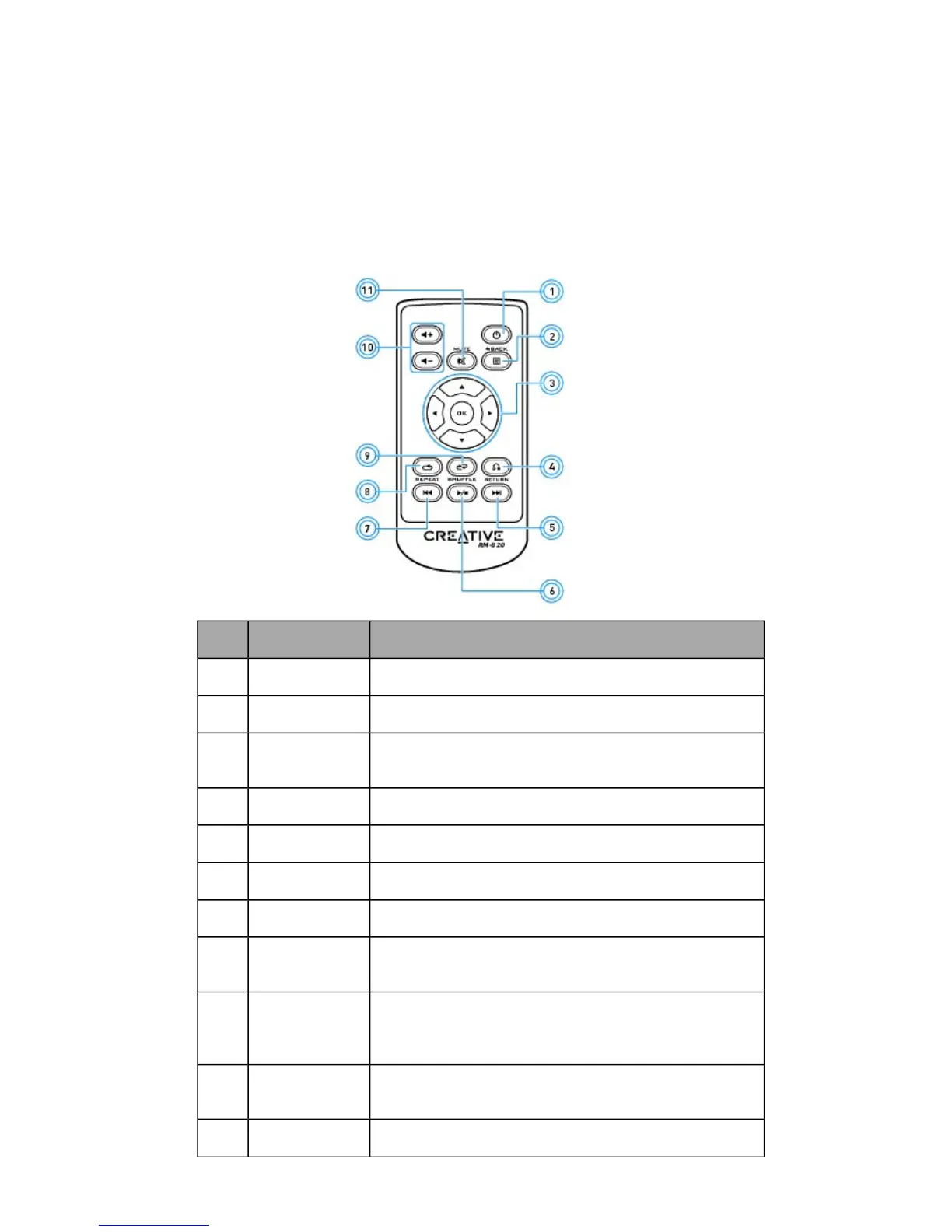
Your Remote Control
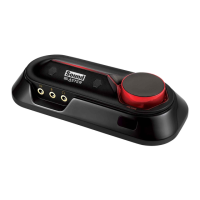
Your USB audio device has an infrared receiver for your Creative remote control. Your remote control
lets you operate your computer from the comfort of your sofa or bed, at a distance of three meters (9.8
feet).
Note:
The Creative remote control is available for selected countries only.
Using your remote control
Button Description
1 Power Not applicable.
2 Menu Not applicable.
3 Menu Navi-
gation
Scrolls up or down in a menu. Press OK to execute
selected menu option.
4 Return Returns to a previous submenu or function.
5 Next Plays the next track.
6 Play/Pause Starts, pauses or resumes current playback.
7 Previous Plays the previous track.
8 Repeat Repeats the current track or playlist.
Only applicable for Windows Media Player on PC.
9 Shuffle Plays the tracks of the current playlist in random order.
Press to toggle shuffle ON or OFF.
Only applicable for Windows Media Player on PC.
10 Volume
Up/Down
Volume Up (+) and Volume Down (-) control the master
volume of your audio output.
11 Mute On/Off Mutes or unmutes audio.









 To Next Page