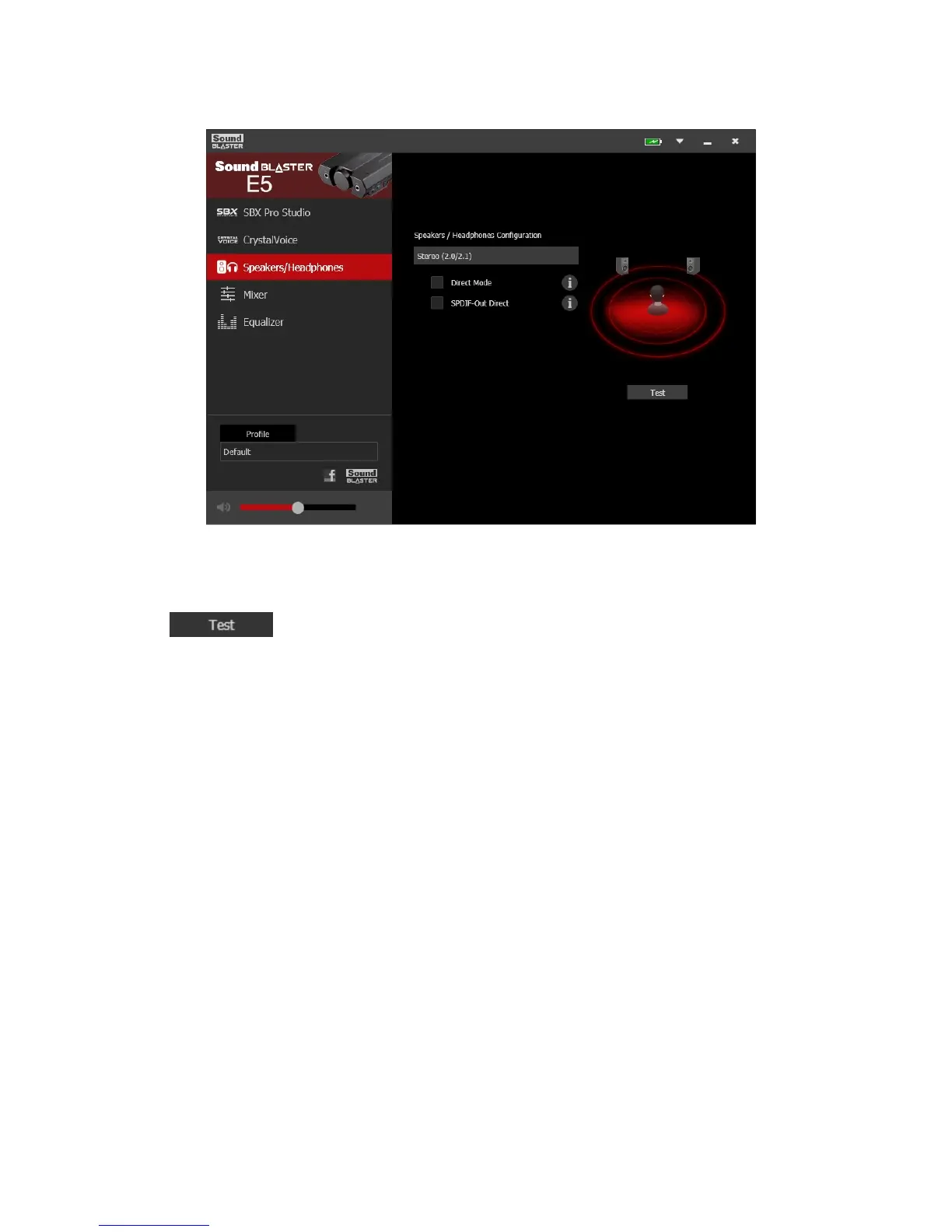
Speakers/Headphones Settings
1. Speakers / Headphones Configuration
Shows your current physical speakers or headphones configuration.
2. Testing your audio playback
Click to hear a sample audio clip being played back through your setup.
Note:
Direct Mode is an option for direct playback to stereo speaker channel sampled at 192kHz. Direct
Mode will remain on until the device is power off. The following features will not be applied to this
playback:
– SBX Pro Studio suite of audio enhancements
– Equalizer
SPDIF-Out Direct allows bit-to-bit streaming of up to 24-bit 96kHz PCM data to the optical output
without processing. SPDIF-Out Direct will remain on until the device is power off.
Sound Blaster E5 – Using the Creative Software Suite 34



 To Next Page