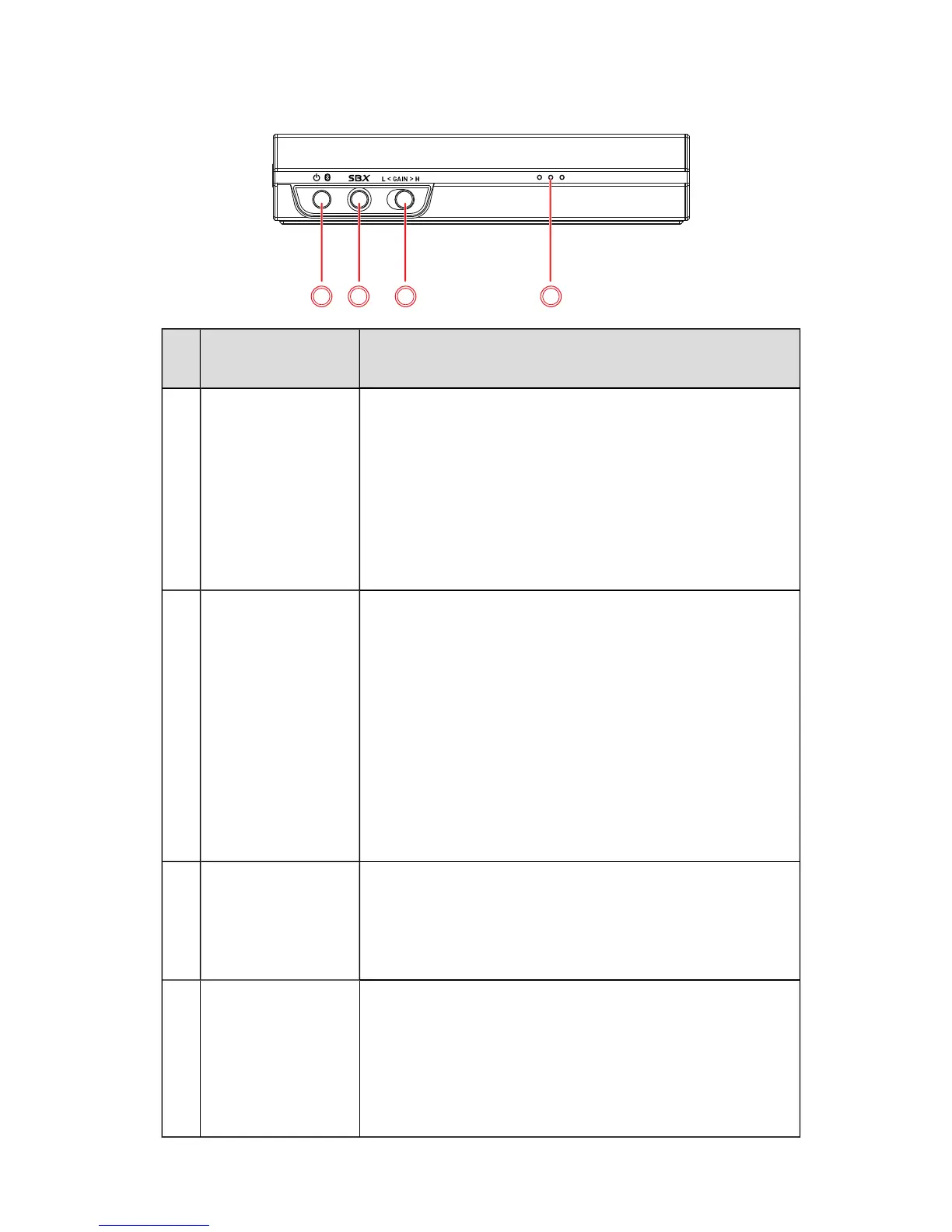
Control /
Indicator
Description
3 Power / Bluetooth
button and
indicator
Power / Bluetooth button
l Power On – Press and hold 1 sec
l Bluetooth pairing – Press and hold 2 sec
l Power Off – Press and hold 4 sec
Indicator
l White: Power ON
l Blue (blinking): Bluetooth discovery/pairing mode
l Blue: Bluetooth connected
l Off: Power OFF
4 SBX / Call button
and indicator
SBX button
l Toggles SBX Pro Studio audio enhancements ON/OFF.
Call button
l Press once to answer/end a call.
l Press and hold 2 sec to reject an incoming call.
OR
l Press and hold 2 sec to activate your mobile device's
Voice Assistant.
Indicator
l White: SBXPro Studio ON
l White (blinking): Call in progress
l Off: SBXPro Studio OFF
5 Headphone Gain
switch
(Low / High)
Switches the headphones gain level.
l Low: For headphones with low impedance (32 ~ 120
ohms). Gain: up to 5 dB.
l High: For headphones with high impedance (120 ~
600 ohms). Gain: up to 15 dB.
6
Power / Battery
indicator
The three white LEDs show the power status (ON or OFF)
of the Sound Blaster E5 and its battery level.
l Lighted: Power ON. The lighted LEDs show the
current battery level.
l Flashing: Battery is charging. The flashing LED shows
the charge level.
l Off: Power OFF.
Sound Blaster E5 – About Your Hardware 4



 To Next Page