THE SOUND BLASTER ROAR REVIEWERS’ GUIDE 23THE SOUND BLASTER ROAR REVIEWERS’ GUIDE 22
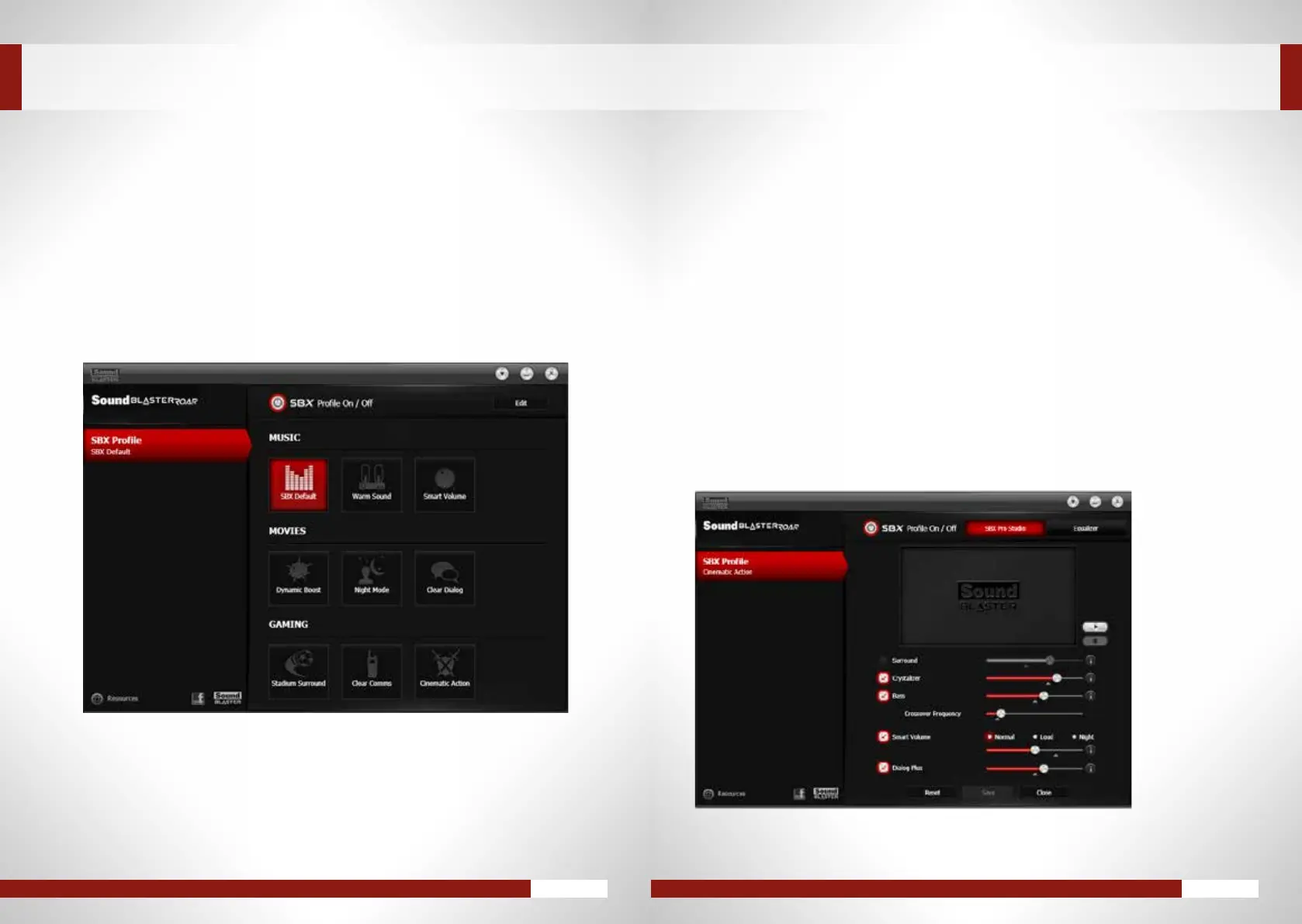
PRE-DEFINED AUDIO PROFILES
Aselectionofpre-conguredSBXProStudio-enhancedaudioproleshavebeenoptimizedformostof
your playback needs.
Click the SBX Profile menutoviewandselectanSBXProlethatmatchesyourplaybacktype.
IntheSBX Profilescreen,clickthe[Edit]buttononthetoprightcornerandmodifytheoptionsasdesired.
CUSTOMIzING PRE-DEFINED AUDIO PROFILES
TO SUIT YOUR NEEDS
SBX Surround–Movethesliderhigherto“open”upalargersoundeldandsimulateasurround
speakersetup.Alowerpercentagegivesamore“centered”audio.
SBX Crystalizer–Ahigherpercentagemeansalargeramountofaudiodetailsrestored.
SBX Bass–Slidetheslidertoadjusttheenhancementofbasssounds.Moreharmonictoneswillbe
addedthehigheryougo.YoucanalsoadjusttheCrossoverFrequencytosetthetransitionofbass.
SBX Smart Volume–ActivateSmartVolumetonormalizevolumelevels(Normal),pumpupthe
volume(Loud),orreduceloudburstofsoundsforthoselatenightsessions(Night).Movethesliderto
adjusttheintensityaccordingly.
SBX Dialog Plus–Toheardramaticallyclearerdialog,slidethesliderhigherformorevoiceenhancement.
APPENDIX: ENHANCING AUDIO PLAYBACK
You can also configure EqualizersettingsoftheactiveSBXProle.
IntheSBXProlescreen,click[Edit]andthenclick[Equalizer].










 To Next Page