THE SOUND BLASTER ROAR REVIEWERS’ GUIDE 17THE SOUND BLASTER ROAR REVIEWERS’ GUIDE 16
PLUS A WHOLE ARRAY OF MIND-SHATTERING FEATURES! (cont.)
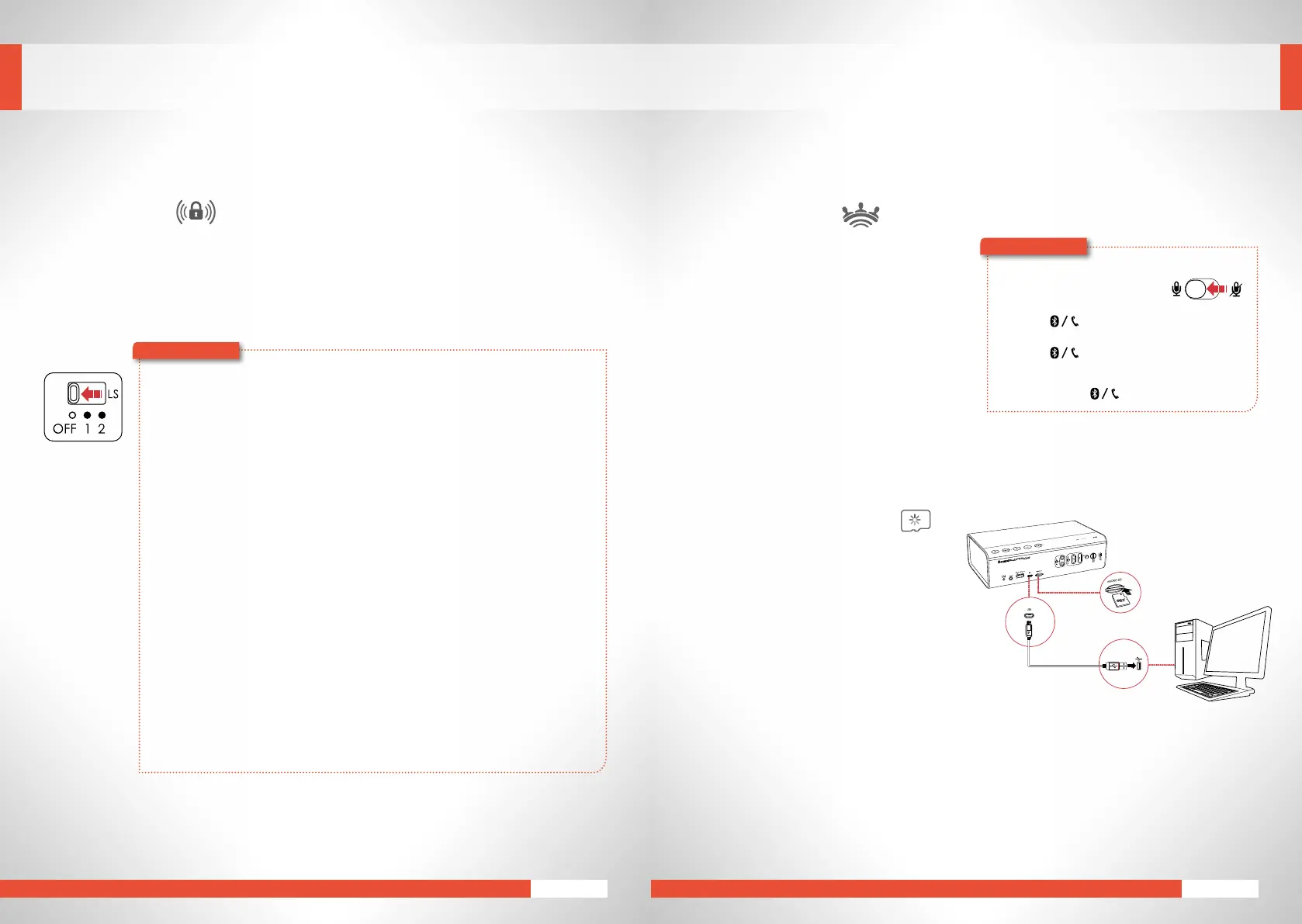
Link Security
Therearemanywaystomaintain
Bluetooth
connectivity;TheSoundBlasterRoarhasjustaboutthe
mostcomprehensiveandversatileconnectivityoptionsavailableforaportablewirelessspeaker.
Threemodesareavailable.DefaultCreative
Bluetooth
Multipoint(LS2),Friendly(LS1)andFree-For-All
(LS OFF).
LS Mode 2 : (Default) “Creative
Bluetooth
Multipoint” mode:
Allowsyoutoconnectuptotwo
Bluetooth
devicesatthesametime–whileplayingmusic
ononedeviceatanyonetime.Thismoderequiresmusictostopplayingforanother
device to pair or connect.
Great if you’ve connected one or two
Bluetooth
devices and you don’t wish to share your
Sound Blaster Roar with another person trying to connect to the speaker . . . you’re in
control!
LS Mode 1:”Friendly Access” mode:
Allows
Bluetooth
devices that have been paired to the speaker before to takeover control of
theSoundBlasterRoar--byyousimplyinitiating‘connect’onthesedevices.
Great for users who want to easily re-connect their devices to the Sound Blaster Roar and
sharemusic...re-connectingyour
Bluetooth
deviceisnowevenmorehassle-free!
LS OFF mode: “Free For All Access” mode:
Inthismode,SoundBlasterRoarisindiscoverablemodeevenwith1deviceconnectedvia
Bluetooth
.
Greatforanyoneatapartyorabusinessmeetingwhowantstowirelesslyconnecttothe
SoundBlasterRoarandsharemusic–andit’sdonewithouthavingtoactuallytouchthe
speaker.AnyonecantakeovercontroloftheSoundBlasterRoarinstantly!
Note: Creative
Bluetooth
MultipointisonlyavailableinLSmode2only.
Here’showyoudoit!
EXPERIENCING THE SOUND BLASTER ROAR
1
2
LS
MicroSD Card Reader
Easily modify contents of your microSD^^
on your computer via the Sound Blaster
Roar.ItfunctionsasamicroSDcardreader
wheneveryouconnectittoacomputer.
^^MicroSDorMicroSDHCcardsupto32Gb.
Speakerphone
Breakaway from answeringcalls with your
phone! With Sound Blaster Roar, you can
now have your calls on the speaker with
its built-in microphone for an absolutely
hands-free experience. You can even record
yourcalls!
1 Connectyoursmartdevice.
(Ensurethemicrophoneison)
2 Presstoansweranincomingcall.
3 Press again to end a call.
To reject a call:
Pressandholdformorethan2seconds.
Here’showyoudoit!










 To Next Page