8 Adjusting volume
Adjusting volume
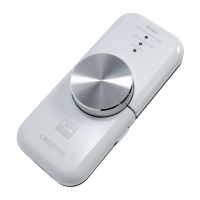
Before adjusting the volume, check that the Volume LED is lit in blue. If not,
press and release the Select button until the Volume LED lights up in blue.
If the Volume LED is red, press the Level Control to unmute the volume.
1 Turn the Level Control clockwise or counterclockwise to increase or
decrease the volume.
Customizing X-Fi enhancement levels
Customizing X-Fi Crystalizer
1 In Volume mode, press the Select button twice. The X-Fi Crystalizer LED
flashes.
2 Turn the Level Control clockwise or counterclockwise to increase or
decrease the level.
The higher the level, the faster the LED flashes.
Customizing X-Fi CMSS-3D
1 In Volume mode, press the Select button three times. The X-Fi CMSS-3D
LED flashes.
2 Turn the Level Control clockwise or counterclockwise to increase or
decrease the level.
The higher the level, the faster the LED flashes.
NOTES
• If the X-Fi Crystalizer or X-Fi CMSS-3D switches are not set to
the "On" position, adjusting the levels will only have a temporary
effect on the sound.
• Volume mode is the default. X-Fi Crystalizer and X-Fi CMSS-3D
modes automatically switch to Volume mode after 30 seconds.
Wendy UG.fm Page 8 Monday, August 28, 2006 3:09 PM










 To Next Page