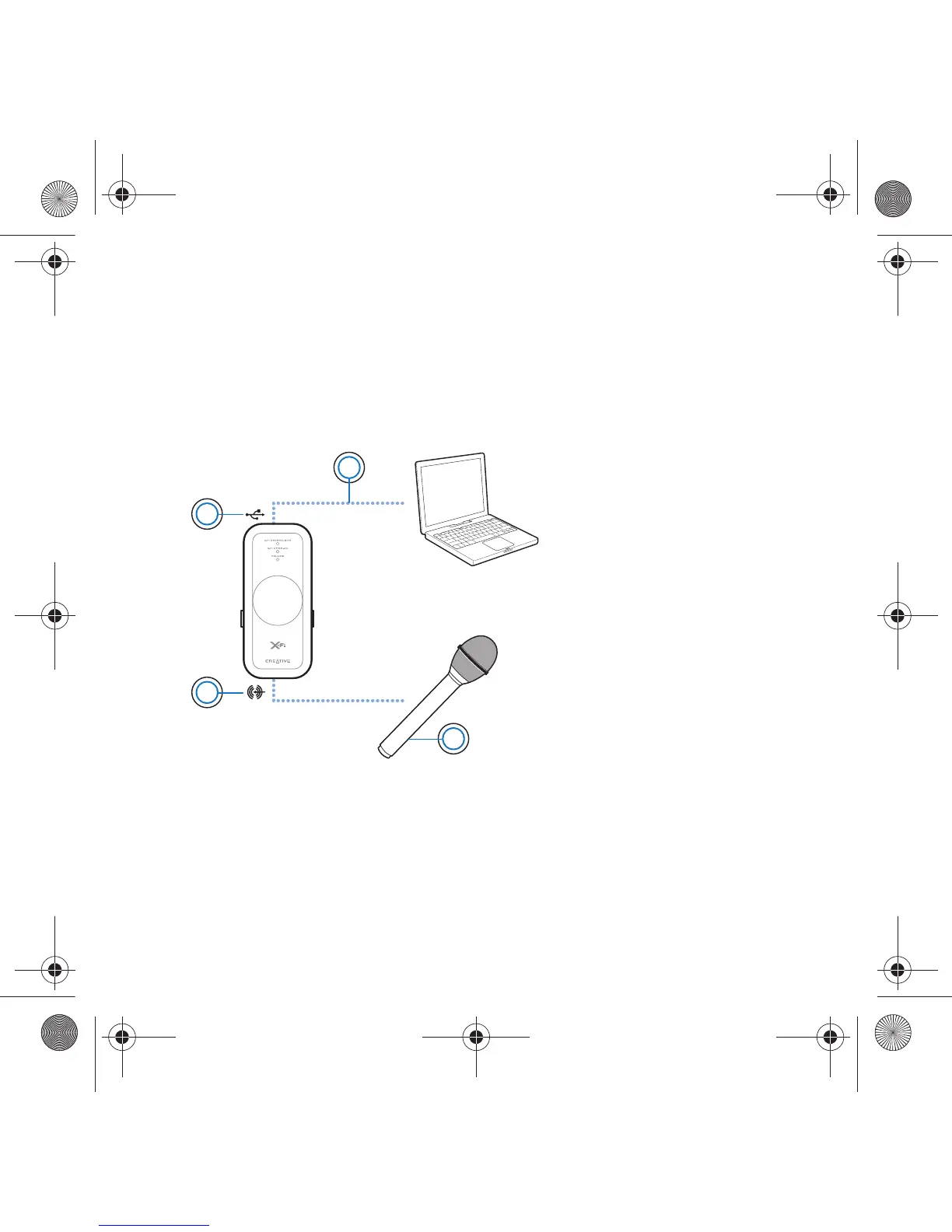
Using a Microphone with Xmod 9
Using a Microphone with Xmod
Connect a microphone to the Line-In/Microphone jack to:
• make microphone recordings of speeches, lectures or a
performance.
• enjoy Voice over Internet Protocol (VoIP) applications, such as
Skype™ .
NOTES
• X-Fi enhancements are only available to audio output during
playback, and are not applied to recordings made from the
Xmod Line-In/Microphone jack.
• To adjust recording levels, use your favorite mixer or level
control application for your PC or Mac.
2
1
4
3
1 USB port
2USB cable
3 Microphone
4 Line-In/Microphone
jack
Wendy UG.fm Page 9 Monday, August 28, 2006 3:09 PM










 To Next Page