Connecting to an external stereo audio source 9
Connecting to an external stereo audio
source
External audio sources that you can connect to X-Fi: USB Audio include MP3
players, CD players, and any other stereo audio source with a line-out jack.
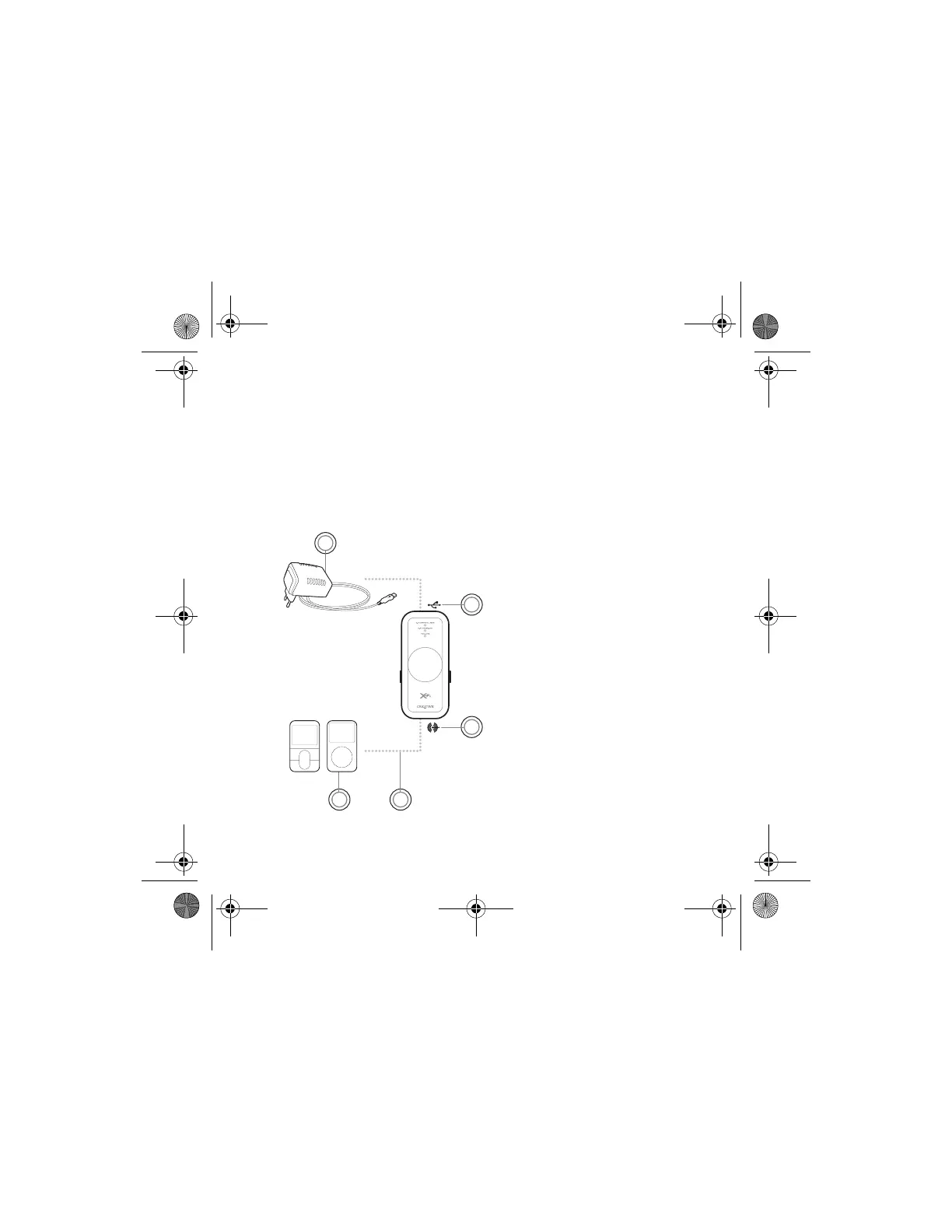
Connect a power adapter (sold separately) and an external audio source to
X-Fi: USB Audio as shown in the diagram below. Disconnect X-Fi: USB Audio
from your computer before proceeding.
1 Power adapter (sold
separately)
2USB Connector
3 Line-In/Microphone jack
4 Line-In cable with 3.5mm
connector (not included)
5 Your digital audio player or
other external stereo audio
source
1
3
5 4
2
Wendy UG for press release.fm Page 9 Thursday, August 3, 2006 2:23 PM








 To Next Page