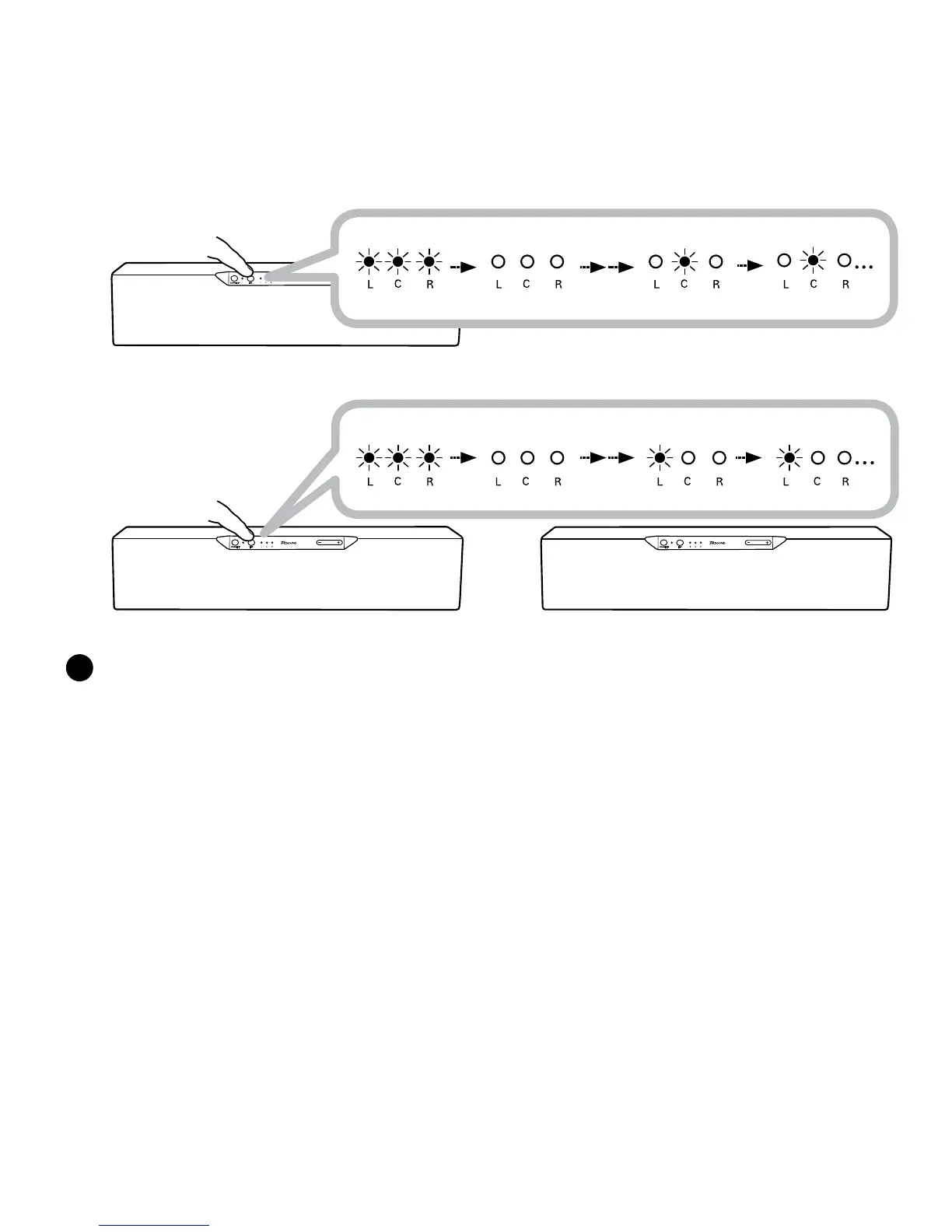
D3x Right
Master speaker
C
Link discoverable mode
Rapid blinking
LED Off
allocated LEFT Channel
LED Steady
PowerONanotherD3x.PressandholdtheLINKButtonfor5secondsandreleasewhentheLINK
LEDblinksonce.TheLINKLEDwillblinkuntilitstayslituptoindicatewhichchannelthespeaker
islinkedfor,RepeatforanotherD3xtoforma3.1setup.
TheSpeakerswillautomaticallybeallocatedasLEFT,thenCENTERchannelsbyorderoftheactiva-
tionoftheirLinkDiscoverablemode.
Note:
WheneveranewspeakerisaddedtotheRIGHTChannelMasterspeaker,theLINKdiscoverablemodefortheMasterspeaker•
extendsforanother1minuteforotherspeakerstolinkin.
TocancelLinkdiscoverablemode,presstheLINKButtononcewhilethespeakers/SubwooferarestillinLinkdiscoverable•
mode.
Link discoverable mode
Rapid blinking
LED Off
allocated CENTER Channel
LED Steady






 To Next Page