Home
Creator
Scanner
C200
Page 41 (Update Success Confirmation)
Creator C200 - Update Success Confirmation
41 pages
Manual
Save Page as PDF
To Previous Page
To Previous Page
Loading...
Creat
or
OBD
II/EOBD
sca
nner
41
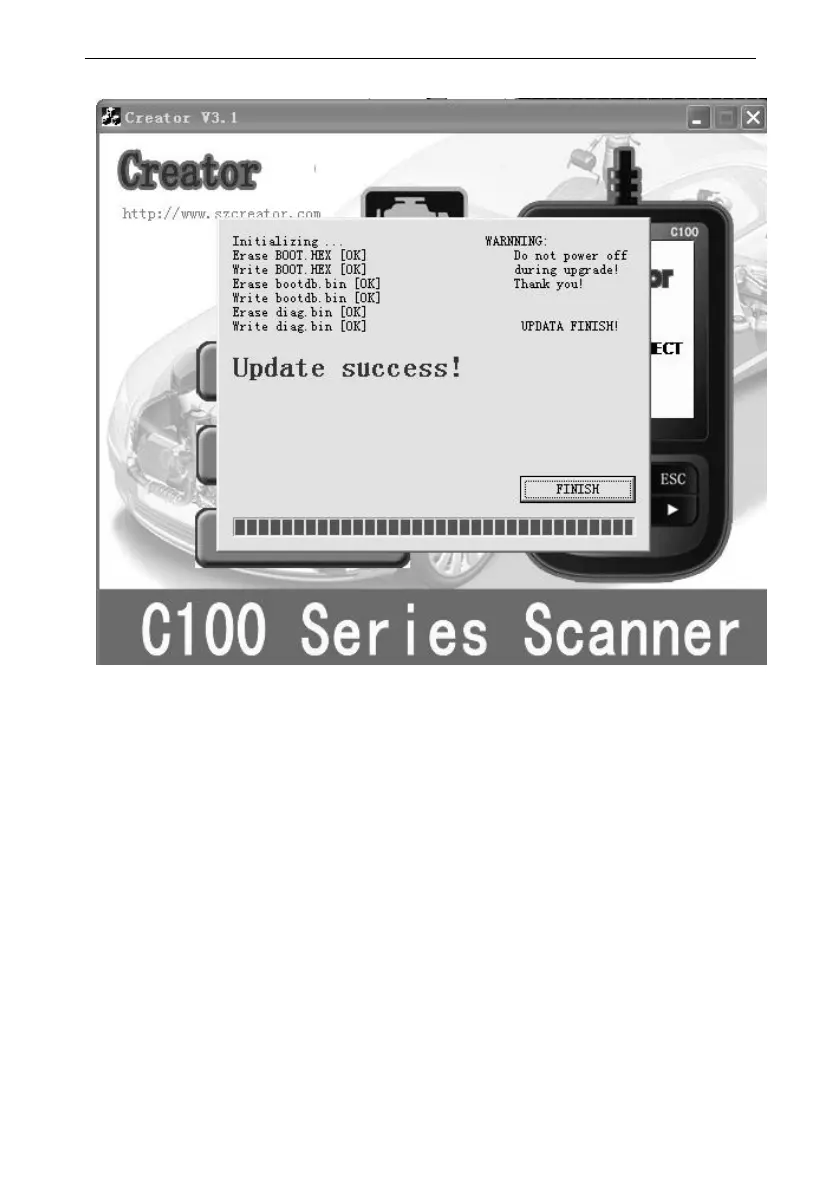
If
update
succes
s,
the
sof
tware
w
il
displa
y
[Update
success
!];
i
f
update
not
s
uccess,
it
will
display
[Updat
e
fail!
T
ry
again]
.
Press
[finis
h]
,
the
scanne
r
is
a
lready
upda
ted
,and
you
can
unp
lug
the
sc
anner
fro
m
PC.
40
Table of Contents
Main Page
Default Chapter
1
Table of Contents
1
1 .Safety Precautions and Warnings
3
2 General Information
5
On-Board Diagnostics (OBD) II
5
Diagnostic Trouble Codes (Dtcs)
6
Location of the Data Link Connector (DLC)
7
OBD II Readiness Monitors
8
OBD II Monitor Readiness Statuses
10
OBD II Definitions
11
3 Using the Scan Tool
14
Tool Description
14
Specifications
15
Accessories Include
15
Product Troubleshooting
15
4 Software Function
17
System Configuration
18
Dtc Lookup
21
5 OBD II Diagnostics
23
Read Trouble Code
24
Erase Trouble Codes
26
Read Datastream
28
Component Test
30
Freeze Frame Data
31
O2 Sensor Monitoring Test
32
Vehicle Information
34
6 .Software Update
36



 To Previous Page