NOTES:
l
The mirrored DM Lite and HDMI output displays the same image on
two display devices.
l
Supported DM Lite receivers are the HD-RX-101-C-E,
HD-RXC-101-C-E, HD-RX-101-C-1G-E, and HD-RXC-101-C-1G-E.
Support of the HD-RX-201-C-E DM Lite receiver and the DMPS Lite
switchers (HD-RX-4K-210-C-E, HD-RX-4K-210-C-E-POE,
HD-RX-4K-410-C-E, HD-RX-4K-410-C-E-SW4, HD-RX-4K-510-C-E,
and HD-RX-4K-510-C-E-SW4) is provided for the extension of audio
and video signals only. The HD-PS401 web interface does not
support configuration of connected HD-RX-201-C-E receivers or
DMPS Lite switchers. Those devices require a separate LAN
connection and must be configured using the web interface of each
device.
l
The AC mains power connection powers both the HD-PS401 and
connected DM Lite receiver. When connected to the HD-PS401, the
DM Lite receiver must not be connected to power.
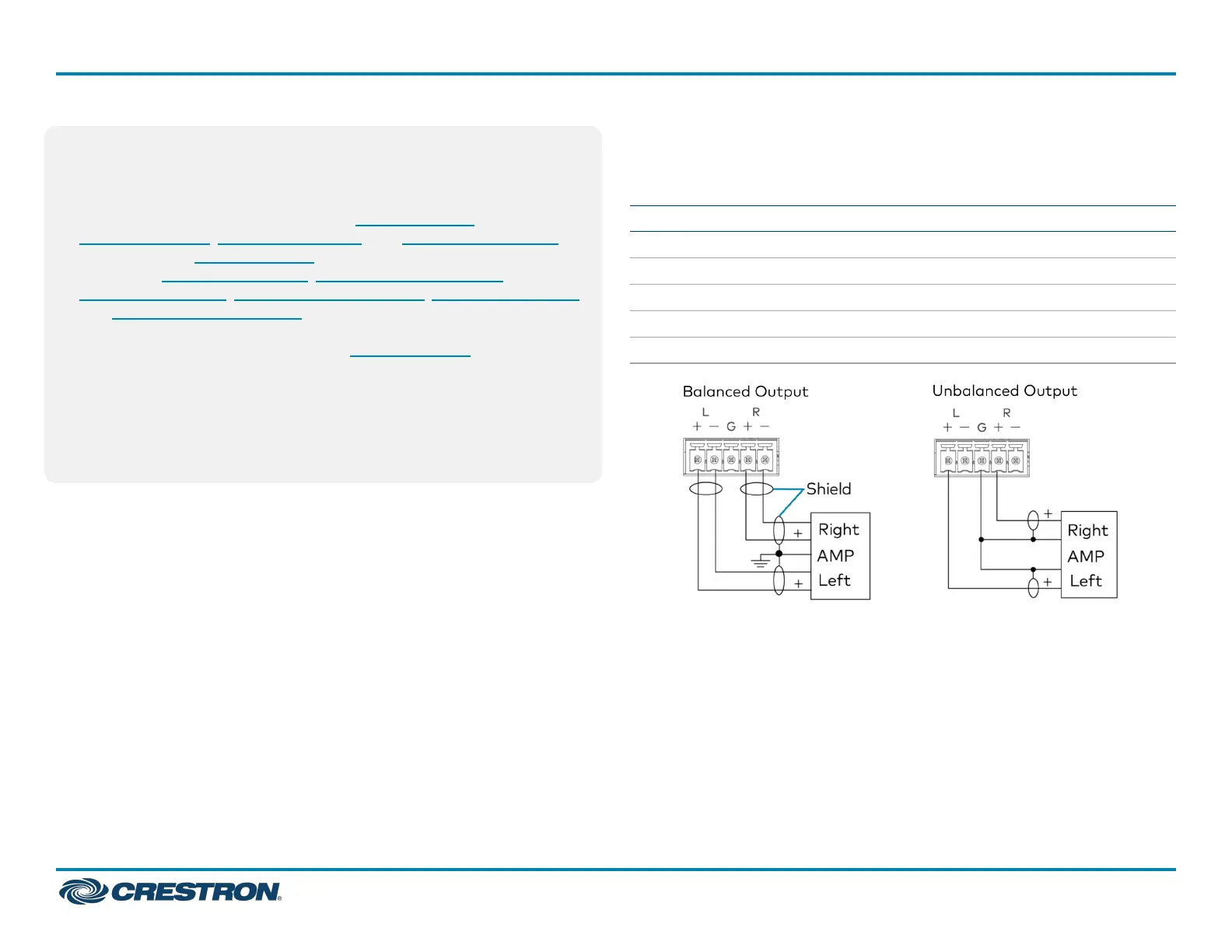
Balanced/Unbalanced Audio Output
Refer to the following table and illustration for analog audio AUX output
pin assignments and connection information.
Signal Name Balanced Audio Output Unbalanced Audio Output
+ L+ L+ Out
- L− Open
G Shield/ground Common ground
+ R+ R+ Out
- R- Open
HD-PS401
QuickStart
4x1 4K60 4:4:4 HDR Presentation System
5


 To Next Page