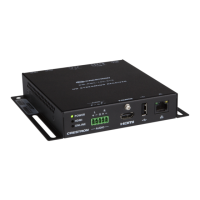
Supplemental Guide – DOC. 7846A DM-RMC-100-STR: HD Streaming Receiver
9
Stream Configuration Guidelines (Continued)
CONFIGURATION
ITEM GUIDELINES
Stream Options,
Buffer
Specifies the amount of time in milliseconds that the device delays
before playout of the audio and video in the stream buffer. Larger
buffers absorb disturbances in the stream but result in more latency.
In the
drop-down list, select one of the following:
Minimal (<100ms latency)
Small (100-500ms latency)
Medium (1000ms) (Default setting)
Large (5000ms)
Custom
If
is selected, the
spin box is enabled.
Click the up or down arrow to select the desired custom buffer size.
Available values range from
to
milliseconds.
Statistics
Enables or disables statistics for the number of dropped packets for
audio and video. By default, the Enable check box is deselected.
To enable statistics, select the Enable check box. The Dropped
Packets fields (read only) display the statistics for audio and video.
To reset the statistics, click the
button.
If the Enable check box is not selected, the Dropped Packets
fields and the Reset Statistics button are disabled.
Output Options,
Resolution
Specifies the resolution of the HDMI output. In the
drop-down list, select one of the following:
In the following list, RB denotes Reduced Blanking.
Auto (Recommended) 1360x768@60Hz
640x480@60Hz 1366x768@60Hz
720x480i@30Hz 1366x768@60Hz RB
720x480@60Hz 1400x1050@60Hz
720x576i@25Hz 1400x1050@60Hz RB
720x576@50Hz 1440x900@60Hz
800x600@60Hz 1440x900@60Hz RB
848x480@60Hz 1600x900@60Hz RB
1024x768@60Hz 1600x1200@60Hz
1280x720@50Hz 1680x1050@60Hz
1280x720@60Hz 1680x1050@60Hz RB
1280x768@60Hz 1920x1080i@25Hz
1280x768@60Hz RB 1920x1080i@30Hz
1280x800@60Hz 1920x1080@24Hz
1280x800@60Hz RB 1920x1080@50Hz
1280x960@60Hz 1920x1080@60Hz
1280x1024@60Hz 1920x1200@60Hz RB
The default setting is
.
(Continued on following page)


 To Next Page
 Loading...