Crestron PAC2M Professional Automation Mini Computer
Connectors, Controls & Indicators
#
CONNECTORS*,
CONTROLS &
INDICATORS
DESCRIPTION
1
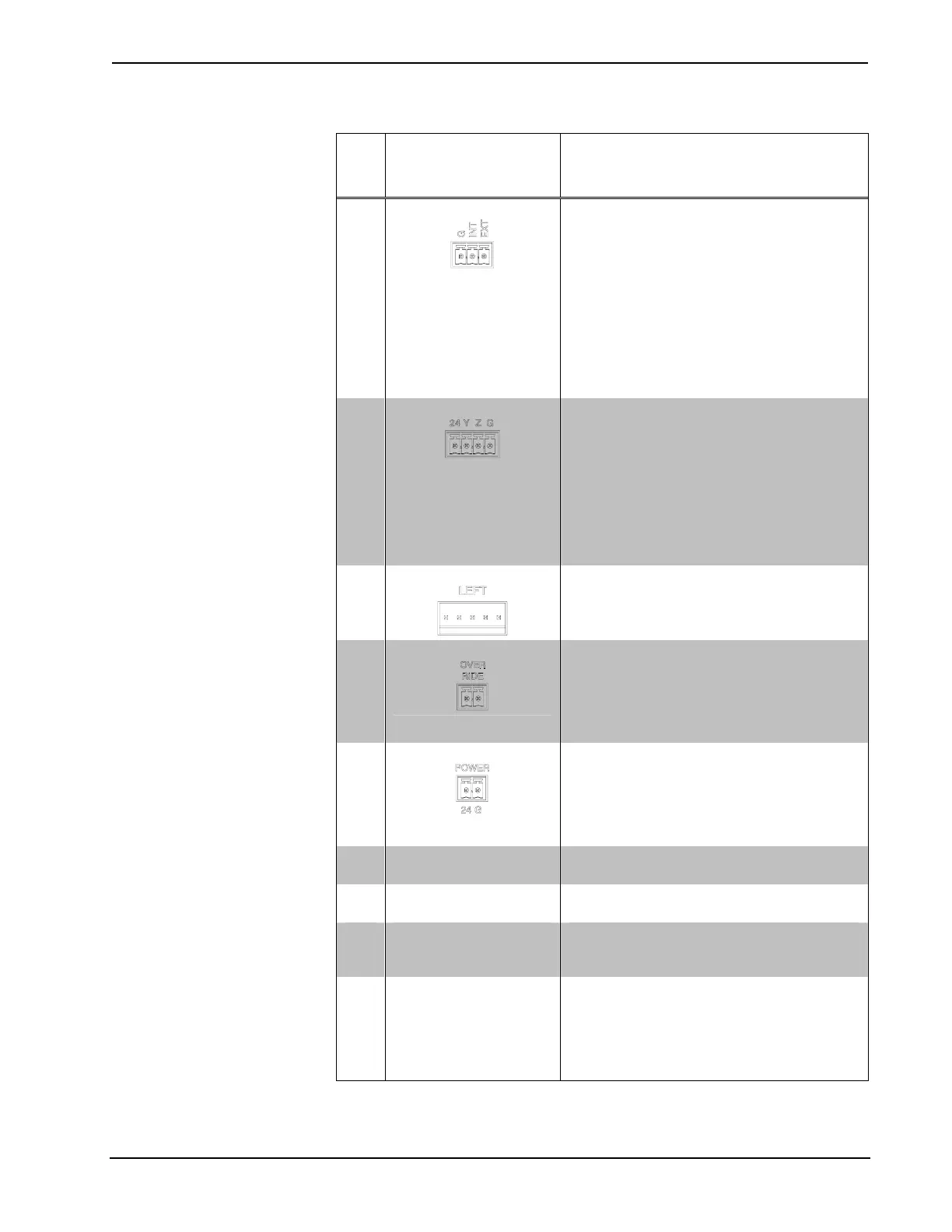
G/INT/EXT (A – B)
(2) 3-pin 3.5 mm detachable terminal blocks;
Cresnet power selection connectors for each
segment;
Connect to external Cresnet power supply or
to “internal” power source via jumpers, to
power Cresnet devices connected to the
NET ports;
Maximum load per segment using external
supply: 75 Watts (3.125 Amps @ 24 Volts
DC);
Maximum total load using “internal” source:
45 Watts (1.88 Amps @ 24 Volts DC).
2
NET (A – B)
(8) 4-pin 3.5 mm detachable terminal blocks
comprising (4) Cresnet ports (paralleled) per
each of (2) segments;
Four-position terminal block connector for
data and power. Connects to Cresnet control
network.
Pin 1 (24) Power
Pin 2 (Y) Data
Pin 3 (Z) Data
Pin 4 (G) Ground
3
LEFT
(1) 5-pin 0.156 inch header;
Module interconnect port, connects to
CLX-(or CLXI-)Series lighting control
modules using interconnect cables provided.
4
OVERRIDE
(1) 2-pin 3.5 mm detachable terminal block;
Input from external contact closure to trigger
preset override state in CLX-(or CLXI-)Series
modules connected to the module
interconnect port;
Maximum input: 10 mA @ 5 Volts.
5
POWER
(1) 2-pin 3.5 mm detachable terminal block;
24 Volt DC power input, 2 amp maximum;
Paralleled with 24 VDC input;
Powers processor and provides “internal”
power source to power modules and Cresnet
devices.
6 PWR LED
Indicates power supplied to unit via 24 VDC
or POWER input.
7 NET LED
Indicates communication with Cresnet
system.
8 MSG LED
Illuminates when a message is detected. To
decipher content, examine the message
through the Crestron Toolbox™.
9 RESET BUTTONS
HW-R – Initiates system hardware reset.
SW-R – Pressing this in combination with
HW-R button performs a system restart
without loading the program. Pressing it
alone momentarily while the system is
running restarts the program.
(Continued on following page)
Operations Guide – DOC. 6507 Professional Automation Mini Computer: PAC2M • 7



 To Next Page