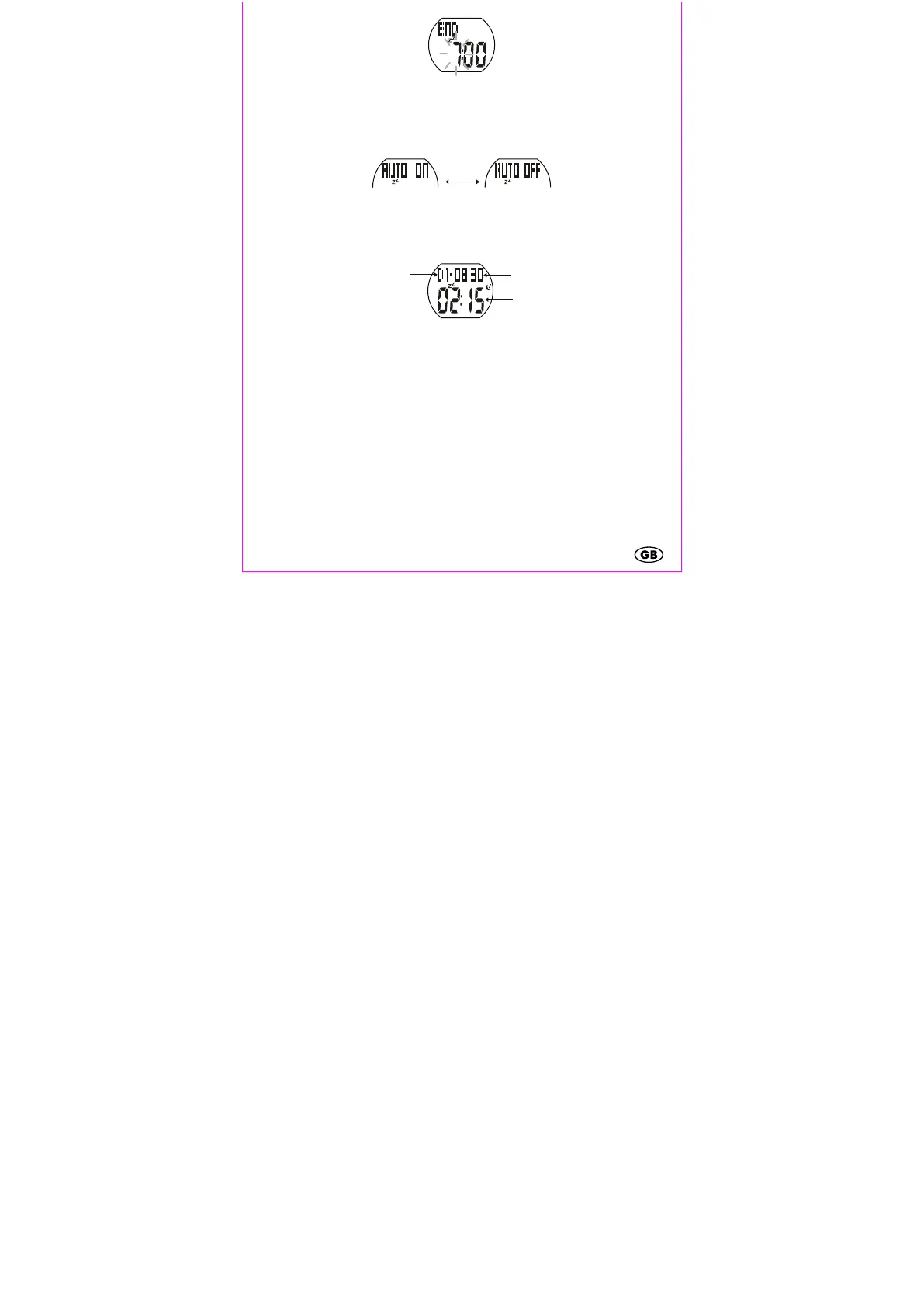
Sleep mode will now activate and deactivate at the same time every day.
Stopping automatic sleep mode
Press and hold SET for 3 seconds. Press SET/LIGHT to deactivate automatic sleep
mode. Confirm your setting by pressing MODE.
7-day sleep history
Press SEL while in sleep mode. The day (1-7) is shown in the upper part of the
display with the total sleep duration to the right of the day. The deep sleep duration
is shown in the lower part of the display.
To display a different day press SEL.
To exit sleep mode press MODE.
Troubleshooting
The workout timer does not start
The maximum workout time (9 hours, 59 minutes, 59 seconds) has been
reached. Reset the workout timer as described in the chapter “Workout timer”.
Distance measurements are very imprecise
Incorrect stride lengths for walking and running were entered. Enter the correct
values as described in the chapter “Stride length setting”.
You have selected a different speed than the speed used when determing your
stride length.
- Deep sleep duration


 To Next Page