EN
19
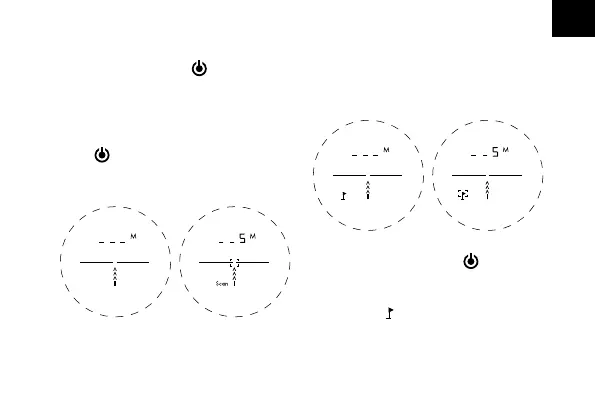
MODE 1: STANDARD RANGING
Aim the center target area at an object,
press the power button
to obtain the
distance.
SCAN MODE
In standard range mode, hold the power
button
to activate scan mode and pan
the rangefinder over the targets to get con-
tinuous readings.
MODE 2: FLAG LOCK
This advanced mode allows you to easily
lock on to the flag without accidentally
measuring background targets (e.g. trees).
Hold down the power button
and slowly
move the target area over the flag or the
desired object until a circle surrounds the
flag symbol [ ]. Now only the distance
of the flag is displayed without interfering
background objects like trees affecting the
measurement.


 To Next Page