22
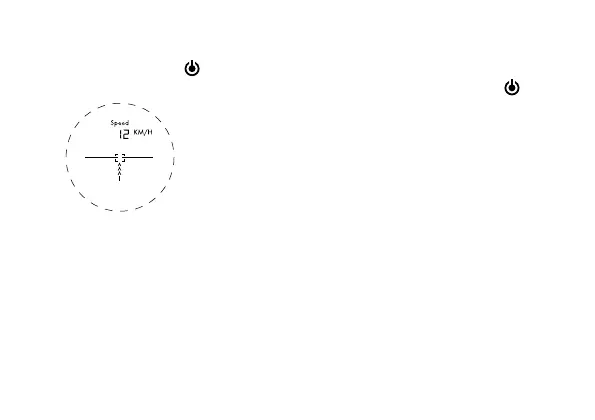
MODE 6: SPEED MODE
Aim at the moving object and press and
hold the power button
until the speed
is displayed.
IF NO DISPLAY APPEARS ON
THE INTERNAL LCD SCREEN
1. Make sure the battery is inserted cor-
rectly and hold the power button
for
about 1 second.
2. Make sure that no object is blocking the
view of the objective lens, such as trans-
parent window glass or hand, etc.
3. When measuring, please hold the device
steady and aim properly at the target,
then press the power button.
CLEANING AND
MAINTENANCE
Remove the device from it’s energy source
before cleaning (remove battery). Lenses
(eyepieces and/or object lenses) should
be cleaned with a soft, lint-free cloth (e.g.
microfibre) only. Do not use excessive pres-
sure - this may scratch the lens. Dampen
the cleaning cloth with a spectacle clean-


 To Next Page