SETUP
Before attaching the switch to the Nitro Deck+, open Switch console settings and turn on Switch Pro Controller wired
connection. From the Switch HOME Menu, select “System Settings” → “Controllers and Sensors”, then turn on “Pro
Controller Wired Communication.”
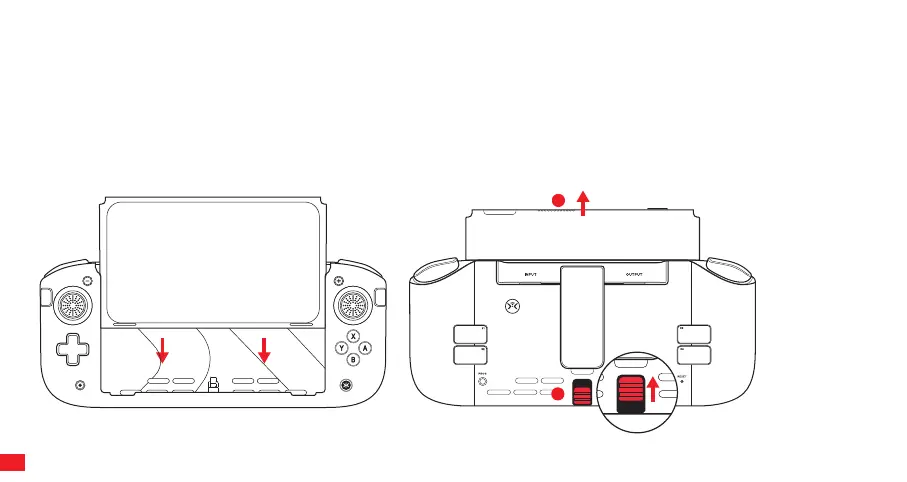
Remove the Joy-Con controllers and any cables from the Switch. Make sure the Joy-cons are powered OFF. Lineup
the Switch with the Nitro Deck+ and slide carefully together until they dock. Keep the Switch straight while attaching.
The Switch clicks into position and is held securely.
To remove the Switch, slide the lever on the back of the Nitro Deck+ as shown. Keep holding the lever in position and
slide the Switch out.
1
2
05



 To Next Page