Operation Instructions
19 / 55
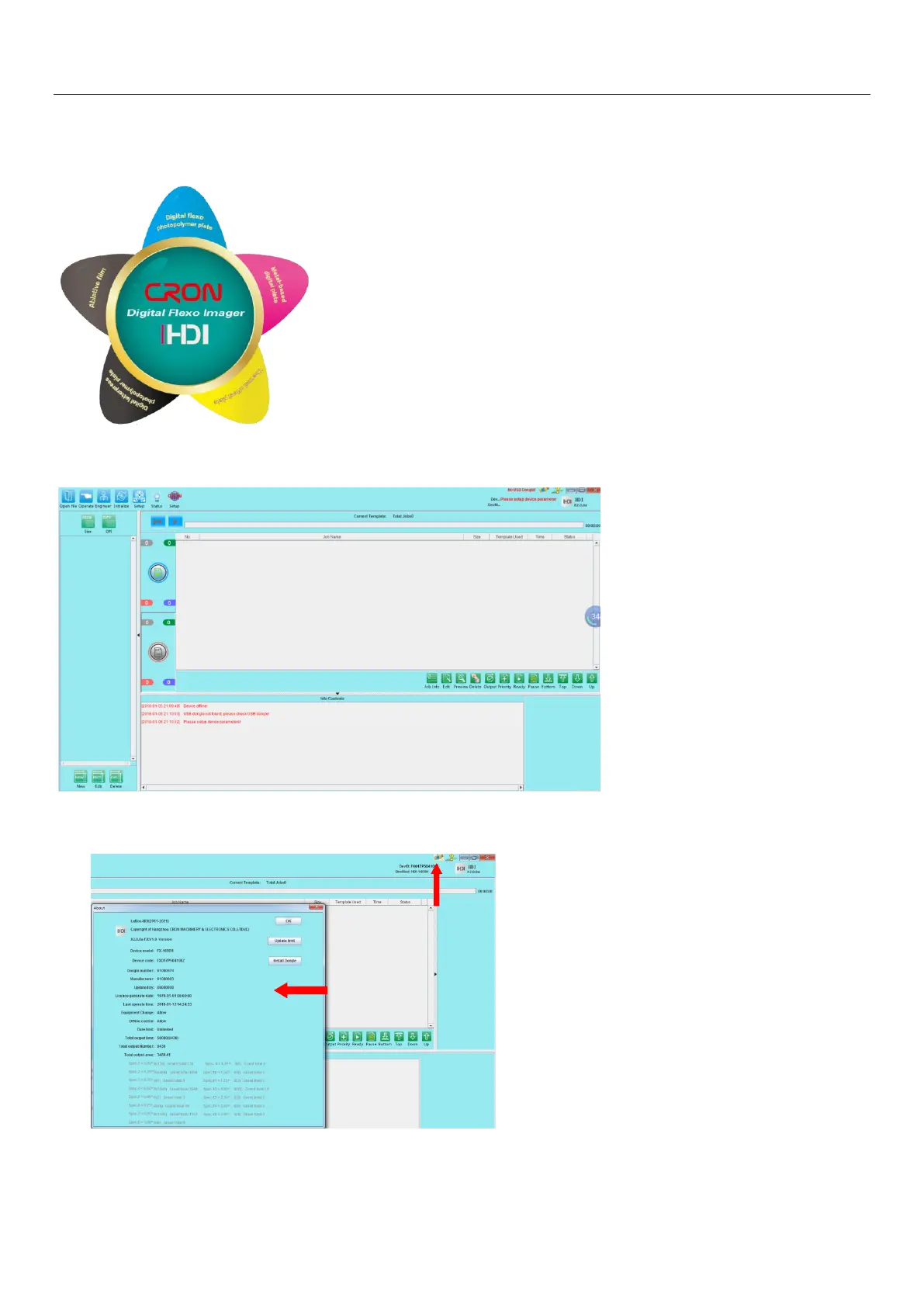
5.3.3 After LaBoo-HDI software successfully installed, double-click the icon of LaBoo-HDI software
shortcut on the desktop, the startup interface as shown below:
5.3.4After launching the LaBoo-HDI, below is the main interface of the software:
5.3.5 Confirm dongle installation and information: The dongle and device information can be obtained
through the dongle icon in the upper right corner of the software.


 To Next Page