Operation Instructions
20 / 55
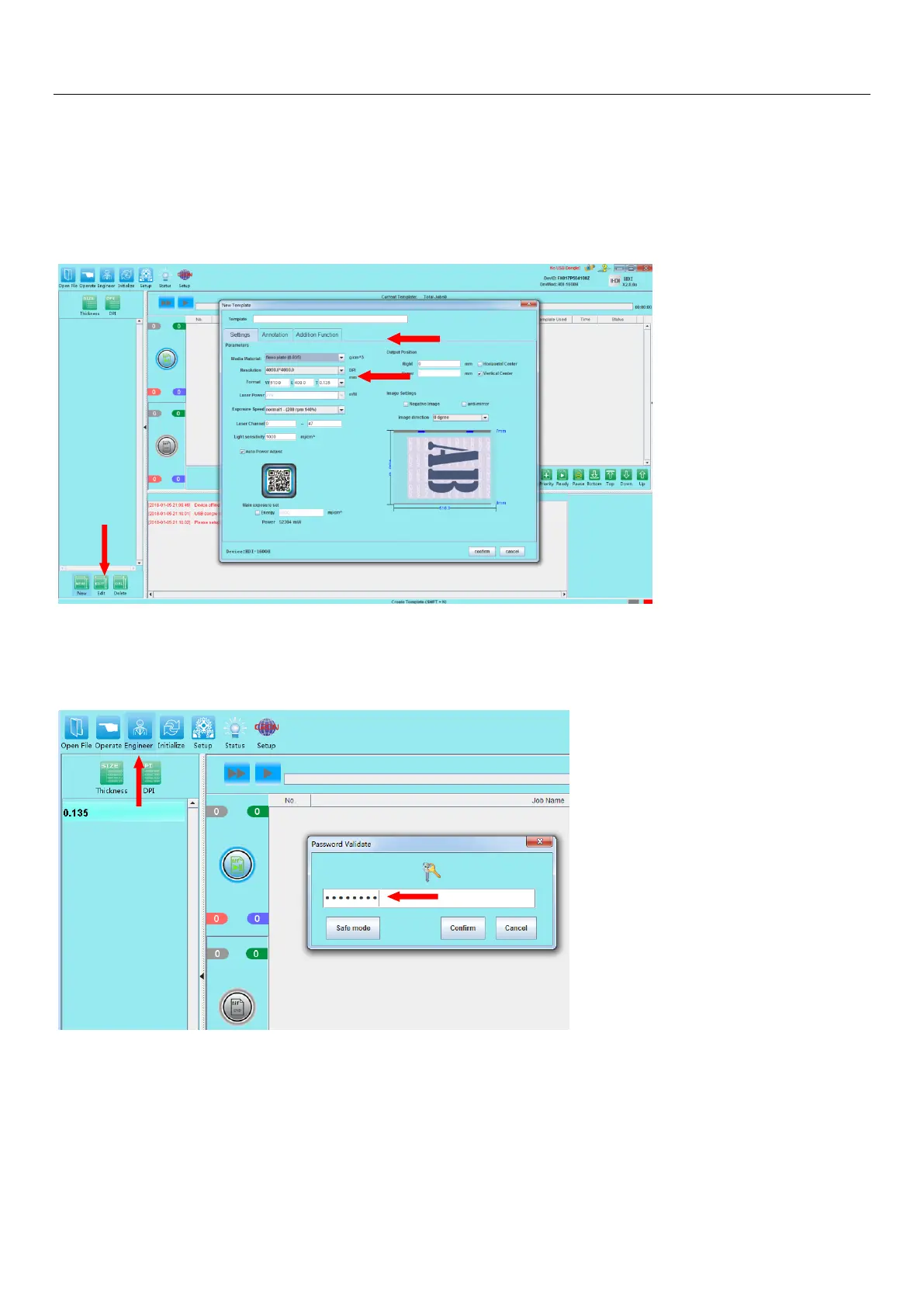
5.3.6 Newly installed software first need to setup the initial template, click the “New”green button (at
lower left) to create and setup an initial new template:
Setup a template size within the model specification allowable range, confirm "template name",
"media material", "resolution", "format", "laser power", "exposure speed" and other parameters, as
described in Section 5.4.1 - Table 5.1.
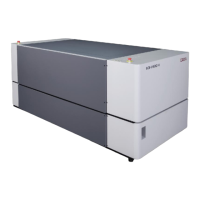
5.3.7 Click on the Engineer button to enter to software’s Engineer Mode. Enter the default
password "cron1234"when in the password field when prompted.


 To Next Page