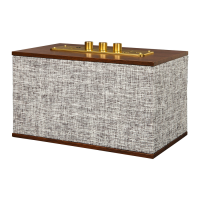
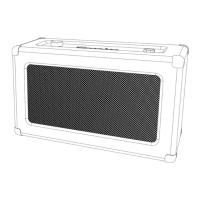
The CR3028A Charlotte Wireless Speaker is a versatile audio device designed for both wireless and wired audio playback, featuring a built-in power bank function for charging mobile devices. This instruction manual provides essential safety guidelines, product specifications, and operational instructions to ensure proper use and longevity of the speaker.
Safety Instructions:
Before operating the speaker, users must read and understand all safety instructions to prevent potential hazards. Key safety points include:
- Water Proximity: Do not use the product near water to avoid electrical shock or damage.
- Power Source: The speaker should only be operated with the specified power source indicated on the marking label or in the manual.
- Polarized Plug: The polarized plug is designed for safety; do not defeat its purpose. If the plug does not fit fully into the outlet, try reversing it. If it still doesn't fit, contact an electrician.
- Power Cord Protection: Protect the power cord from being walked on or pinched, especially at plugs, convenience receptacles, and where it exits the product.
- Overloading: Avoid overloading wall outlets, extension cords, or integral convenience receptacles to prevent fire or electric shock.
- Foreign Objects/Liquids: Never insert objects of any kind into the product's openings, as they may touch dangerous voltage points or short-out parts, leading to fire or electric shock. Do not spill any liquid on the product.
- Servicing: Do not attempt to service the product yourself. Opening covers may expose you to dangerous voltage or other hazards. Refer all servicing to qualified service personnel.
- Modifications: Changes or modifications not expressly approved by the responsible party could void the user's authority to operate the equipment.
- Attachments: Do not use attachments not recommended by the manufacturer, as they may cause hazards.
- Portability: When moving the product with a cart, exercise care to prevent overturning due to quick stops, excessive force, or uneven surfaces.
- Ventilation: Slots and openings in the cabinet are for ventilation to ensure reliable operation and prevent overheating. Do not block or cover these openings.
- Lightning/Long Periods of Disuse: Unplug the product during lightning storms or when it will be unused for extended periods.
Items in this Package:
Upon unboxing, users should verify the presence of the following items:
- Wireless speaker
- 3.5mm aux in cable
- RCA to 3.5mm cable
- Power adaptor
In case of missing accessories, customers are advised to contact Crosley customer service and retain the original packaging materials for exchange or return purposes.
Specifications:
- Power: AC power adaptor, DC output 5V 1.2A. The speaker also includes a non-removable Lithium battery.
- Power Consumption: 10W
- Speaker: 2.5", 4Ω, 5W x 2
Note on Power Consumption:
Design and specifications are subject to change without notice. To conserve power, some models comply with ERP energy-saving standards. If there is no audio input for 20 minutes, the speaker will automatically power off. To resume playing, the user must turn the power off and then on again.
Product Description (Physical Components):
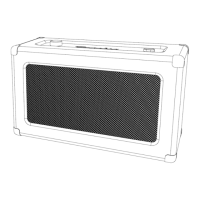
The speaker features several controls and ports for various functions:
- ON/OFF-Volume Knob: This knob controls the power and adjusts the volume.
- Input Selection Button: Used to switch between different input modes (Aux In, Bluetooth).
- Power Jack: Connects the power adaptor to the speaker for charging and operation.
- Aux In Jack: Allows wired connection of audio devices using a 3.5mm aux in cable or an RCA to 3.5mm cable.
- Headphone Jack: For private listening with headphones.
- USB Charging Port: Functions as a power bank to charge mobile devices.
- Vibration Disk: Likely enhances bass or audio experience.
Power Source:
The speaker can operate using its internal lithium battery or with the provided power adapter. When connected to the power adapter, the lithium battery will charge simultaneously.
Aux In Operation:
- Rotate the ON/OFF-Volume Knob to turn on the speaker.
- Press the Input Selection Button to select the Aux In mode.
- Connect an audio device to the Aux In Jack using either the 3.5mm aux in cable or the RCA to 3.5mm cable.
- Begin playing music from the connected audio device.
Bluetooth Operation:
- Rotate the ON/OFF-Volume Knob to turn on the speaker.
- Press the Input Selection Button to select the Bluetooth mode.
- Enable the Bluetooth feature on your audio device, search for "Crosley CR3028," and pair with it.
- A short confirmation sound from the speaker will indicate successful pairing.
- Start playing music from your Bluetooth-enabled audio device.
Used as a Power Bank:
The speaker is equipped with a 2000mAh lithium battery, allowing it to function as a power bank for mobile devices.
- The USB port provides a DC output voltage of 5V.
- To use this feature, connect your mobile device to the speaker's USB Charging Port using a USB cable.
- Turn on the speaker's power, and it will begin charging your device.
FCC Statements:
The device complies with Part 15 of the FCC Rules for Class B digital devices, ensuring reasonable protection against harmful interference in residential installations. If the equipment causes harmful interference to radio or television reception, users are encouraged to try the following measures:
- Reorient or relocate the receiving antenna.
- Increase the separation between the equipment and receiver.
- Connect the equipment into a different circuit from the receiver.
- Consult the dealer or an experienced radio/TV technician for assistance.

 Need help?

 To Next Page
 General