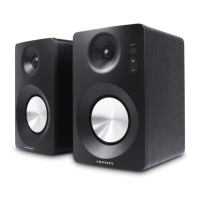
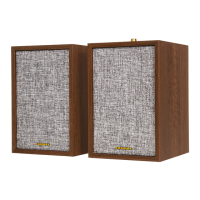
Need help?
Do you have a question about the Crosley CR3028U and is the answer not in the manual?
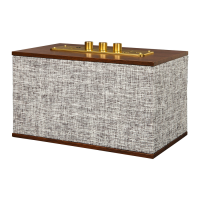
The Crosley CR3028U Harper Wireless Speaker is a versatile audio device designed for portable use and convenient connectivity. It functions primarily as a wireless speaker, allowing users to enjoy audio from various sources without the clutter of cables. Beyond its core audio playback capabilities, the Harper speaker also incorporates a power bank feature, enabling it to charge other mobile devices, adding a layer of utility for users on the go.
The primary function of the Harper Wireless Speaker is to reproduce audio from external sources. It supports both wired and wireless connections, offering flexibility in how users can connect their audio devices. For wireless connectivity, the speaker utilizes Bluetooth technology, allowing for seamless pairing with compatible smartphones, tablets, and other Bluetooth-enabled audio players. This wireless capability provides freedom of movement and reduces cable dependency, making it ideal for various settings, from indoor relaxation to outdoor gatherings.
In addition to Bluetooth, the speaker also features an Aux In jack, providing a traditional wired connection option. This is particularly useful for devices that do not have Bluetooth capabilities or when a stable, direct connection is preferred. The inclusion of both wireless and wired input options ensures broad compatibility with a wide range of audio sources, from vintage MP3 players to modern streaming devices.
A unique feature of the Harper Wireless Speaker is its integrated power bank functionality. Equipped with an internal lithium battery, the speaker can act as a portable charger for other mobile devices. This means that while enjoying music, users can also keep their smartphones or other USB-powered gadgets charged, which is a significant advantage during travel, outdoor activities, or in situations where power outlets are scarce. The USB charging port on the speaker facilitates this dual functionality, making it a practical two-in-one device.
The speaker's design also incorporates a "Vibration Disk," which likely enhances the audio experience, particularly in the lower frequency range, by providing a more tactile and immersive sound. This feature contributes to a richer and more dynamic audio output, distinguishing it from simpler portable speakers.
Operating the Harper Wireless Speaker is designed to be straightforward and user-friendly. The device is controlled primarily through an ON/OFF-Volume Knob and an Input Selection Button. To power on the speaker, users simply rotate the ON/OFF-Volume Knob. This knob also serves to adjust the audio volume, providing intuitive control over the sound level.
Switching between different audio input modes is managed by the Input Selection Button. Users can press this button to cycle through the available modes, typically Aux In and Bluetooth. When selecting the Aux In mode, users connect their audio device to the speaker's Aux In Jack using either a 3.5mm aux in cable or an RCA to 3.5mm cable, depending on the audio source's output. Once connected, music playback is initiated from the audio device itself.
For Bluetooth operation, after turning on the speaker and selecting the Bluetooth mode via the Input Selection Button, users activate the Bluetooth feature on their audio device. They then search for "Crosley CR3028U" in their device's Bluetooth settings and pair with it. A confirmation sound from the speaker indicates a successful connection, after which audio can be streamed wirelessly.
The power bank feature is equally simple to use. After connecting a mobile device to the speaker's USB Charging Port using a USB cable, and ensuring the speaker is powered on, the charging process for the mobile device will commence automatically. This allows for convenient on-the-go charging without needing a separate power bank.
The speaker's internal lithium battery allows for portable operation, freeing it from constant reliance on a power outlet. When connected to a power adapter, the internal battery simultaneously charges, ensuring it's ready for wireless use. This dual power source capability enhances its portability and flexibility.
Maintaining the Harper Wireless Speaker involves adhering to general electronic device care guidelines to ensure its longevity and optimal performance. The instruction manual emphasizes several safety instructions that double as maintenance practices.
Firstly, it is crucial to protect the power cord from physical damage, such as being walked on or pinched, especially at the plugs and connection points. This prevents internal wire damage that could lead to electrical hazards or malfunction. Overloading wall outlets or extension cords should also be avoided to prevent fire or electric shock risks.
The device should be kept away from water and liquids to prevent internal damage and electrical hazards. Spilling any liquid on the product is strictly advised against. Similarly, no objects of any kind should be pushed into the product's openings, as this could damage internal components or create dangerous electrical shorts.
For cleaning, it is generally recommended to use a dry, soft cloth. Harsh chemicals or abrasive cleaners should be avoided as they can damage the speaker's finish or internal components.
The speaker's cabinet is designed with slots and openings for ventilation. It is important not to block or cover these openings to ensure proper airflow and prevent overheating, which could impair the product's reliable operation and potentially shorten its lifespan.
In terms of servicing, users are strongly advised not to attempt to service the product themselves. Opening the covers can expose dangerous voltages and other hazards. All servicing should be referred to qualified service personnel. Any unauthorized changes or modifications to the unit could void the user's authority to operate the equipment and potentially compromise safety.
During lightning storms or when the product is left unused for extended periods, it is recommended to unplug it from the power source. This protects the device from potential power surges or electrical damage.
The instruction manual also highlights an energy-saving feature: if there is no audio input for 20 minutes, the speaker will automatically cut off power. To resume playing, users need to turn the power off and then on again. This feature helps conserve battery life and energy, contributing to the device's overall efficiency.
Proper handling during transport is also important, especially if the speaker is combined with a cart. Moving the combination with care, avoiding quick stops, excessive force, and uneven surfaces, helps prevent the product from overturning and sustaining damage.
By following these usage and maintenance guidelines, users can ensure the safe and effective operation of their Crosley CR3028U Harper Wireless Speaker for an extended period.
 General
| Brand | Crosley |
|---|---|
| Model | CR3028U |
| Category | Speakers |
| Bluetooth Version | 5.0 |
| Bluetooth | Yes |
| Frequency Response | 60 Hz - 20 kHz |
| Connectivity | Bluetooth, Aux |
| Type | Bluetooth Speaker |
| Power Output | 30W |
| Inputs | AUX |

 To Next Page