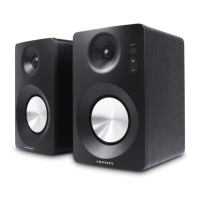
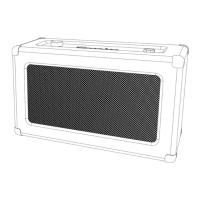
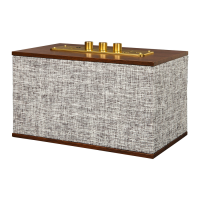
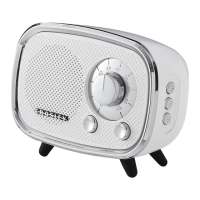
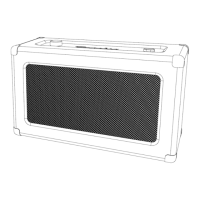
The Crosley S200A Bluetooth Enabled Powered Speakers are a pair of stereo speakers designed for home audio use, offering multiple input options for versatile connectivity. The system includes a main speaker and a passive speaker, both featuring a classic wooden cabinet design with a fabric grille.
Function Description:
The S200A speakers are designed to play audio from various sources. They feature Bluetooth connectivity for wireless streaming from compatible devices, a USB port for playing music directly from USB storage, two AUX inputs (RCA jacks) for connecting external audio devices, and an optical jack for digital audio input. The main speaker houses the controls and connections, while the passive speaker connects to the main unit via an external speaker cable.
Important Technical Specifications:
- Power Supply: DC 15V 3A
- Power Consumption: 45W
- Output Power: 25W x 2 (total 50W)
- Frequency Response: 20Hz-20KHz
- Total Harmonic Distortion: <5%
- Audio Input Sensitivity: 750 mV
- Bluetooth Version: 5.0
- USB Playback: Supports USB devices up to 32 GB.
Usage Features:
- Bluetooth Operation:
- To activate Bluetooth mode, press the Mode button until the function indicator flashes blue.
- Search for "Crosley S200A" on your audio device and pair.
- A confirmation sound will indicate successful connection, and the indicator will turn solid blue.
- Music can then be streamed wirelessly from the paired device.
- USB Playback:
- Insert a USB device into the USB Port to start playback automatically.
- Use the Forward Skip and Backward Skip buttons to navigate tracks.
- Press and hold the Skip buttons for fast forward or backward search.
- The Play/Pause Button controls playback.
- Note: Only USB devices of 32 GB or smaller are supported.
- AUX Operation:
- Connect an audio device to either AUX IN 1 or AUX IN 2 using the provided RCA cable.
- Press the Mode button to select AUX 1 (function indicator flashes green slowly) or AUX 2 (function indicator is solid green).
- Play music from your connected audio device.
- Optical Operation:
- Connect an optical cable (not included) from your source device to the Optical Jack on the main speaker.
- General Controls:
- Power Button: Press and hold for 2 seconds to turn the unit on or off.
- Mode Button: Cycles through input modes (Bluetooth, USB, AUX 1, AUX 2, Optical).
- Backward Skip Button: Skips to the previous track (USB) or searches backward (USB).
- Forward Skip Button: Skips to the next track (USB) or searches forward (USB).
- Play/Pause Button: Controls playback (USB).
- Volume Knob: Adjusts the overall volume level.
- Setup:
- Place speakers on a flat, stable, and vibration-free surface.
- Connect the external speaker cable from the passive speaker to the main speaker's Passive Speaker Input.
- Plug the power cord into a power outlet.
Maintenance Features:
- Troubleshooting: The manual provides guidance for common issues:
- No power: Check power cord connection and outlet.
- No sound: Verify volume levels on both speakers and audio device, and ensure the correct input mode is selected.
- No response from speakers: Disconnect and reconnect power.
- Bluetooth connection issues: Confirm the device's Bluetooth is on, and ensure the speakers are not actively connected to another Bluetooth device.
- Safety Instructions: Emphasizes important safety practices:
- Do not use near water.
- Operate only with the specified power source.
- Do not defeat the safety purpose of the polarized plug.
- Protect the power cord from damage.
- Avoid overloading wall outlets or extension cords.
- Do not insert objects into openings or spill liquids.
- Refer all servicing to qualified personnel.
- Do not use unapproved attachments.
- Handle with care when moving with a cart.
- Do not block ventilation openings.
- Unplug during lightning storms or long periods of disuse.
- Packaging Retention: Users are advised to retain original packaging materials for exchange or return purposes.
- Customer Service: Contact information (1-888-CROSLEY, www.crosleyradio.com) is provided for questions, problems, or missing parts before returning the product to the store. Service hours are 8 a.m. – 6 p.m., EST, Monday – Friday.

 Need help?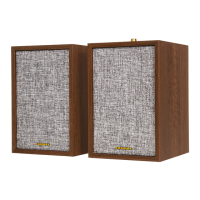

 To Next Page
 General