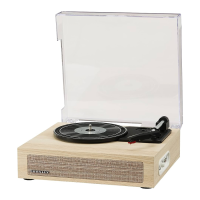
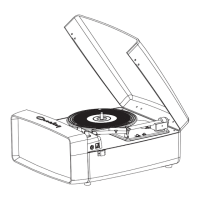
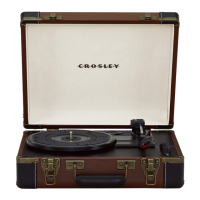
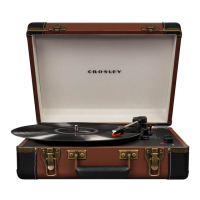
This document describes the Crosley CR6040A Ryder Turntable, an instruction manual detailing its setup, operation, and maintenance.
Function Description:
The Crosley CR6040A Ryder Turntable is designed for playing vinyl records at multiple speeds. It features a tonearm with a stylus, a turntable platter, and a spindle. The unit includes an auto-stop function for convenience. Beyond playing records, it offers connectivity options for external audio devices via an Aux In Jack and supports Bluetooth for wireless audio streaming. It also provides RCA Jacks for connecting to external active/powered stereo systems.
Important Technical Specifications:
- Power: AC power adaptor, DC output 5V 1A. Power consumption is 5W.
- Speaker: Integrated 4Ω, 5W speaker.
- Turntable Speeds: Supports 33 1/3, 45, and 78 RPM records.
- Replacement Needle: Uses Crosley NP6 needle.
- Bluetooth Version: 5.0.
- Energy Saving: Complies with ERP energy saving standard. The unit will automatically cut off power if there is no audio input for 20 minutes. To resume playing, the power must be turned off and then on again.
- Connectivity:
- Power Jack (DC5V)
- Headphone Jack
- RCA Jacks (LINE OUT L/R) for stereo system connection
- Aux In Jack (LINE IN) for external audio devices
Usage Features:
- Initial Setup:
- Place the unit on a flat, stable, and level surface, free from vibration.
- Remove the tie-wrap holding the tonearm.
- Connect the AC adaptor to the Power Jack.
Note: Ensure all connections are correct before plugging the adaptor into a power outlet. Always turn off the power when connecting or disconnecting cables.
- Turntable Operation:
- Rotate the On/Off Volume Knob to power on the unit.
- Set the Function Switch to PHONO position (Function Indicator will be red).
- Select the appropriate speed using the Speed Switch (33 1/3, 45, or 78 RPM).
- Place the record on the turntable. Use the 45 RPM Adapter for 45 RPM records if needed.
- Remove the stylus protector from the stylus assembly.
- Release the tonearm Hold Down Clip.
- Lift the Tonearm, move it over the desired starting point on the record, and gently lower it to begin playback.
- After playback, gently lift the Tonearm, move it back to the Tonearm Rest, and lock the Tonearm Clip to secure it.
- Platter Auto-stop: The Auto-stop Switch, when set to ON, automatically stops the platter from spinning at the end of a record. If the turntable stops prematurely, setting the switch to OFF may resolve the issue.
- Bluetooth Operation:
- Set the Function Switch to Bluetooth mode (Function Indicator will flash blue, and an activation sound will be heard).
- Enable Bluetooth on your audio device and search for "CROSLEY CR6040" to pair.
- A confirmation sound will indicate successful pairing, and the Function Indicator will turn solid blue.
- Stream music from your device to the turntable.
- Aux Input Connection: Connect an external audio device using a 3.5mm auxiliary cable to the Aux In Jack. This connection overrides turntable and Bluetooth functions. The Function Indicator will be purple. Unplug the auxiliary cable to resume turntable or Bluetooth functions.
- Stereo System Connection (RCA Jacks): The RCA Jacks output analog line-level signals. Connect the Red plug to the Right channel and the White plug to the Left channel of active/powered speakers or a stereo system's appropriate input. These jacks are not designed for passive/unpowered speakers, as the volume level will be very low.
Maintenance Features:
- Stylus Care:
- Avoid touching the stylus tip with fingers.
- Prevent bumping the stylus on the turntable mat or record's edge.
- Clean the stylus frequently with a soft brush, moving from back-to-front only.
- Always ensure the stylus guard is in place when moving or cleaning the turntable to prevent damage.
- Record Care: Clean records with a record cleaning brush and solution to remove dust or grease.
- Unit Cleaning: Clean the turntable lid and cabinet with a slightly damped microfiber cloth.
Note: Do not use cleansers containing alcohol, benzene, or other harsh chemicals, as they may damage the turntable's paint and finish.
- Needle Replacement:
- Removing: Gently pull down the front edge of the needle, then pull it forward and out.
- Installing: Position the new needle with its tip facing down. Line up the back of the needle with the cartridge. Insert the front end at a downward angle and gently lift the front upward until it snaps into place.
- Troubleshooting: The manual provides solutions for common issues such as no power (check adaptor, power outlet, ERP energy saving mode), platter not turning (check drive belt, unplug aux cable), and no sound/low sound (check stylus protector, tonearm position, headphone connection).
- Crosley Accessories: Crosley offers a product line of cleaning accessories, available from retailers or www.crosleyradio.com.

 Need help?

 To Next Page
 General