
 Need help?
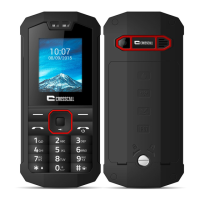
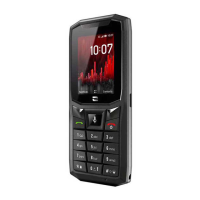
Do you have a question about the Crosscall SPIDER-X3G and is the answer not in the manual?
General safety rules for using the mobile phone safely and avoiding hazards.
Technical specifications and regulatory compliance statements for the device.
Instructions on installing, uninstalling, charging, and using the phone's battery.
Guide to inserting, unlocking, and connecting the SIM card to the mobile network.
Instructions on how to turn the phone on and off.
Procedures for making, receiving, and managing phone calls.
How to compose and send Short Message Service (SMS) and Multimedia Messaging Service (MMS).
Managing received, sent, draft, and outgoing messages.
Configuring call-related options like call divert, waiting, and barring.
Managing phone lock, SIM lock, PIN codes, and privacy settings.
 General
| Resolution | 240 x 320 pixels (~167 ppi density) |
|---|---|
| Weight | 113 g (3.99 oz) |
| GPRS | Yes |
| EDGE | Yes |
| Phonebook | Yes |
| Call records | Yes |
| Video | Yes |
| Loudspeaker | Yes |
| 3.5mm jack | Yes |
| Radio | FM radio |
| Games | Yes |
| Colors | Black |
| Battery | 1300 mAh |
| Network | GSM / HSPA |
| 2G bands | GSM 850 / 900 / 1800 / 1900 |
| 3G bands | HSDPA 900 / 2100 |
| Speed | HSPA |
| Dimensions | 12.5 mm |
| SIM | Dual SIM (dual stand-by) |
| Type | TFT |
| Memory Card slot | microSD |
| Alert types | Vibration |
| GPS | No |
| USB | microUSB 2.0 |
| Messaging | SMS, MMS |
| Java | No |





 To Next Page