User Manual
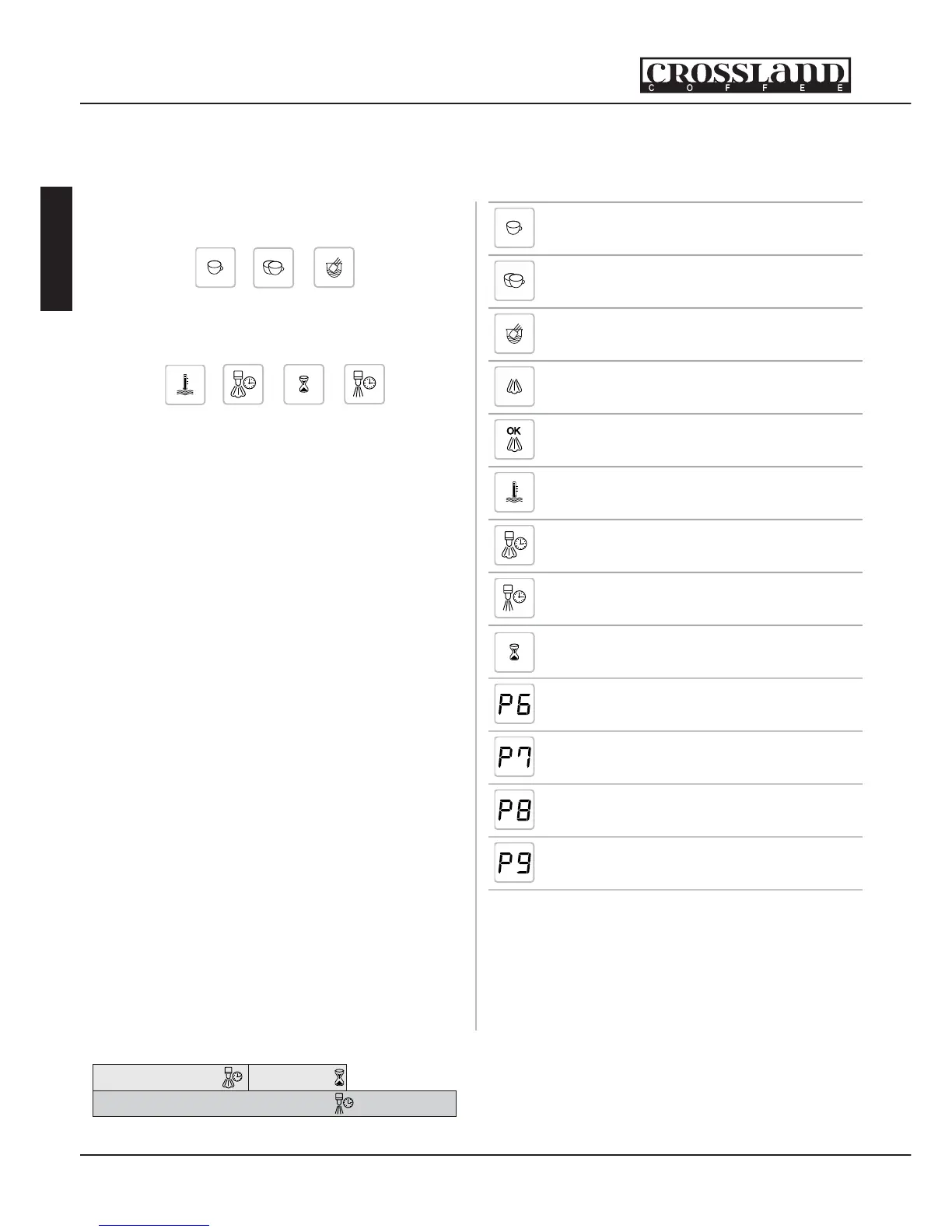
Icon Name Description
1 Cup
Espresso
Programmable
Menu Item #1
2 Cup
Espresso
Programmable
Menu Item #2
Pod
Programmable
Menu Item #3
Steam
Steam
Menu Item
OK Steam
Ready
Lights When
Steam is Ready
Water Temp.
Set Temperature
of Brew Water
Pre-Steam
0-15 Sec.
Seconds of
Pre-Infusion
Dripping Time
20-100 Sec.
Total Coffee Brew
Time
Waiting Time
0-5 Sec.
Time to let water
soak into coffee
P - PID
Parameter
Adjust the P
Parameter
I - PID
Parameter
Adjust the I
Parameter
D - PID
Parameter
Adjust the D
Parameter
Temp Offset
Adjust the Display
Temp. Offset
While in the programming mode you are
able to display and change parameters for
each menu item. Rotating the <menu>
button changes between the 3 menu
items.
Rotating the <setup> button changes
between the parameters for the selected
menu item.
Rotate the <setup> button to select the
desired parameter. Press the <setup>
button and the parameter value begins
ashing. Rotate the <setup> button
to change the parameter value. Once
the correct value is displayed, allow the
parameter value to ash 3 times with out
any button movement. After 3 ashes
the value is automatically set. Repeat the
last procedure to setup all parameters for
all 3 menu items.
When all parameters are correct,
press the <menu> button to exit the
programming menu. See gure at right
to identify the display icons.
1.8. Pre-Infusion
This espresso machine has the capability
to perform electronic pre-infusion. This
function wets the coffee and allows
the water to soak into the coffee
before applying full pressure. When
this process begins, water is infused
into the coffee for a speci c amount
of time. Then the water stops and
the machine waits a speci c amount
of time. Then the machine continues
with the remainder of the brew process.
The process is further explained in the
following gure.
Total Brewing Time
Pre-Infusion Time
Waiting Time
English
8
Crossland Co ee - Seattle, Washington


 To Next Page