SET-UP
Prior to use
Before use, the Gas-Pro should always be checked for any signs of physical
damage.
i
Read and understand the User and Operator manual prior to use.
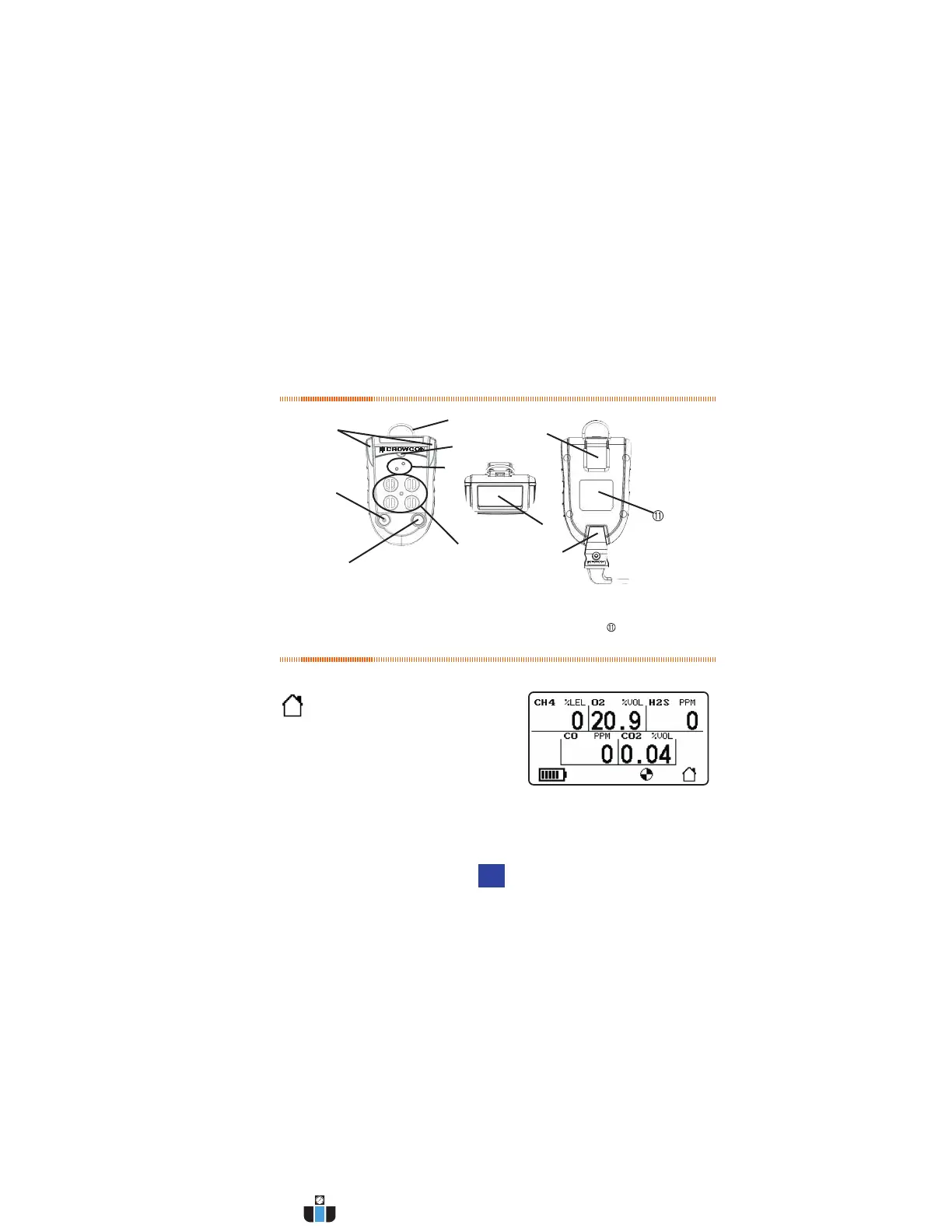
Gas-Pro orientation
Figure 1: Gas-Pro
À D-ring à Operator button Æ +ve Safety™ indicator É Charging cable
Á Alarm bars Ä Sensor apertures Ç Dual colour LCD display Certication label
 Sounder Å Pump inlet/outlet È Alligator clip
DISPLAY
Home Screen
• Gas-Pro simultaneously displays up
to 5 gases.
• The dual colour backlight aids
recognition of alarm events.
• The home icon will invert to show normal operation.
• The backlight is green and changes to red during an alarm highlighting
the gas in alarm.
Â
Å
À
Æ
Ä
Ç
Ã
Á
È
É
USER MENU
• Access the user menu by double clicking the operator button, then
scroll through the menu using single clicks. Once the correct function
is highlighted, double click to choose.
Zero
• During start-up the operator has the option to perform an autozero, or
leave the countdown if an autozero is not required/possible.
• A manual zero can be performed at any time following start up and is
needed less than 15 minutes prior to running a manual calibration.
Time Weighted Average (TWA)
• This function allows the 8 hour TWA to be reviewed.
Pre-Entry Check (PEC)
• This function is intended for sampling air of unknown quality before
gaining access to it (e.g. going under ground through a manhole
cover) thereby avoiding unnecessary exposure.
Peak Review
• This function allows the highest level of each gas detected to be
reviewed during the last 8 hours, 12 hours or since turned on.
Settings
User setting: Up to 5 different users can be loaded into Gas-Pro using
the Portables-Pro PC application.
Pump setting: This function, which is only present if the Gas-Pro has
an internal pump, allows authorised users to turn the pump on or off.
Sounder volume: This function allows authorised users to change the
sounder volume between 2 levels.
2 4
www.calcert.com sales@calcert.com1.800.544.2843
0
5
10
15
20
25
30



 To Next Page