Gasman Quickstart guide
5
2. In the event of an alarm
Alarm signals
In the event of gas concentrations exceeding the alarm thresholds for the
gas being monitored, Gasman will activate the alarm signals.
Alarm signals
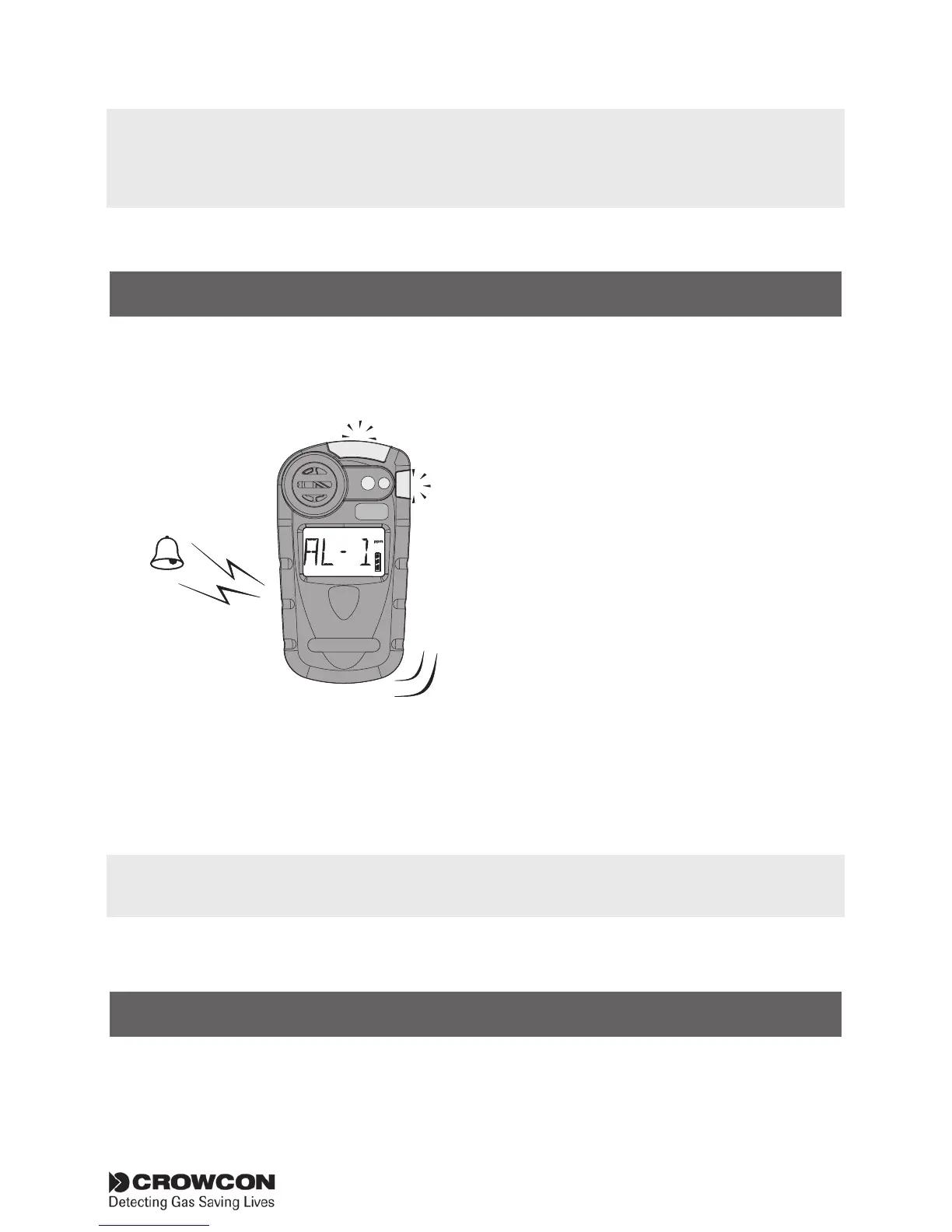
The red and blue alarm LEDs
will flash, the sounder will emit
a loud, fast series of beeps, the
internal vibrator alarm will activate.
The operator screen will display
the alarm level and gas reading
alternately.
See the figure to the left.
AL - 1 — Alarm level one
AL - 2 — Alarm level two
1. When the gas level returns to normal, press the operator button.
This will reset your Gasman unit to normal Run mode. If the gas
level is still within alarm limits, the button will have no effect.
3. Switch off unit and storage
Switching off
1. Press and hold the button for 5 seconds until the display shows
OFF. The display will count down to switch off.
HS
2
ppm
Confidence signals
In normal Run mode, Gasman will emit a short beep accompanied by a blue LED flash every 10
seconds and the OK icon flashes to show operational health. These confidence signals can be
disabled using the PC software.
The Gasman alarm is set to latch by default. The unit will still continue in alarm mode even
when the gas level returns to normal, until the button is pressed and the alarm is cleared.



 To Next Page