PC interface and software Gasman
26
VIII. PC interface and software
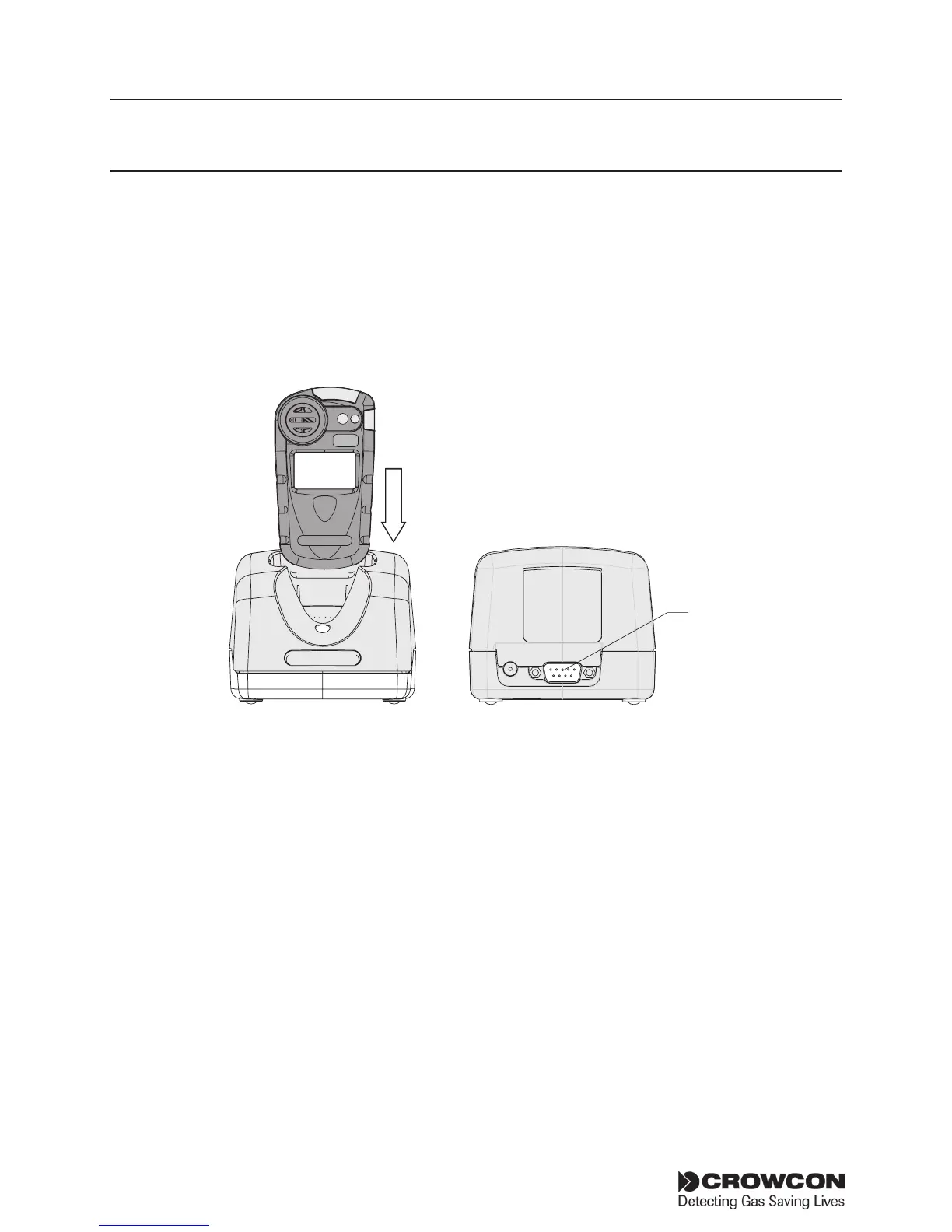
Gasman can be connected to a PC using the single way charger unit with
optional PC interface. The charger unit is fitted with a D-type 9 pin RS232
socket which is located at the rear of the charger, see diagram below. The
PCrequiresCrowconPortablesPCsoftware.AUSB-RS232adaptorisalso
available from Crowcon.
The software provides the user with access to reconfigure alarm levels,
operation, run calibrations, print reports and to access data and event
log files.
Set-up
1. Install Portables PC software on PC and attach the RS 232 cable to
the charger and PC.
2. Switch on the Gasman unit and drop it into the charger unit with
the display facing forward.
3. For information on using the Crowcon Portables PC software, see
installed help file.
RS 232
link
HS
2


 To Next Page