Commercial Audio Series Mixer-Amplifi ers
Operation Manualpage 6
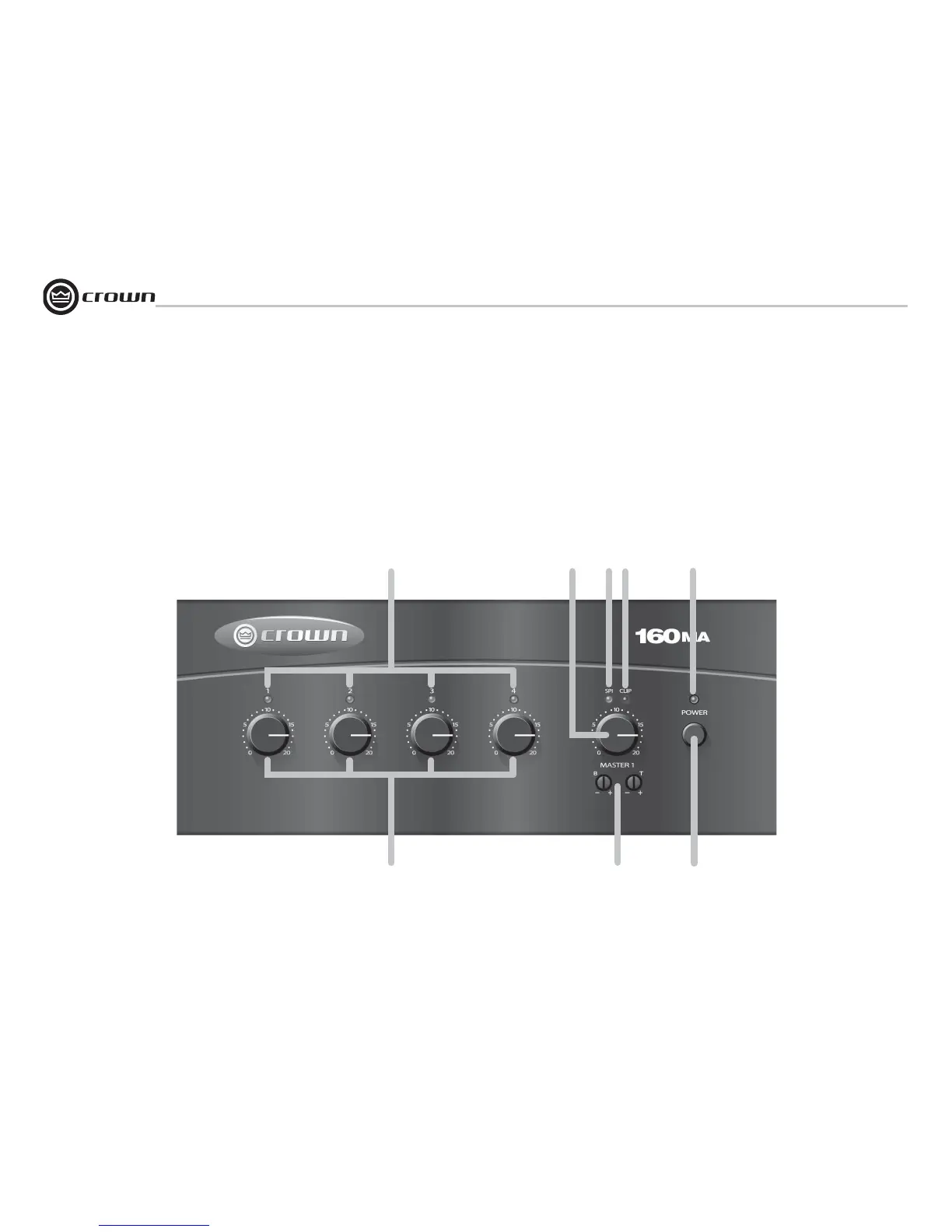
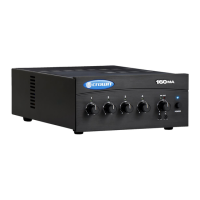
Figure 1.1 Front Panel Controls and Indicators
1.2 Front Panel Controls and Indica-
tors
A. Input Signal Presence/Clip Indica-
tors: Green LED, one above each channel's
volume control, illuminates when input
signal exceeds –40 dBu, or fl ashes brightly
at threshold of audible distortion.
B. Master Output Volume Control: Detented
potentiometer with knob.
2 Setup
A
B
C
D
E
F
G
H
C. Output Signal Presence Indicator: Green
LED above master output volume control
illuminates when any input signal exceeds
–40 dBu.
D. Output Signal Clip Indicator: Red LED
above master output volume control fl ashes
brightly at threshold of audible distortion.
E. Power Indicator: Blue LED indicates
power on.
F. Input Volume Controls: One per input,
detented potentiometers with knobs. Four
controls in 160MA; three controls in 135MA.
G. Tone Controls: Bass and Treble non-
detented recessed potentiometers under
master output volume control. Bass ±10 dB
at 100 Hz, Treble ±10 dB at 10 kHz.
H. Power Switch: Pushbutton on-off switch.
.


 To Next Page