2–6
FM30/FM100/FM250 User's Manual
MEGAHERTZ
.1 .01
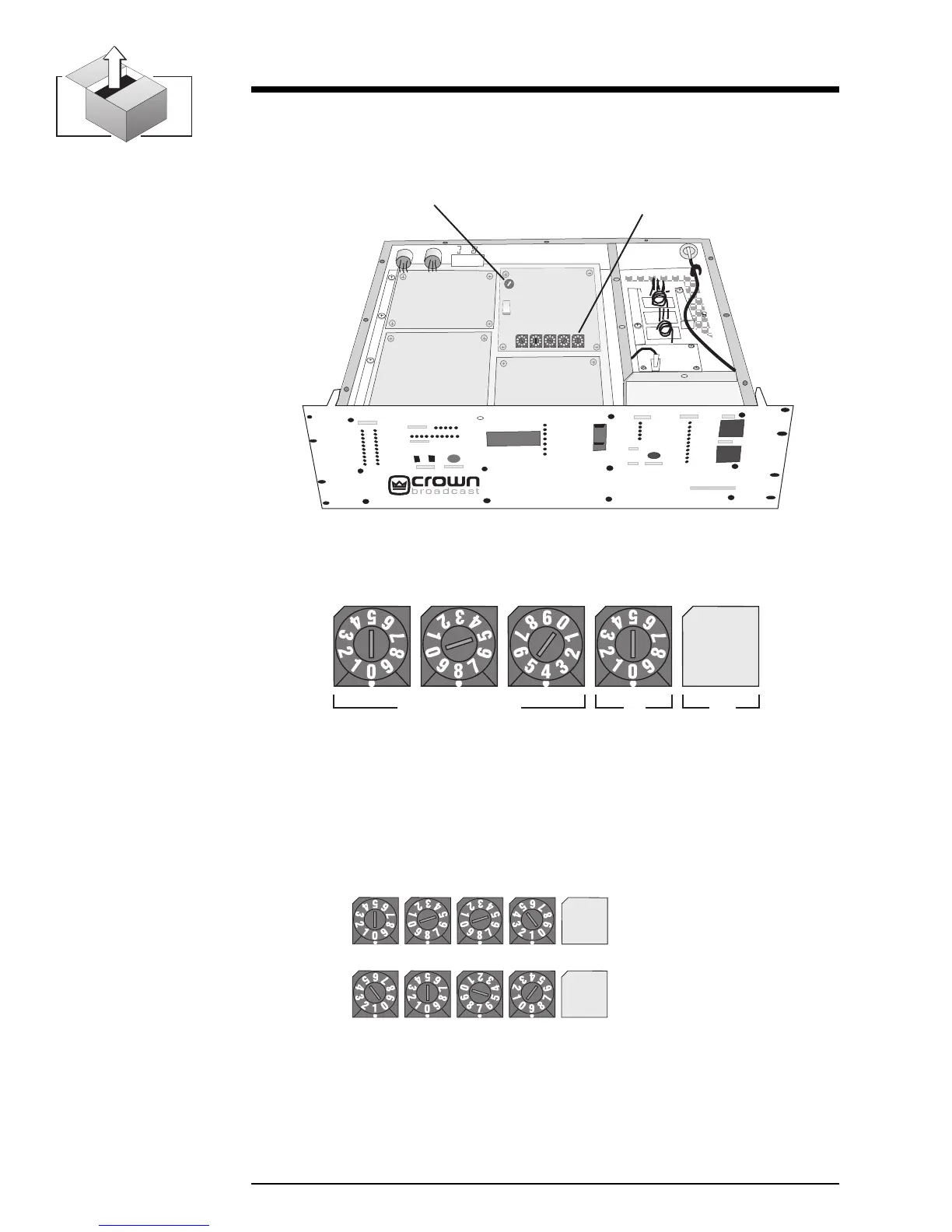
2. Locate the RF Exciter board and identify the frequency selector switches
which will be used to change the setting. See Illustrations 2–6 and 2–7.
Illustration 2–7 RF Exciter Board (Frequency Selector Switches)
Illustration 2–8 Two Sample Frequency Selections
®
RF Exciter
Frequency Selection
Rotary Switches
FM250
Modulation
Trim-pot
Illustration 2–6 Top Cover Removed
3. Use small flat blade screwdriver or another suitable device to rotate the
switches to the desired setting. (The selected number will appear directly
above the white indicator dot on each switch.) See examples of selected
frequencies in the illustration below.
= 88.1 MHz
= 107.9 MHz
OPTIONAL


 To Next Page