2–8
FM30/FM100/FM250 User's Manual
2.4 Receiver Frequency Selection
If you have a transmitter equipped with the receiver option, you will need to set the
receiving or incoming frequency.
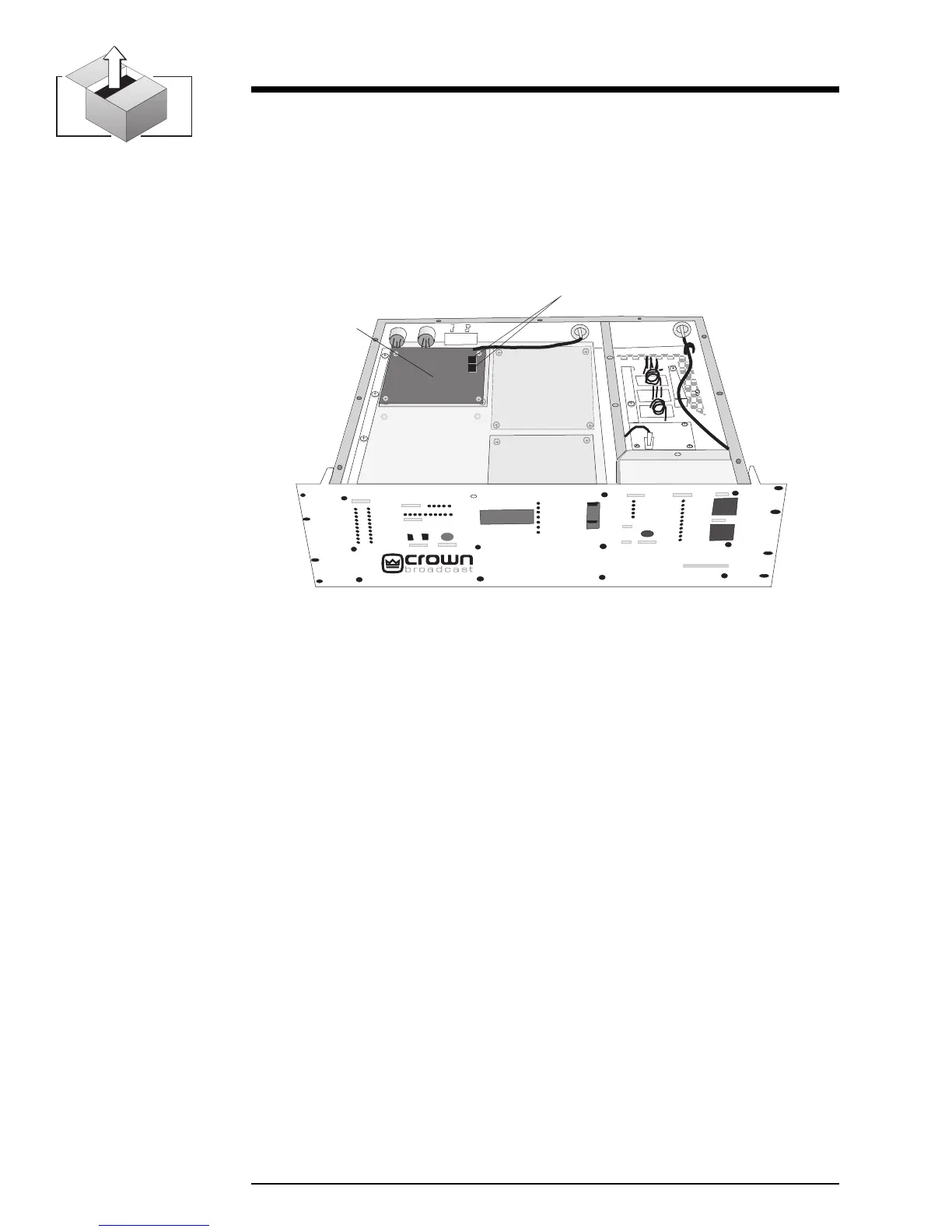
1. With the top cover removed, locate the receiver module and the two switches
(labeled SW1 and SW2).
2. Use the adjacent chart to set the switches for the desired incoming frequency.
3.After setting the frequency, replace the top cover and screws.
Illustration 2–10 Receiver Module Switches
®
Receiver
Module
FM250
Frequency Selection Switches


 To Next Page