2–13
Installation
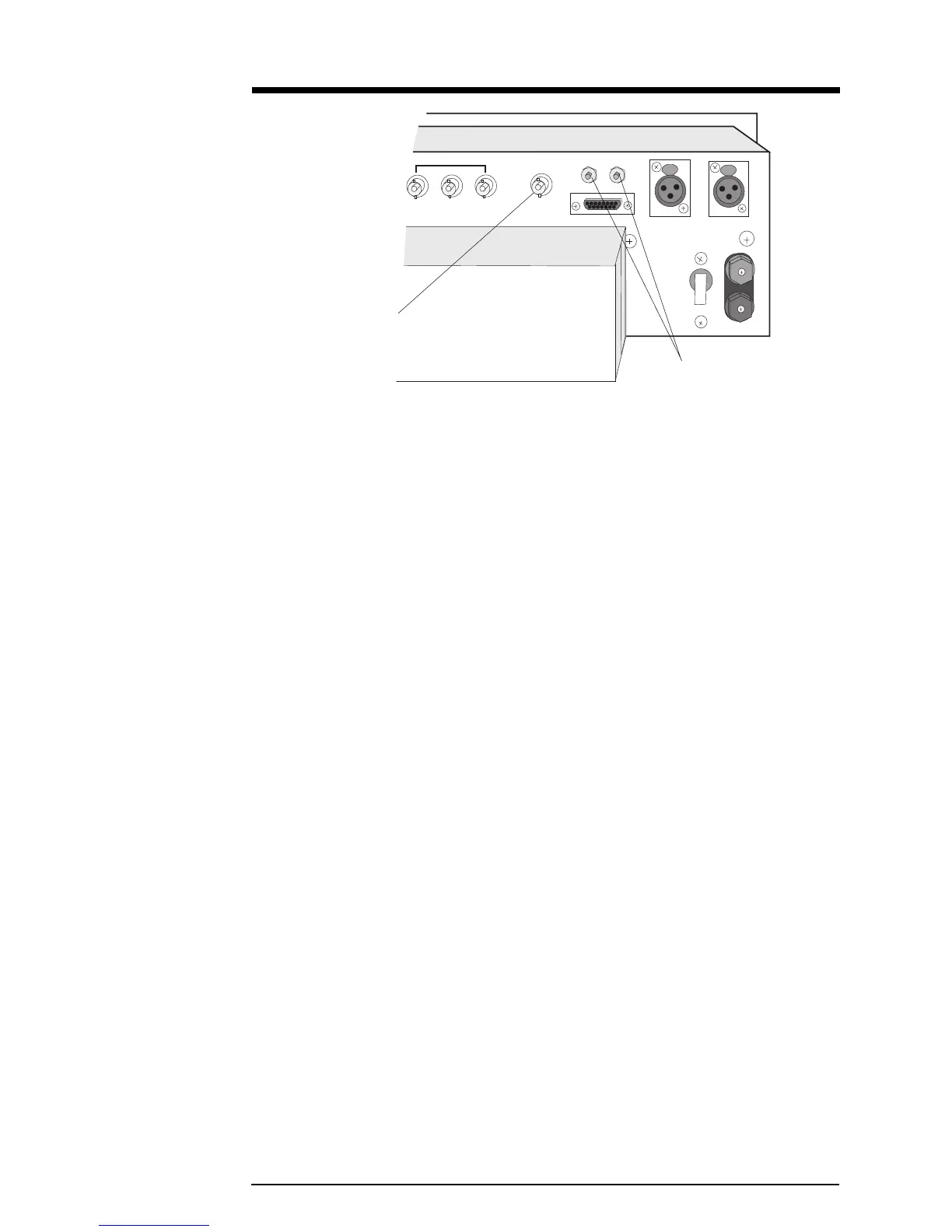
Illustration 2–15 Composite In and Audio Monitor Connections
OFF
SCA IN
COMPOSITE IN
MONITOR
R
L
23
REMOTE I/O
RIGHT
LEFT/MONO
B
A
T
T
E
R
Y
36 VDC
+
–
CIRCUIT
BREAKER
1
Composite In
BNC Connector
2.9 Audio Monitor Connections
Processed, de-emphasized samples of the left and right audio inputs to the stereo
generator are available at the Monitor jacks on the rear panel. The signals are
suitable for feeding a studio monitor and for doing audio testing. De-emphasis is
normally set for 75 µsec; set to 50 µsec by moving jumpers, JP203 and JP204, on
the Stereo Generator board.
2.10 Pre-emphasis Selection
Select the pre-emphasis curve (75 µsec, 50 µsec, 25 µsec, or Flat) by jumpering the
appropriate pins of header JP1 on the audio processor board. If you change the pre-
emphasis, change the de-emphasis jumpers JP203 and JP204 on the Stereo
Generator board to match.
Audio Monitor Jacks


 To Next Page