EasyManua.ls Logo

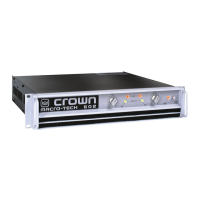
Crown MA-1202 - User Manual

Crown MA-1202
36 pages
Print Icon
To Next Page IconTo Next Page
Loading...
Operation Manual
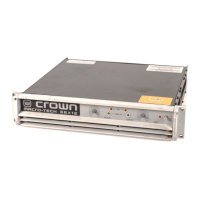
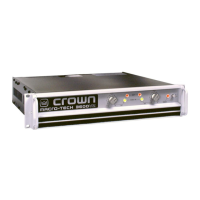
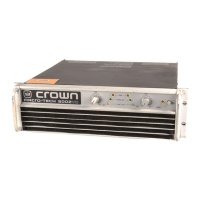
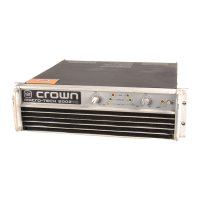
Macro-Tech
602, 1202 & 2402
Obtaining Other Language Versions:
To obtain information in another language about the use of this product, please contact your
local Crown Distributor. If you need assistance locating your local distributor, please contact Crown at 574-294-8000.
This manual does not include all of the details of design, production, or variations of the equipment. Nor does it cover every possible
situation which may arise during installation, operation or maintenance.
The information provided in this manual was deemed accurate as of the publication date. However, updates to this information may have
occurred. To obtain the latest version of this manual, please visit the Crown website at www.crownaudio.com.
Trademark Notice:
Crown, Crown Audio, Amcron, Macro-Tech and ODEP
are registered trademarks of Crown International. PIP and
Grounded Bridge are trademarks of Crown International. Other trademarks are the property of their respective owners.
Some models may be exported under the name Amcron.
®
©2005 by Crown Audio
®
, Inc. 1718 W. Mishawaka Rd., Elkhart, Indiana 46517-9439 U.S.A. Telephone: 574-294-8000
127240-6B
6/05
Macro-Tech 02 Series

Questions and Answers

  • D
    david66Jul 30, 2025
    How to troubleshoot a Crown Amplifier with no power?
    • M
      Mr. Matthew Williams MDJul 30, 2025
      If your Crown Amplifier has no power and all indicators are off, including the Enable light, try the following: * Check if the amplifier’s Enable switch is off. * Ensure the amplifier is plugged into the power receptacle. * Reset the AC circuit breaker. * Replace the amplifier’s low-voltage power supply fuse.
  • J
    John SinghAug 11, 2025
    Why is ODEP limiting about to begin on my Crown Amplifier?
    • M
      Mario GarciaAug 11, 2025
      If ODEP limiting is about to begin on your Crown Amplifier, consider the following: * Clean the amplifier’s air filters if they are blocked. * Ensure sufficient cooling due to adequate air flow or air that is not too hot. * Check that the load impedance for the channel is not too low. * Avoid continuously driving the amplifier channel to very high output levels.
  • J
    jellisAug 16, 2025
    What to do if the Crown MA-1202 Amplifier channel’s output exceeds 0.05% distortion?
    • S
      Sarah HillAug 17, 2025
      If the output of your Crown Amplifier channel is exceeding 0.05% distortion: * Reduce the input signal level to avoid overload or output clipping. * Check if the amplifier is in Parallel-Mono mode.
  • B
    benjamin92Aug 23, 2025
    Why is there no audio output from my Crown Amplifier channel?
    • A
      ashleywhiteAug 23, 2025
      If you are experiencing normal operation for a channel with no audio output on your Crown Amplifier, please check the following: * Confirm there is an input signal. * Increase the input signal level. * Adjust the channel’s level control.
  • C
    crystal79Nov 4, 2025
    What to do if my Crown MA-1202 channel is in standby mode?
    • P
      Phillip TranNov 4, 2025
      If your Crown Amplifier channel is in standby mode, there are several things you can check: * See if a PIP module has turned off the channel’s high-voltage power supply. * Wait for the amplifier to complete the four second turn-on delay. * Investigate the activation of the DC/low-frequency protection circuitry. * Check if the fault protection circuitry has been activated. * Verify if the transformer thermal protection circuitry has been activated. * Replace the blown channel fuse or reset the tripped breaker. * Check if ODEP limiting has been activated. * Clean the amplifier’s air filters if they are blocked. * Ensure sufficient cooling due to adequate air flow or air that is not too hot. * Check that the load impedance for the channel is not too low. * Avoid continu...

Summary

Important Safety Instructions

Amplifier Setup Procedures

Unpacking, Installation, and Cooling

Steps for unpacking, installing the amplifier in a rack, and ensuring proper airflow for optimal cooling and performance.

System Wiring Modes: Stereo and Bridge-Mono

Instructions for wiring the amplifier in Stereo and Bridge-Mono modes, covering switch settings and speaker connections.

Operation and Precautions

Operational Precautions

Essential safety and performance precautions to follow during amplifier operation, covering connections, signal sources, and output levels.

Front Panel Controls and Indicators

Detailed explanation of the front panel's components, including dust filters, level controls, and status indicators like ODEP and Signal/IOC.

Rear Panel Controls and Connectors

Description of the amplifier's back panel features, including power cord, stereo/mono switch, PIP module, input, and output connections.

Indicator Status Explanations

Explanation of the function and meaning of the Enable, ODEP, and Signal/IOC indicators under various operating conditions.

Advanced Features and Options

Protection Systems Overview

Details the comprehensive protection systems including ODEP, standby mode, fuses, and thermal protection for amplifier reliability.

Troubleshooting Amplifier Issues

ODEP and Signal;IOC Indicator Diagnosis

Guide to diagnosing amplifier problems by interpreting the status of ODEP and Signal/IOC indicators and their corresponding conditions.

Theory of Amplifier Operation

Technical Specifications

Guaranteed Power Output and Performance Metrics

Detailed specifications for minimum guaranteed power output and key performance parameters like frequency response and distortion.

AC Power Draw and Thermal Dissipation

Service and Support Information

Warranty Terms and Conditions

Warranty Summary and Exclusions

Details the three-year warranty period, coverage, and specific items or conditions excluded from the Crown warranty.

Crown MA-1202 Specifications

General IconGeneral
TypePower Amplifier
Frequency Response20 Hz - 20 kHz
Power Output (4 Ohms)600W
Input Impedance20 kOhms (Balanced), 10 kOhms (Unbalanced)
Dimensions19 x 3.5 x 14 inches
CoolingConvection cooled

Related product manuals