Crumar Seventeen and Seventeen "Parsifal" User's Manual
7) Expansions management: expansions or sampled content are additional sounds that can be imported into your Crumar Seventeen.
We regularly release new sounds (please check www.crumar.it for this) and these can be imported in your instrument (if not already
present). Please note that the instrument has "Factory" sounds that, even if they are indeed expansions, can't be removed from the
instrument because they are stored inside the system.
If you want to install a new sound in your Crumar Seventeen, the first thing you have to do is to download the sound on your computer,
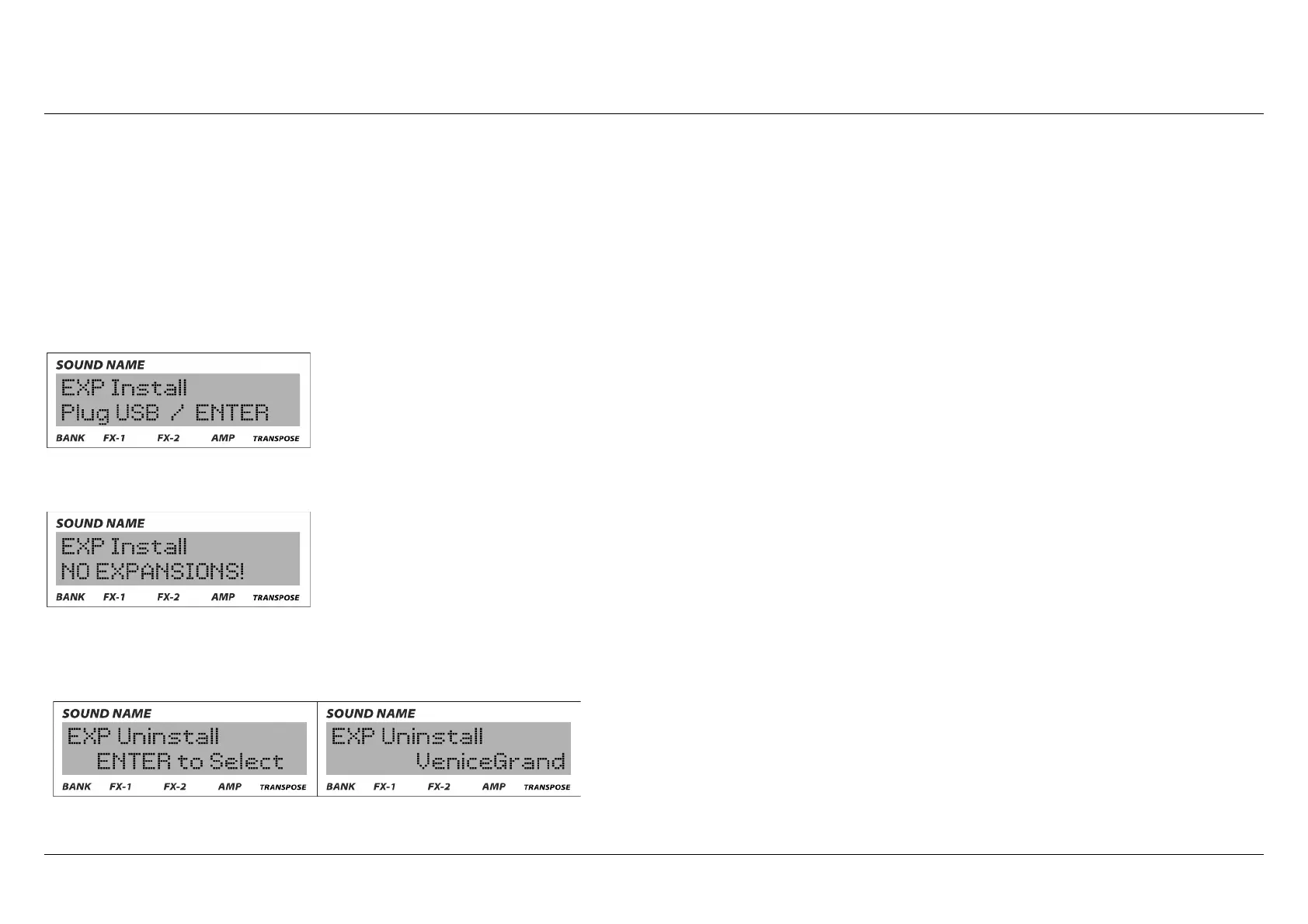
unzip the file and transfer it to a compatible USB drive. Plug that USB drive to the system USB port of your instrument, enter the "edit"
mode and reach this page:
If the file is corrupted, still zipped, non-compatible or if the unit is unable to read from that USB drive, you will receive an error message:
If you want to unistall sounds, you need to go in the section of menu dedicated to EXP unistall: a confirmation message will appear:
Crumar Seventeen User's Manual - Page 23



 To Next Page