Crumar Seventeen and Seventeen "Parsifal" User's Manual
CHAPTER 6. CONNECTIONS.
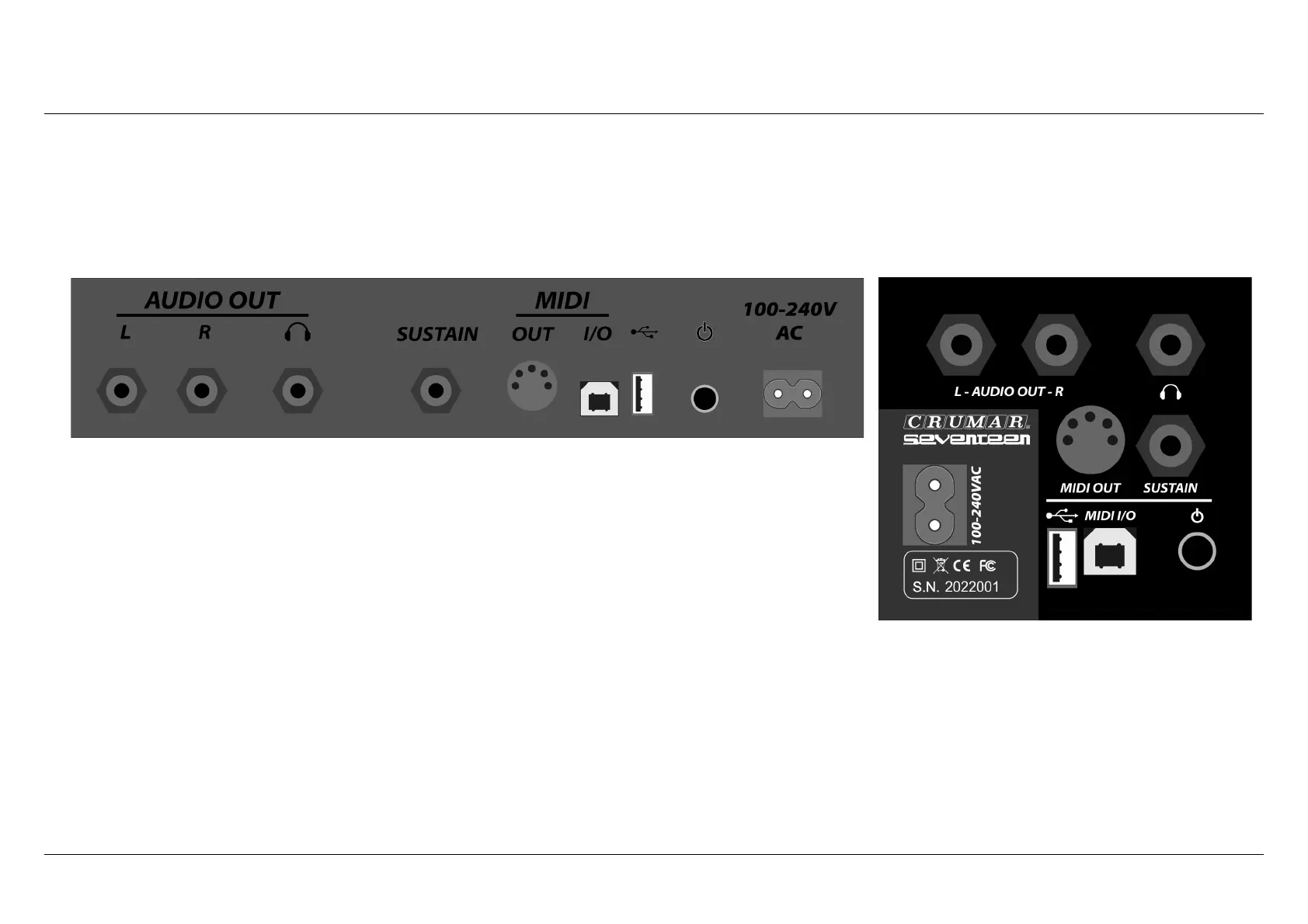
The following pictures shows the connections panel located at the left of the piano (Seventeen) and on the back of the piano
(Seventeen "Parsifal"). They offer the same connections and possibilities, they are only arranged in a different positions.
– LEFT OUTPUT, RIGHT OUTPUT: these are 1/4” TRS Jack sockets for the balanced
outputs.
– SYSTEM USB: used to accept a USB Thumb Drive to update the firmware, load the
sample contents and the presets.
– HEADPHONE: Connect your stereo headphone to this 1/4” TRS Jack socket.
– POWER SWITCH: the fun starts here.
– AC SOCKET: Connect the supplied AC power cable here.
– USB MIDI IN-OUT: this is a USB port that carries bi-directional MIDI-USB connection to your computer.
– MIDI OUT: standard DIN5 MIDI output port.
– SUSTAIN: connect the sustain pedal to this input.
PLEASE NOTE: We suggest to use Crumar original accessories.
Crumar Seventeen User's Manual - Page 10



 To Next Page