Need help?
Do you have a question about the Crux DKGM-49 and is the answer not in the manual?
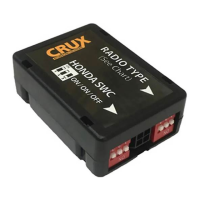
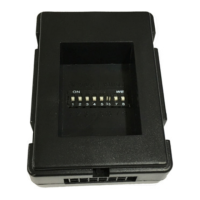
Configure DIP switches based on aftermarket radio brand for proper SWC functionality.
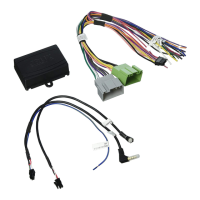
Details on using 3.5MM SWC cables for different radio types (Option A/B).
Connect the 8-pin harness to the correct 8-pin connector based on Bose or Non-Bose audio system.
Adjust the chime volume using the potentiometer on the module.
Connect the factory backup camera using the CRUX2543 harness to the aftermarket radio.
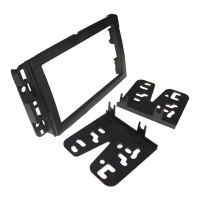
Step-by-step guide for installing the dash kit for Double DIN or two Single DIN radios.
Instructions on locating and assembling the dash kit components before mounting the radio.
Maps Pioneer SWC buttons to short and long press functions for radio control.
Maps Alpine SWC buttons to short and long press functions for radio control.
Maps Clarion SWC buttons to short and long press functions for radio control.
Maps JVC SWC buttons to short and long press functions for radio control.
Maps Kenwood SWC buttons to short and long press functions for radio control.
Details wiring connections for BOSS radio SWC programming.
Step-by-step guide for programming the BOSS radio using SWC buttons and specific values.
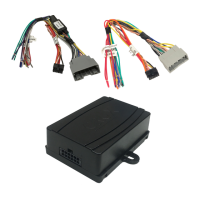
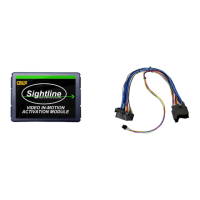
The Crux DKGM-49 is a radio replacement interface with Steering Wheel Control (SWC) retention and a dash kit designed for GM LAN 29 Bit vehicles manufactured between 2006 and 2015. This device allows for the installation of an aftermarket radio while preserving several factory features and functionalities.
The primary function of the DKGM-49 is to enable the seamless integration of an aftermarket radio into compatible GM vehicles. It retains essential factory features that would otherwise be lost with a radio upgrade. This includes the functionality of the factory Steering Wheel Controls, allowing users to manage their aftermarket radio directly from the steering wheel. The module is pre-programmed for this retention.
A notable feature is its support for iPhone Voice Recognition (VR) on specific aftermarket radio brands such as Kenwood, Pioneer, Alpine, and JVC. This enhances hands-free control and convenience. The SWC also supports various call management functions, including Pick Up/End Call, Pick Up and Toggle between 1st and 2nd Incoming calls, and AVRCP Track and Seek functions.
The DKGM-49 is versatile in its audio system compatibility, supporting Bose, non-Bose, and Y-91 audio systems. This means it can adapt to different factory amplifier configurations. For vehicles equipped with a Rear Seat Entertainment (RSE) system, the module provides activation capabilities, though this requires a separate cable (CRUX2333A).
Furthermore, the device retains the factory front and back park assist system, ensuring that safety features remain operational. It also preserves all factory chime functions, which are crucial for various vehicle alerts. The wiring is EIA color-coded for straightforward installation.
The DKGM-49 offers several user-friendly features. The Steering Wheel Control buttons are mapped to various functions, with both short press and long press actions. For example, a short press of "VOL +" typically increments volume, while a long press provides continuous volume increase. Similar mappings exist for seek, source, preset, and call functions. Specific VR activation/deactivation commands are also available.
The module includes a chime volume adjustment potentiometer, allowing users to customize the loudness of vehicle chimes. This is adjusted using a screwdriver, turning clockwise to increase and counter-clockwise to decrease volume.
For vehicles with a factory backup camera, the DKGM-49 kit includes the CRUX2543 harness to retain its functionality. This involves connecting the 16-Pin camera connector to the vehicle's factory connector and the yellow video RCA to the aftermarket radio's video input.
The installation process is facilitated by a detailed wiring diagram and clear instructions for setting DIP switches based on the aftermarket radio brand. The dash kit is designed for easy assembly, accommodating either a double DIN or two single DIN radios.
While the DKGM-49 itself does not require ongoing maintenance, its design incorporates features that simplify installation and troubleshooting. The EIA color-coded wiring helps ensure correct connections, reducing the likelihood of errors during installation. The DIP switch settings for different radio brands are clearly outlined, allowing for proper configuration.
The chime volume adjustment is a user-accessible feature that can be modified as needed. The module's ability to retain factory features means that the vehicle's original safety and convenience systems continue to function, reducing the need for separate maintenance or adjustments related to those systems after the radio upgrade. The modular design, with separate components like the GM-49 module, GM-49 harness, SWC cables, antenna adaptor, and dash kit, allows for easier replacement of individual parts if necessary.
The device is not compatible with 2012-Up SUVs/Trucks equipped with factory-installed Navigation radios, nor with Express and Savana vans powered by a diesel engine. It also does not support ONSTAR. These limitations are clearly stated, helping to prevent compatibility issues.
 General
| Brand | Crux |
|---|---|
| Model | DKGM-49 |
| Category | Automobile Accessories |
| Language | English |

 To Next Page