- 27 -
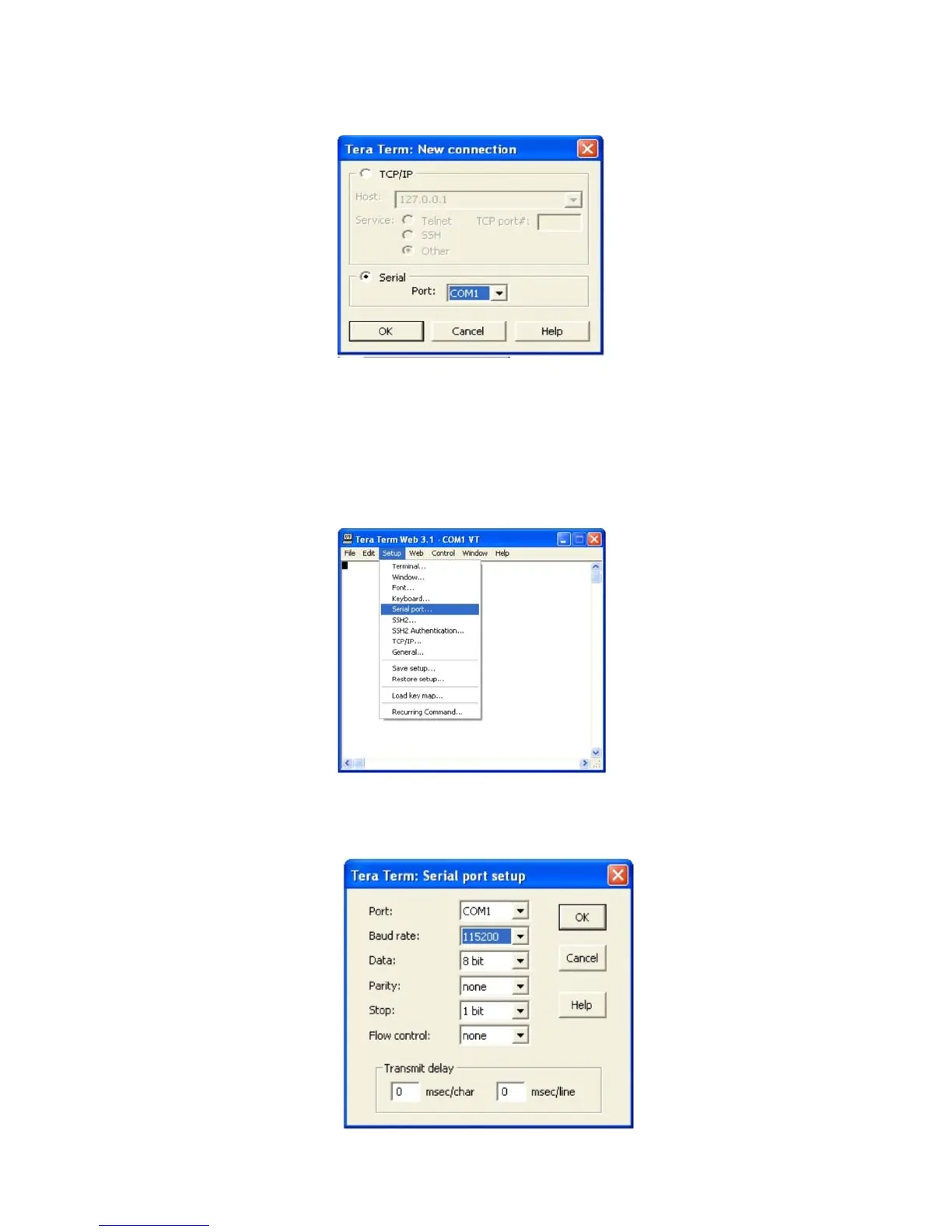
Pressing “OK” will open up a blank dialog screen. Go to the setup dropdown menu and
select Serial port to make changes to the serial port setup.
Configure the terminal program for the correct COM port, in this case COM 1 and 115200
baud rate as shown below.
Select the Serial radio button and press OK as shown below.
Note: It may be necessary, in the System Properties section of the control panel; using Device
Manager to determine what COM port your computer uses for the communications port. In this case
it is COM 1. This is not to be confused with the serial port on the bottom panel of the repeater
labeled COM 1.


 To Next Page